65
ADVANCED
OPERATIONS
3-5
Displaying enlarged images using a microscope
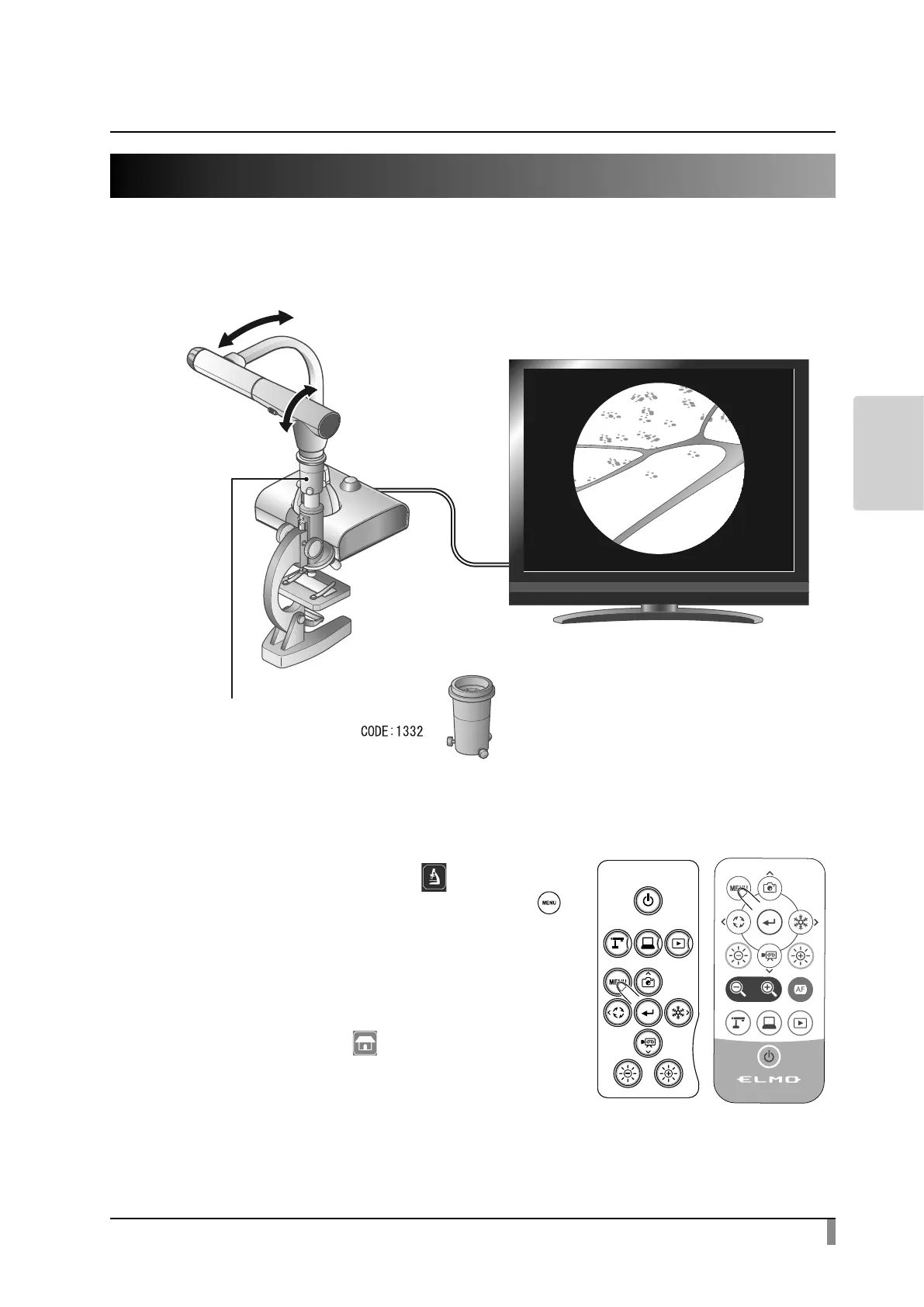
By attaching the separately sold microscope attachment lens to a microscope,
you can display the enlarged image through the document camera lens.
$GMXVW
$GMXVW
0LFURVFRSHDWWDFKPHQWOHQV
Microscope mode operations
When the Microscope icon [ ] in the menu
displayed by pressing the MENU button [ ]
on the remote control or the operating panel is
selected while the camera image or the playback
image is displayed, the product automatically
adjusts the focus position and zoom position.
Select the Return icon [ ] to exit the Microscope
mode.



 To Next Page