21
BASIC
OPERATIONS
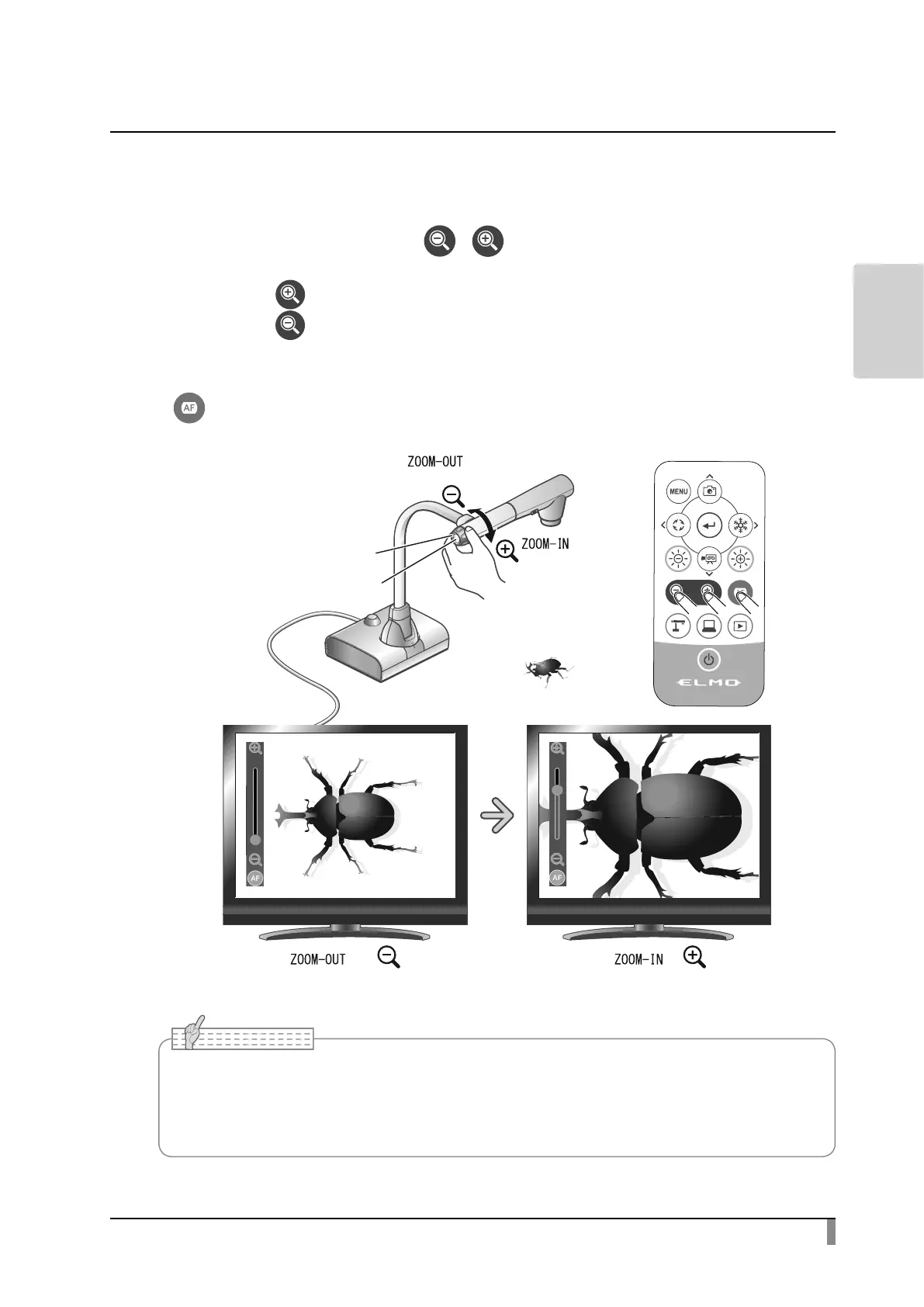
Adjusting the size
The display range of the document can be adjusted by rotating the zoom dial on
the product or by pressing the [ / ] buttons on the remote control.
・ZOOM-IN :The subject will be shown in large size.
・ZOOM-OUT :The subject will be shown in small size.
If you cannot get a focused image, use the AF button on the camera head or the
[ ] button on the remote control.
VPDOOHU
=RRPGLDO
ODUJHU
$)EXWWRQ
• Zoom ratio: Optical 12x, Digital 16x
• When the optical zoom reaches 12x, it will shift to digital zoom automatically.
• Within the digital zoom range, the image quality will be degraded.



 To Next Page