20
BASIC
OPERATIONS
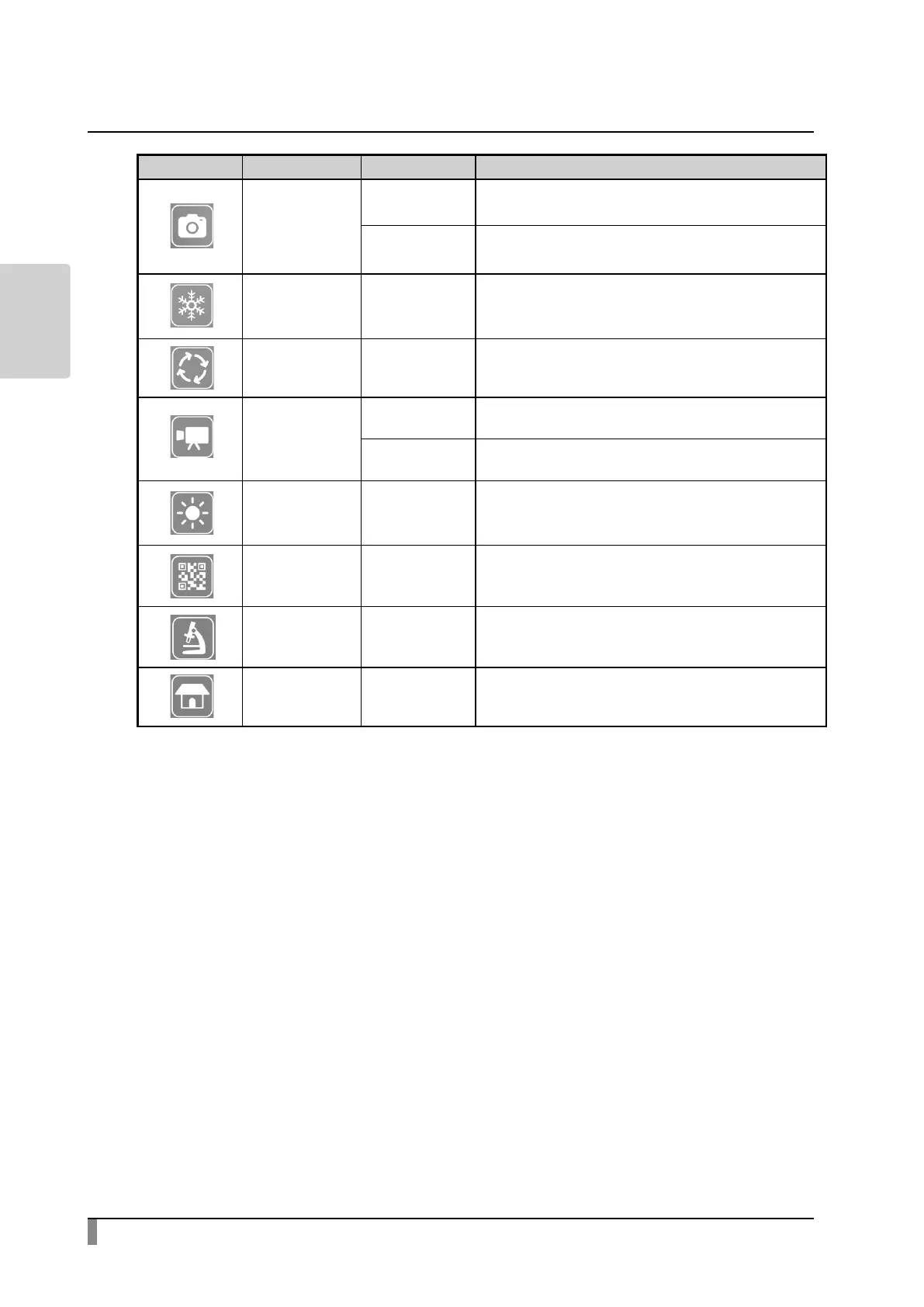
Icon Main menu Sub menu Function
Capture
-
To capture the camera image and save it as a still
image.
○ (Long press) To select the destination media
Freeze ※ 1 -
To pause or restart the camera image.
※ Pressing this icon long will perform the
keystone correction.
Image rotation -
To rotate the image being displayed
(0°/ 90°/ 180°/ 270°)
Record
- To record a video to the specied media.
○ (Long press) To select the destination media.
Brightness ※ 1 -
To display the Brightness adjustment menu.
The brightness can be adjusted by moving the
Brightness adjustment slider.
QR code reader
※1
- To enter the QR code reader mode.
Microscope
※1
-
Use this mode when you use the product with a
microscope.
Home - To display the Home screen.
※ 1 The Freeze icon, Brightness icon, QR code reader icon and Microscope icon
will only be displayed in the Document camera screen.



 To Next Page