45
ADVANCED
OPERATIONS
Operation of the Video menu
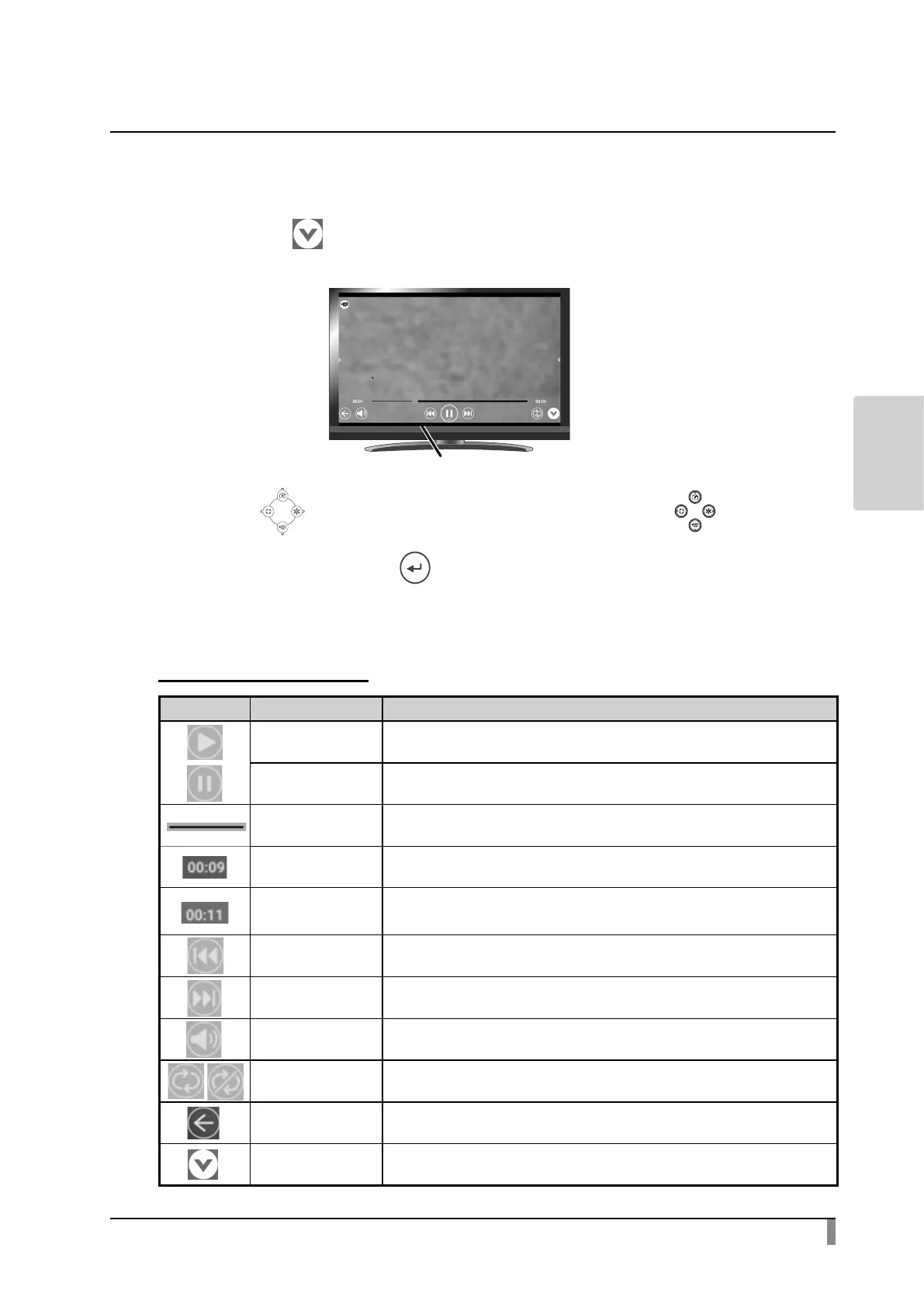
While a video is displayed full-screen, the Video menu will be displayed. Select
the Hide icon[ ]to hide the menu.
Press the[ ]buttons on the operating panel or the[ ]buttons
on the remote control to move the cursor. The cursor can also be moved by using
the mouse. Then press the[ ]button to conrm.
Descriptions of each menu
Video playback menu
Icon Name Function
Play
To start video playback.
This icon will change to the Pause icon during playback.
Pause
To pause the video. This icon will change to the Play icon during pause. Press
this icon again to restart the video.
Seek bar To change the playback position as desired by moving this bar.
Playback time To display the elapse time during playback.
Maximum playback
time
To display the maximum playback time of the selected video.
Previous video To move to the previous video.
Next video To move to the next video.
Speaker To adjust the speaker volume by using the Volume adjustment slider.
Repeat
To playback the selected video repeatedly. ON or OFF can be set to each selected
video.
Return To return to the List of content items screen.
Hide Play menu
To hide the Play menu and display the video full screen.
※ Press the bottom tab to display the Play menu.



 To Next Page