4.2 Status
There are three options under the Status section of the left
menu: Main, Wireless Client List, and System Log. Each
optionisdescribedindetailbelow.
4.2.1 Main
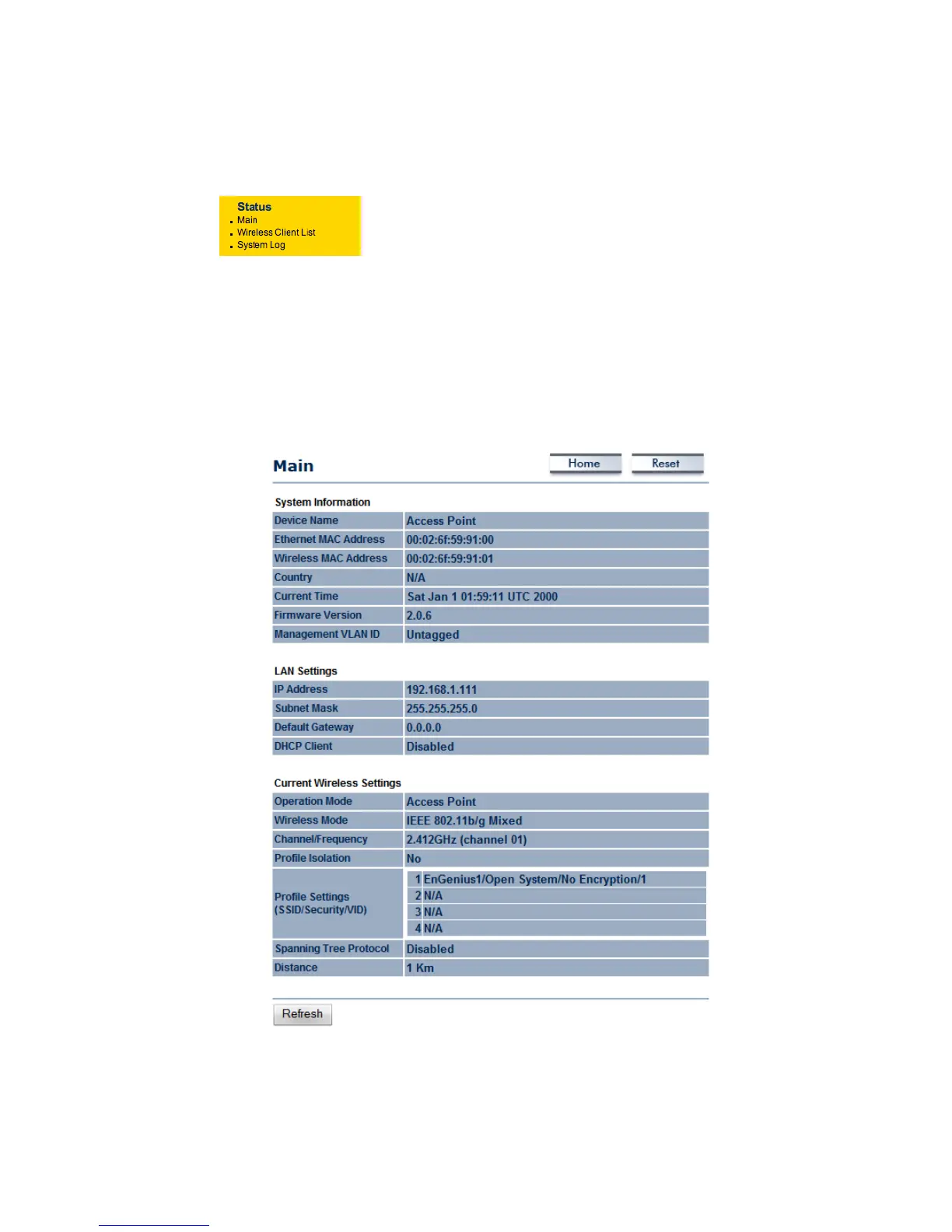
The status that is displayed corresponds with the operating mode that is selected. Information
suchasDeviceName,MACAddress, Country, CurrentTimeandFirmwareVersionaredisplayed
inthe‘SystemInformation’section.IPaddress,SubnetMask,andDefaultGatewayaredisplayed
inthe‘LAN Setting’section.Inthe‘Wireless
Settings’ section, OperationMode,Wireless Mode,
Channel/Frequency,MSSIDwithsecurity,SpanningTreeandDistancesettingaredisplayed.



 To Next Page