EnGenius EOC2611P Version 1.0
60
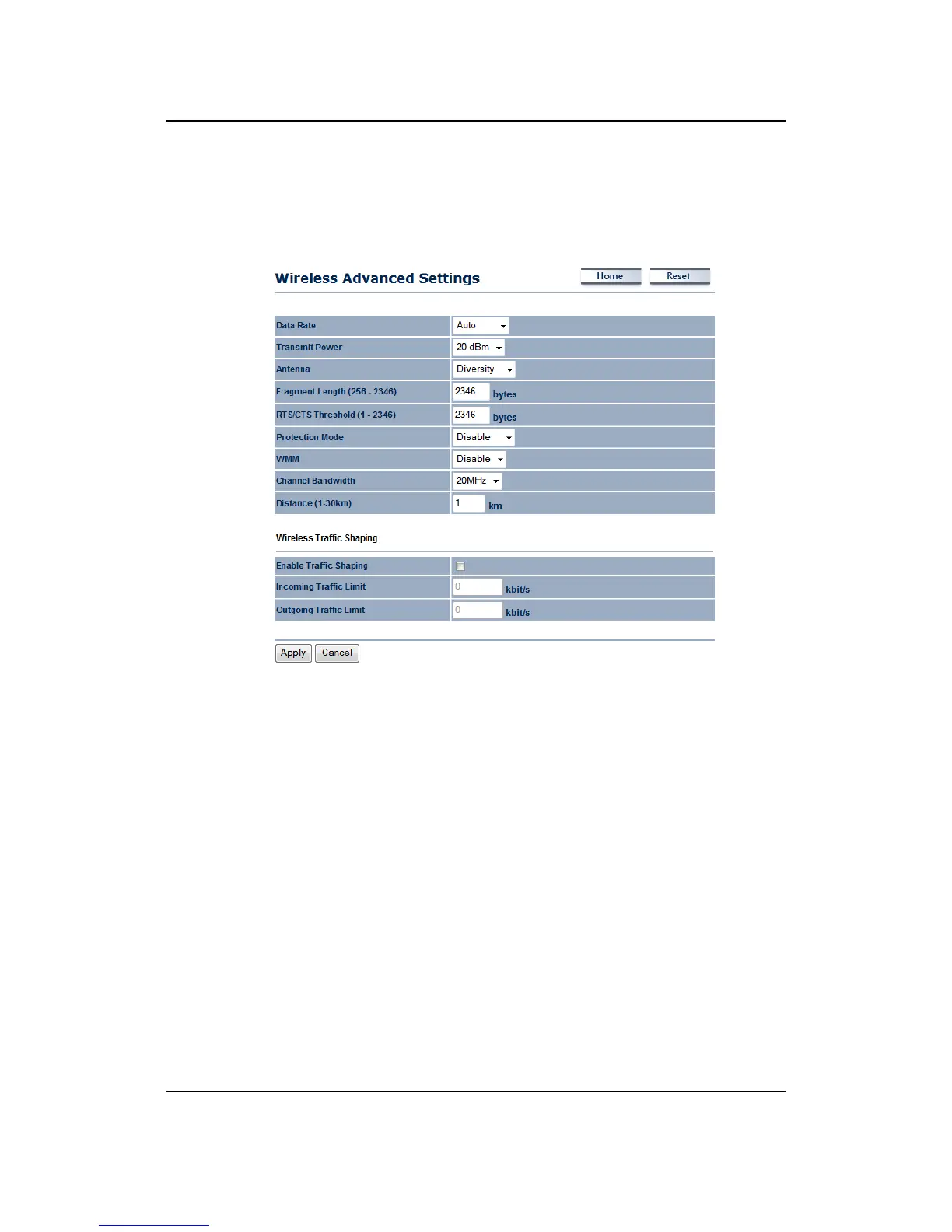
6.4.4 WirelessAdvancedSettings
Onthispageyoucanconfiguretheadvancedsettingstotweaktheperformanceofyourwireless
network. Options available are: data rate, transmit power, fragmentation threshold, RTS
threshold,protectionmodeanddistance.
Data Rate: Ifyouwouldliketohaveafixeddata rate,youmayselectonefromthedrop‐down
list.However,forbestperformanceitisrecommendedtousetheAutosetting.
Transmit Power: You may have the different application distance of the device by selecting
a
valuefromthedrop‐downlist .Thisfeaturecanbehelpfulinrestrictingthecoverageareaofthe
wirelessnetwork.
Antenna:YoucanselecttheantennapolarizationtoDiversity,HorizontalorVertical.
Fragment Length: Packets over the specified size will be fragmented in order to improve
performanceonnoisynetworks.
RTS/CTSThreshold:PacketsoverthespecifiedsizewillusetheRTS/CTSmechanismtomaintain
performanceinnoisynetworksandpreventinghiddennodesfromdegradingtheperformance.
Protection Mode: If your wireless network is using both 802.11b and 802.g devices then it is
recommended to enable this feature so that the 802.11b devices will not degrade the
performanceof802.11gdevices.
WMM:EnablewirelessQualityofService
Distance(1‐30km):Specifyadistancebetween1and30Km.
Wireless Traffic Shaping: Specifythe maximum bandwidthallocated to Incoming andOutgoing
traffic.
ClickontheApplybuttontosavethechanges.



 To Next Page