EnGenius EOC2611P Version 1.0
68
7.2.1 Main
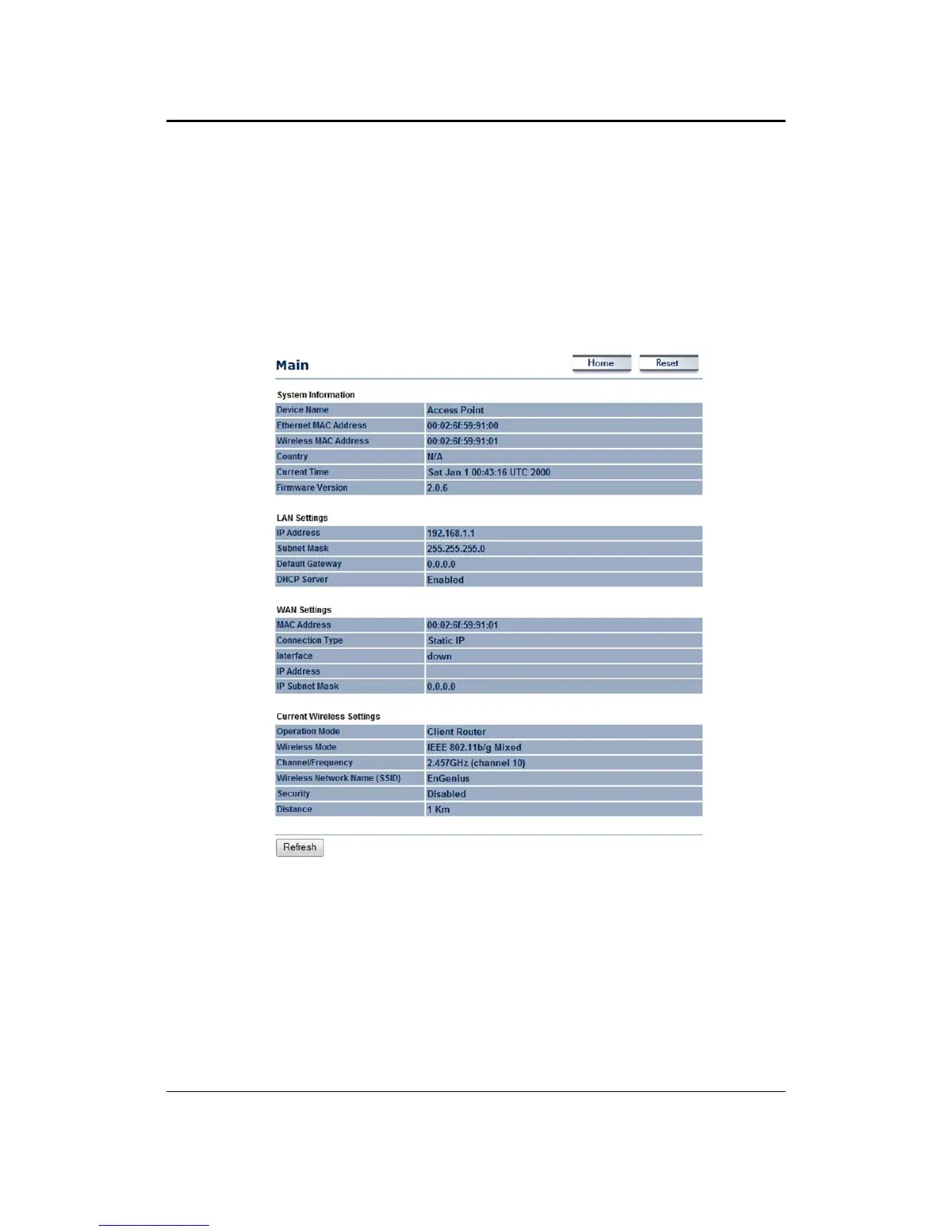
The status that is displayed corresponds with the operating mode that is selected. Information
suchasDeviceName,MACAddress,Country,CurrentandFirmwareVersionaredisplayedinthe
‘System Information’ section. IP Address, Subnet Mask, Default Gateway and DHCP Server
conditionare displayed in the ‘LAN Settings’ section.
In the ‘WAN Settings’, MAC Address,
Connection Type, Interface and IP Address/Subnet Mask are displayed. The ‘Current Wireless
Settings’section displays Operation Mode, Wireless Mode, Channel/Frequency, SSID, Security
andDistancecontrol.
7.2.2 DHCPClientTable
This page displays the currentstatus of all DHCP clients, including MAC address, IP and Expires
information.



 To Next Page