EnGenius EOC2611P Version 1.0
57
6.4 Wireless
The Wireless section of the left menu has the following
options: Wireless Network, WDS Link Settings, WDS
SecurityandWirelessAdvancedSettings.Eachsectionis
describedindetailbelow.
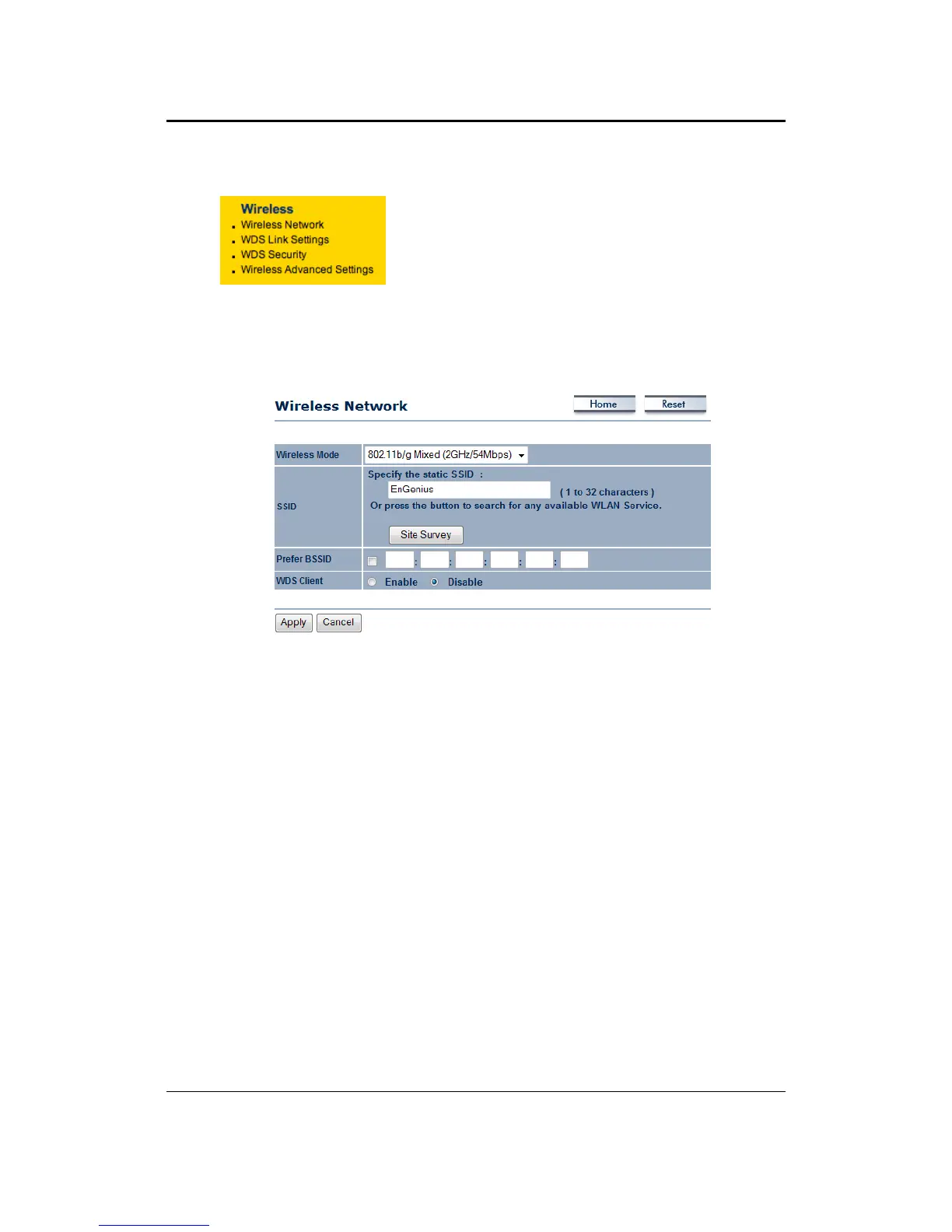
6.4.1 WirelessNetwork
The Wireless Network page allows you to configure the wireless mode, channel, SSID, and
securitysettings.
Wireless Mode: Depending on the type of wireless clients that are connected to the network,
you may select B, G, B/G‐mixed or Super‐G. If you are not sure about which clients will be
accessing the wireless networks, it is recommended that you select B/G‐mixed for
the best
performance.
Channel/Frequency:Selectachannelfromthedrop‐downlist.Thechannelsavailablearebased
onthecountry’sregulation.



 To Next Page