EnGenius EOC2611P Version 1.0
72
7.4 Router
Under the Router section of the left menu, you will see
the following options: WAN settings, LAN settings, and
VPN Pass Through. Each section is described in detail
below.
7.4.1 WANSettings
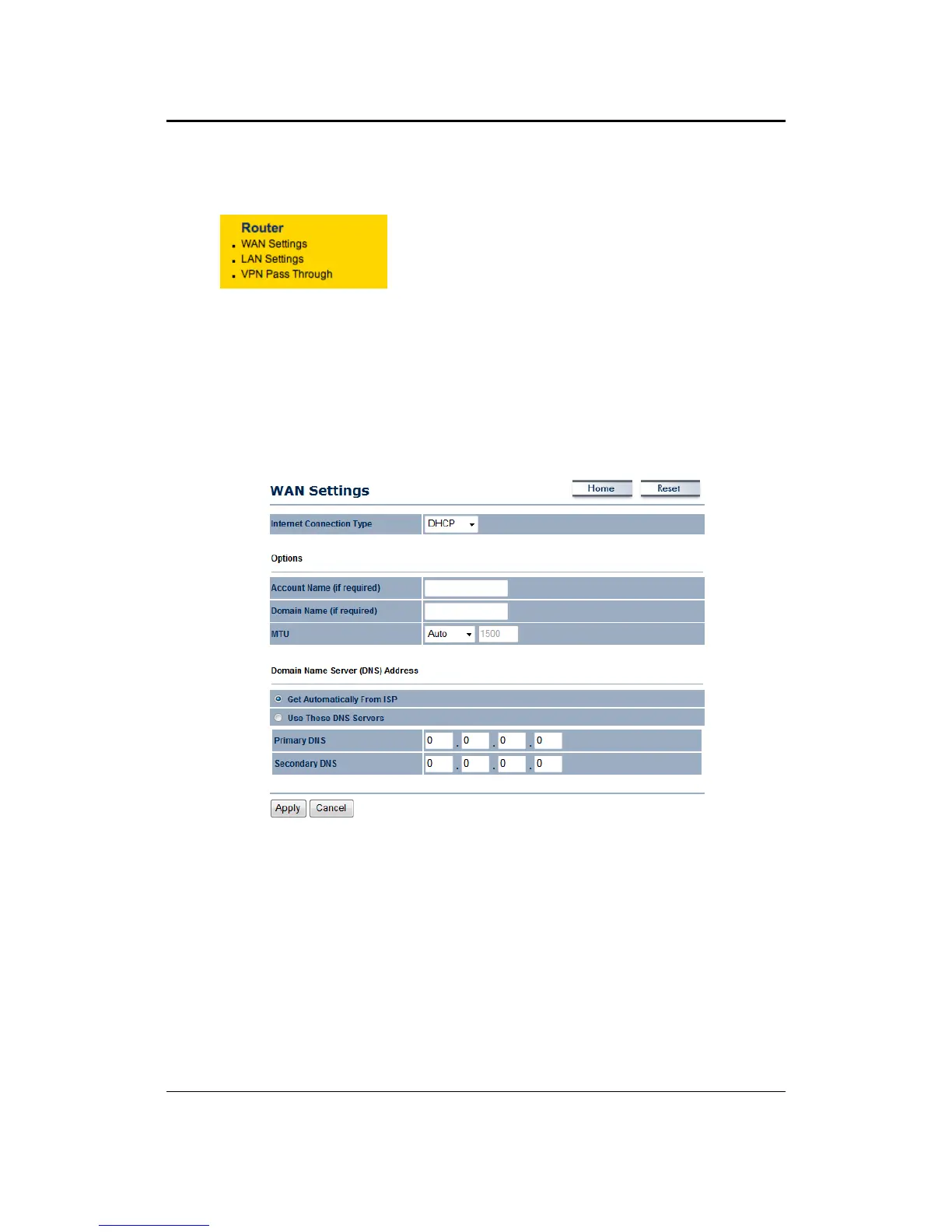
ThispageallowsyoutoconfiguretheWANinterfaceasDHCP,StaticIP,PPPoEorPPTP.
7.4.1.1 WAN–DHCP
TheWANinterfacecanbeconfiguredasaDHCPClientinwhichtheISPprovidestheIPaddressto
thedevice.ThisisalsoknownasDynamicIP.
InternetConnectionType:SelecttheDHCPfromthedrop‐downlist.
AccountName:SpecifyanaccountnameifyourISPhasprovidedyouwithone.
DomainName:SpecifyadomainnameiftheISPhasprovidedyouwithone.
MTU:TheMaximumTransmissionUnit
(MTU)isaparameterthatdeterminesthelargestpacket
size(inbytes)thattherouterwillsendtotheWAN.IfLANdevicessendlargerpackets,therouter
will break them into smaller packets. Ideally, you should set this to match the MTU of the
connectiontoyourISP.Typical
valuesare1500bytesforanEthernetconnection.Iftherouter's
MTUissettoohigh,packetswillbefragmenteddownstream.Iftherouter'sMTUissettoolow,
therouterwill fragment packetsunnecessarilyandinextremecasesmay be unabletoestablish
someconnections.Ineithercase,networkperformance
cansuffer.
DomainNameService:SelectGetAutomaticallyfromISPiftheISPwillprovidetheDNSaddress,
ifnot,selectUsetheseDNSserversandspecifytheprimaryandsecondaryDNSserverIPaddress.
ClickontheApplybuttontosavethechanges.



 To Next Page