7 Client Router Operating Mode
7.1
LoggingIn
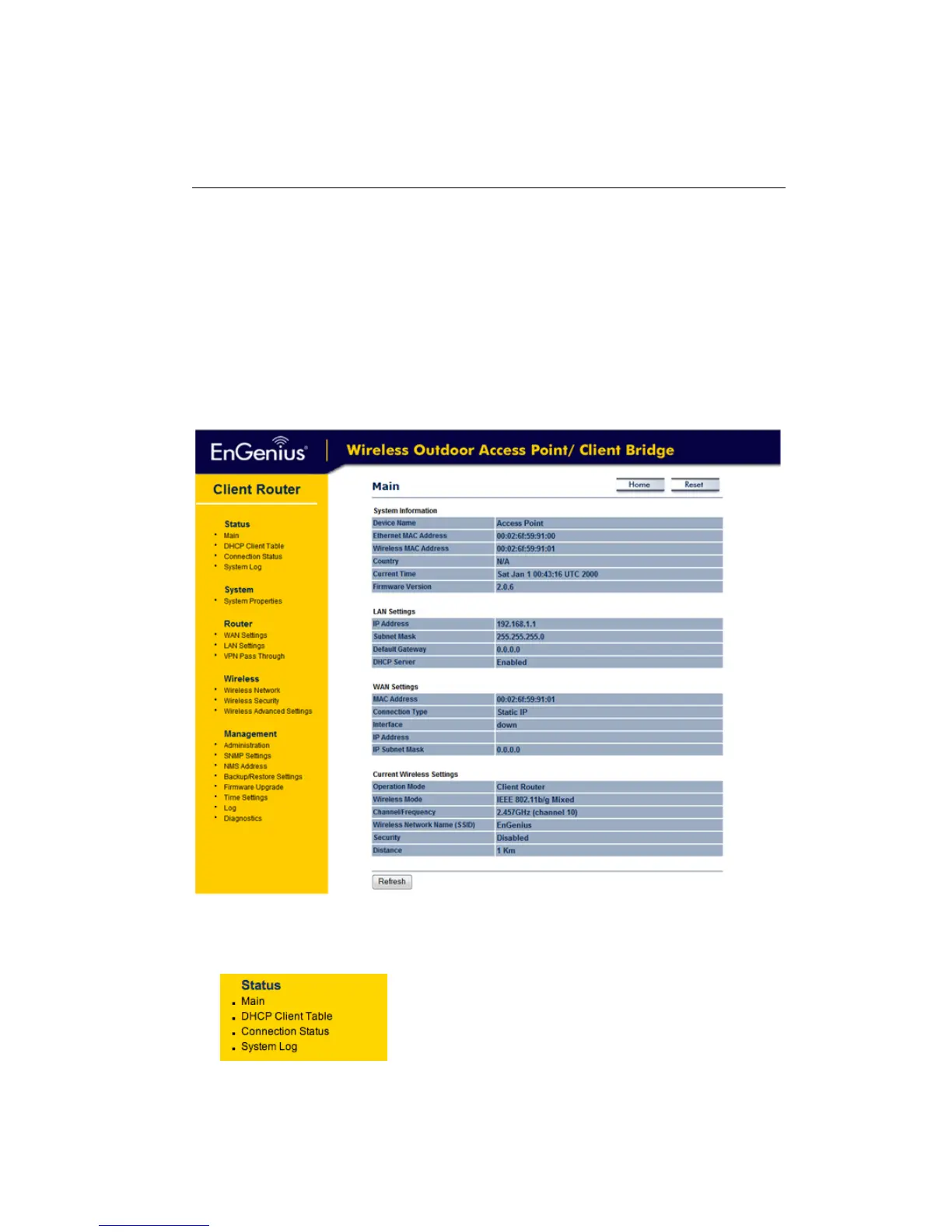
After loggingin youwill graphical user interface (GUI) ofthe device. Thenavigation drop‐down
menuonleftisdividedintofoursections:
1. Status:Displaystheoverallstatus,DHCPclienttable,connectionstatusandsystemlog.
2. System:Thismenuincludesthesystemproperties.
3. Router:
ThisincludesWAN,LAN,andVPNsettings.
4. Wireless:Thismenuincludeswirelessnetwork,securityandadvancedsettings.
5. Management: This menu includes the admin setup, SNMP settings, firmware upgrade,
save/restorebackup,timesettinganddiagnostics.
7.2 Status
Under the Status section of the left menu, you will see
the following options: Main, DHCP Client Table,
Connection Status and System Log. Each option is
describedindetailbelow.



 To Next Page