EnGenius EOC2611P Version 1.0
49
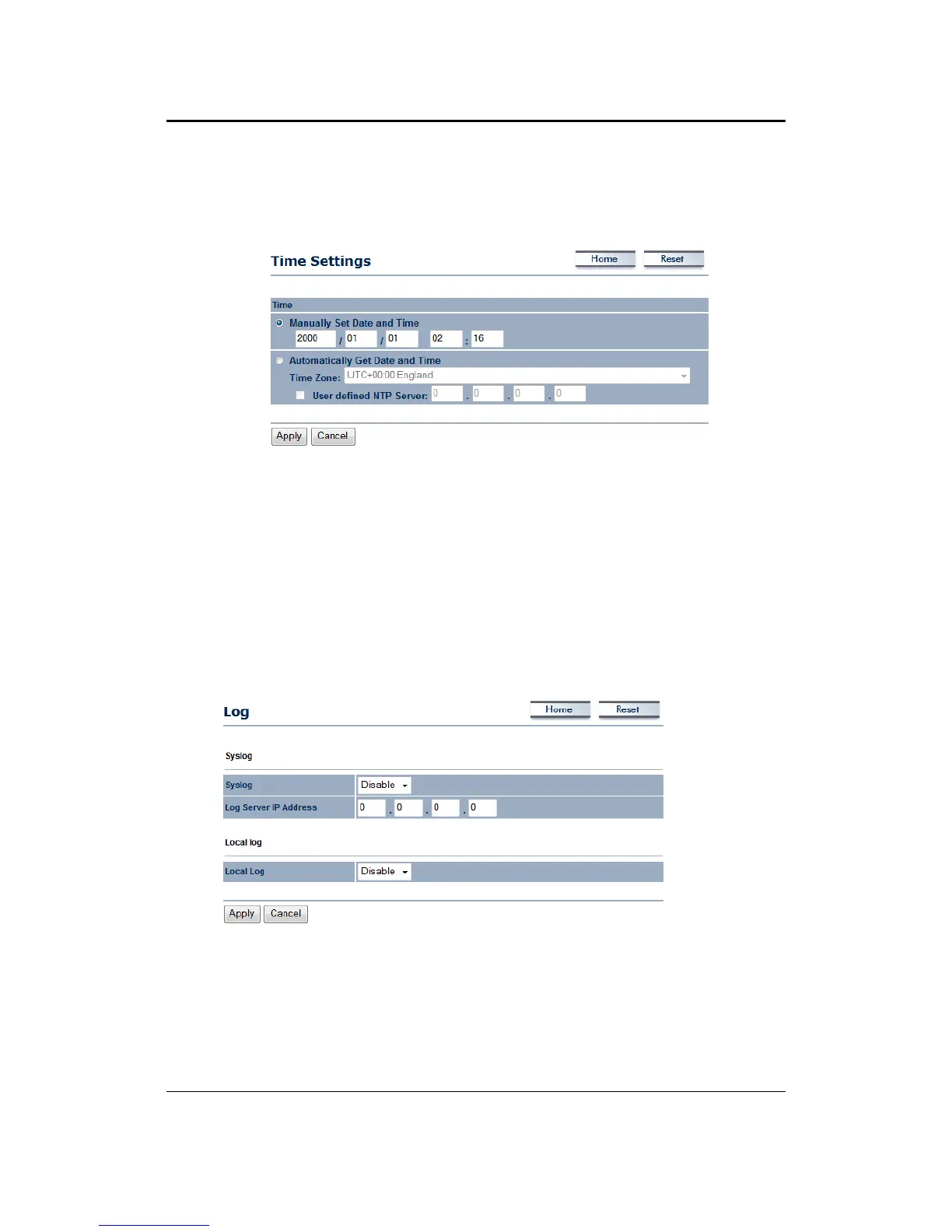
5.5.5 TimeSettings
This page allows you to configure the time on the device. You may do this manually or by
connectingtoaNTPserver.
ManuallySetDateandTime:Specifythedateandtime
AutomaticallyGetDateandTime:Selectthetimezonefromthedropdownlistandthenspecify
theIPaddressoftheNTPserver.
ClickontheApplybuttontosavethechanges.
5.5.6 Log
ClickontheLoglinkundertheManagementmenu.TheLogpagedisplaysalistofeventsthatare
triggered on the Ethernet and Wireless interface. This log can be referred when an unknown
error occurs on the system or when a report needs to be sent to the technical
support
departmentfordebuggingpurposes.
Syslog:Choosetoenableordisablethesystemlog.
LogServerIPAddress:SpecifytheIPaddressoftheserverthatwillreceivethesystemlog.
LocalLog:Choosetoenableordisablethelocallog.
ClickontheApplybuttontosavethechanges.



 To Next Page