EnGenius EOC2611P Version 1.0
74
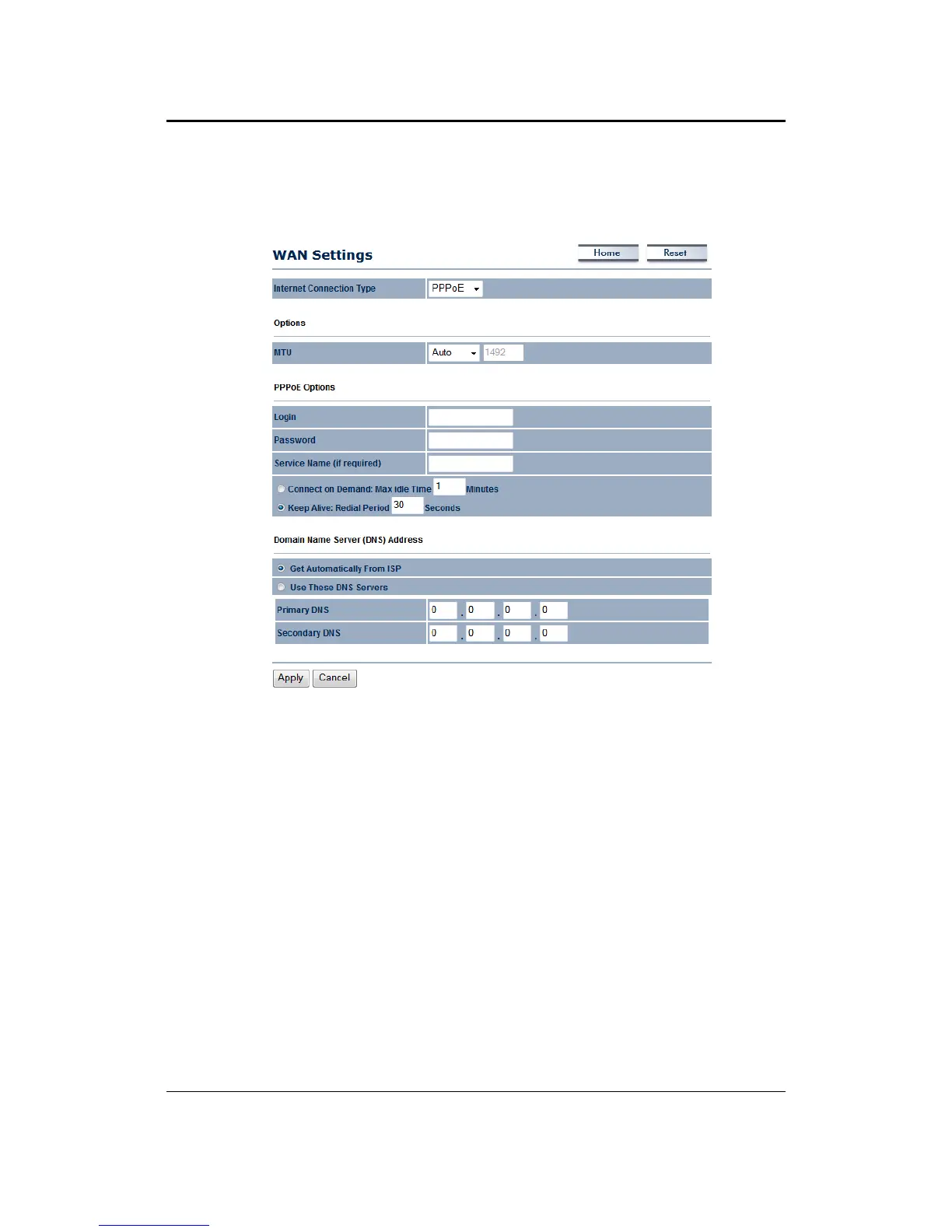
7.4.1.3 WAN–PPPoE
TheWANinterfacecanbeconfiguredasPPPoE.ThistypeofconnectionisusuallyusedforaDSL
serviceandrequiresausernameandpasswordtoconnect.
InternetConnectionType:SelectPPPoEfromthedrop‐downlist.
MTU:TheMaximumTransmissionUnit(MTU)isaparameterthatdeterminesthelargestpacket
size(inbytes)thattherouterwillsendtotheWAN.IfLANdevicessendlargerpackets,therouter
will break them into
smaller packets. Ideally, you should set this to match the MTU of the
connectiontoyourISP.Typicalvaluesare1500bytes foranEthernetconnection.Iftherouter's
MTUissettoohigh,packetswillbefragmenteddownstream.Iftherouter'sMTUissettoolow,
therouterwill
fragmentpacketsunnecessarilyandinextremecasesmaybe unabletoestablish
someconnections.Ineithercase,networkperformancecansuffer.
Login:SpecifytheusernamewhichisprovidedbyyourISP.
Password: Specify the password which is provided by your ISP, and thenverify it once again
in
thenextfield.
ServiceName:SpecifythenameoftheISP.
Type:Selectareconnectiontype:KeepAlive(AconnectiontotheInternetisalwaysmaintained),
Connecton Demand:Youhavetoopenup theWeb‐basedmanagement interfaceand clickthe
Connectbuttonmanuallyany
timethatyouwishtoconnecttotheInternet.
DomainNameService:SelectGetAutomaticallyfromISPiftheISPwillprovidetheDNSaddress,
ifnot,selectUsetheseDNSserversandspecifytheprimaryandsecondaryDNSserverIPaddress.
ClickontheApplybuttonto
savethechanges.



 To Next Page