EnGenius EOC2611P Version 1.0
73
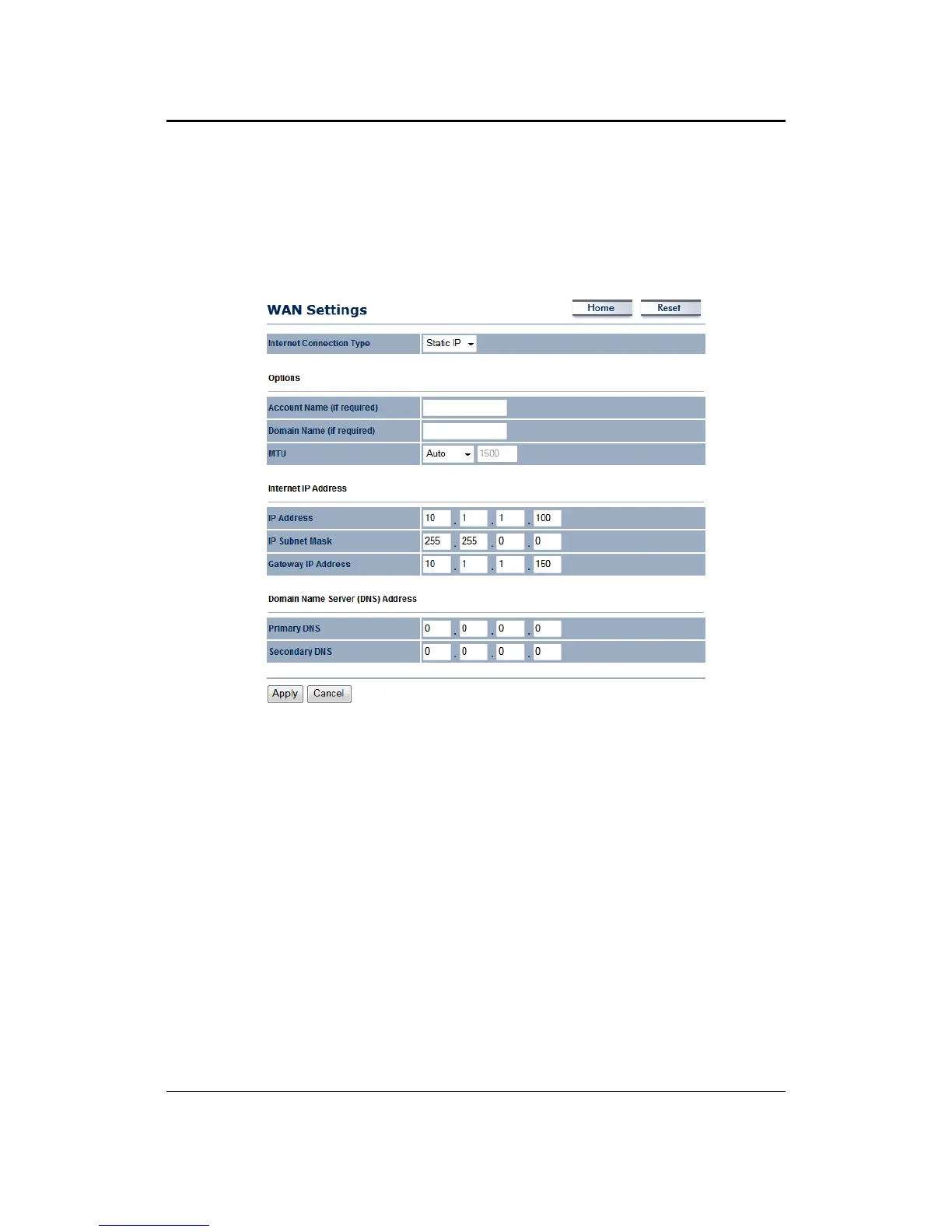
7.4.1.2 WAN–StaticIP
The WAN interface can be configured as Static IP address. In this type of connection, your ISP
providesyouwithadedicatedIPaddress(whichdoesnotchangeasDHCP).
InternetConnectionType:SelecttheStaticIPfromthedrop‐downlist.
AccountName:SpecifyanaccountnameifyourISPhasprovidedyouwithone.
DomainName:SpecifyadomainnameiftheISPhasprovidedyouwithone.
MTU:TheMaximumTransmission
Unit(MTU)isaparameterthatdeterminesthelargestpacket
size(inbytes)thattherouterwillsendtotheWAN.IfLANdevicessendlargerpackets,therouter
will break them into smaller packets. Ideally, you should set this to match the MTU of the
connectiontoyourISP.
Typicalvaluesare1500bytesforan Ethernet connection.Iftherouter's
MTUissettoohigh,packetswillbefragmenteddownstream.Iftherouter'sMTUissettoolow,
therouterwill fragment packetsunnecessarilyandinextremecasesmay be unabletoestablish
someconnections.Ineithercase,network
performancecansuffer.
IPAddress:SpecifytheIPaddressforthisdevice,whichisassignedbyyourISP.
SubnetMask:SpecifythesubnetmaskforthisIPaddress,whichisassignedbyyourISP.
GatewayIPAddress:SpecifytheIPaddressofthedefaultgateway,whichis
assignedbyyourISP.
DomainNameService:SpecifytheprimaryandsecondaryDNSserverIPaddress.
ClickontheApplybuttontosavethechanges.



 To Next Page