EnGenius EOC2611P Version 1.0
81
7.5.3 WirelessAdvancedSettings
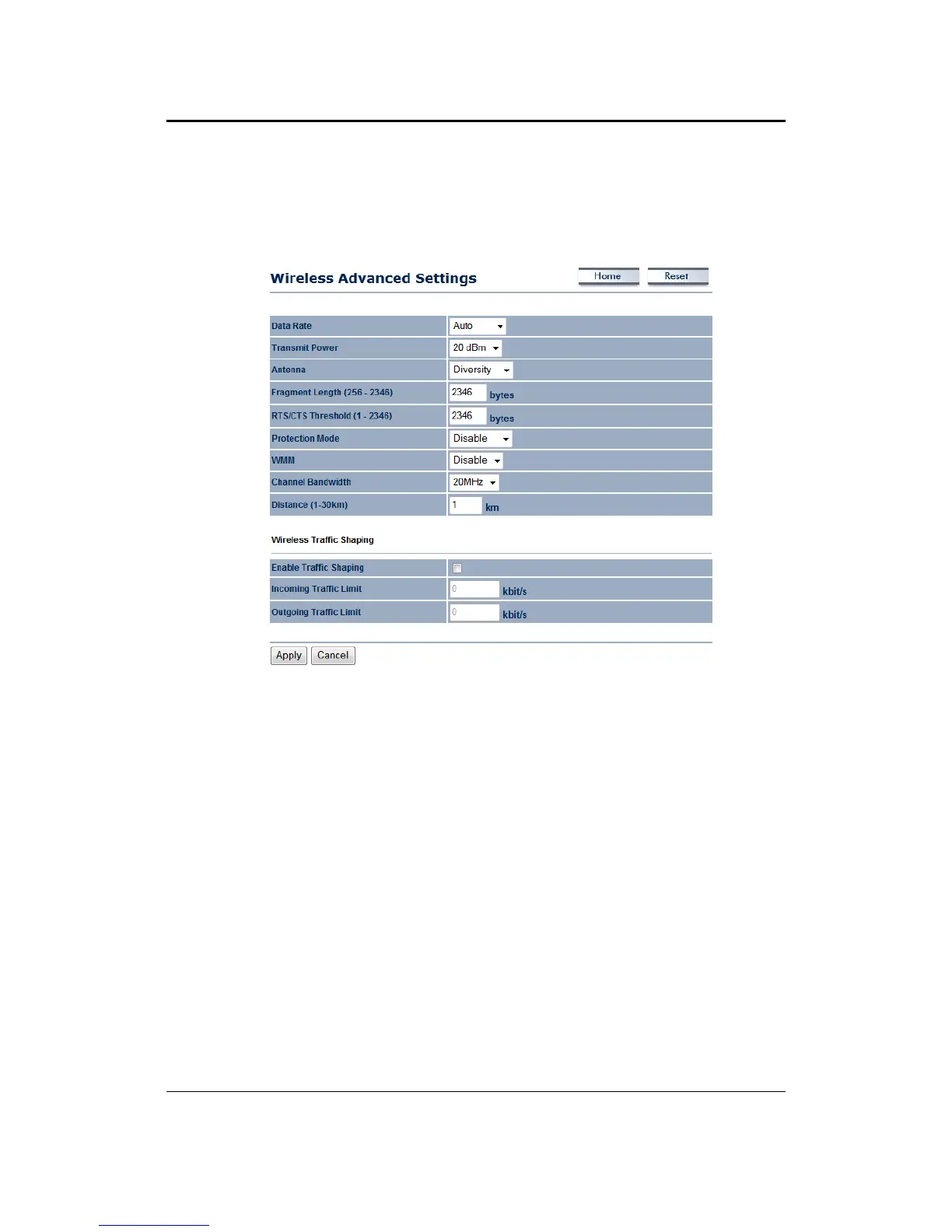
Onthispageyoucanconfiguretheadvancedsettingstotweaktheperformanceofyourwireless
network. Options available are: data rate, transmit power, fragmentation threshold, RTS
threshold,protectionmodeanddistance.
Data Rate: Ifyouwouldlike tohave a fixed datarate, you may select onefrom the drop‐down
list.However,forbestperformanceitisrecommendedtousetheAutosetting.
Transmit Power: You may have the different application distance of the device by selecting
a
valuefromthedrop‐downlist .Thisfeaturecanbehelpfulinrestrictingthecoverageareaofthe
wirelessnetwork.
Antenna:YoucanselecttheantennapolarizationtoDiversity,HorizontalorVertical.
Fragment: Packetsover the specified size will be fragmented in order to improve performance
onnoisynetworks.
RTS Threshold: Packets over the specified size will use the RTS/CTS mechanism to maintain
performanceinnoisynetworksandpreventinghiddennodesfromdegradingtheperformance.
Protection Mode: If your wireless network is using both 802.11b and 802.g devices then it is
recommended to enable
this feature so that the 802.11b devices will not degrade the
performanceof802.11gdevices.
WMM:EnablewirelessQualityofService
Distance(1‐30km):Specifyadistancebetween1and30Km.
ClickontheApplybuttontosavethechanges.



 To Next Page