EnGenius EOC2611P Version 1.0
54
6.3 System
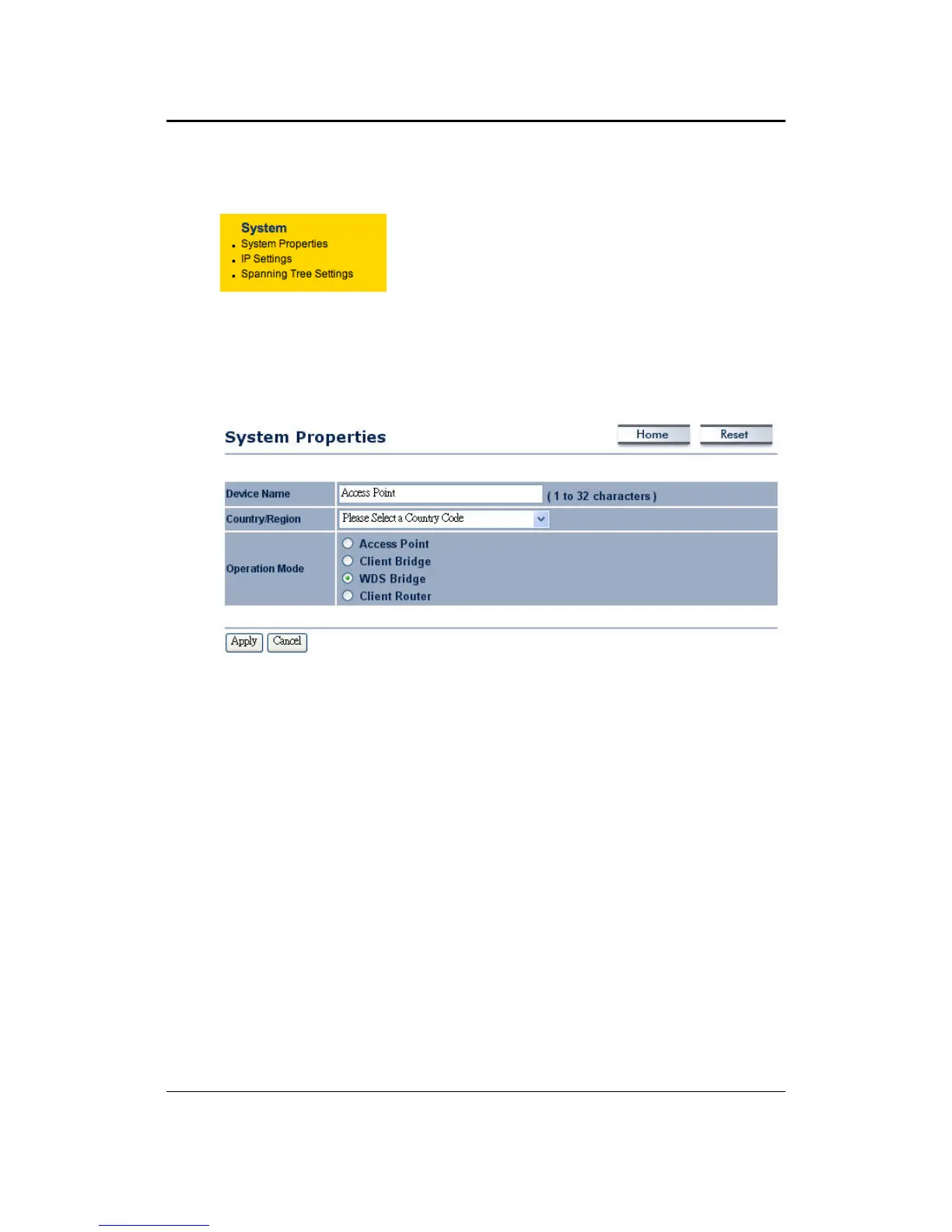
Under theSystem section of theleftmenu, you willsee
thefollowingoptions:SystemProperties,IPSettingsand
SpanningTreeSettings.
6.3.1 SystemProperties
ThispageallowsyoutoswitchtheOperatingModeofthedevice,aswellasspecifyanameand
selecttheoperatingregion.
DeviceName:Specifyanameforthedevice(thisisnottheSSID),
Country/Region:Selectacountryfromthedrop‐downlist.
Operating Mode: Select and Operating Mode. Configuration for each operating mode is
describedintheirrespectivechapters.
ClickontheApplybuttonto
savethechanges.



 To Next Page