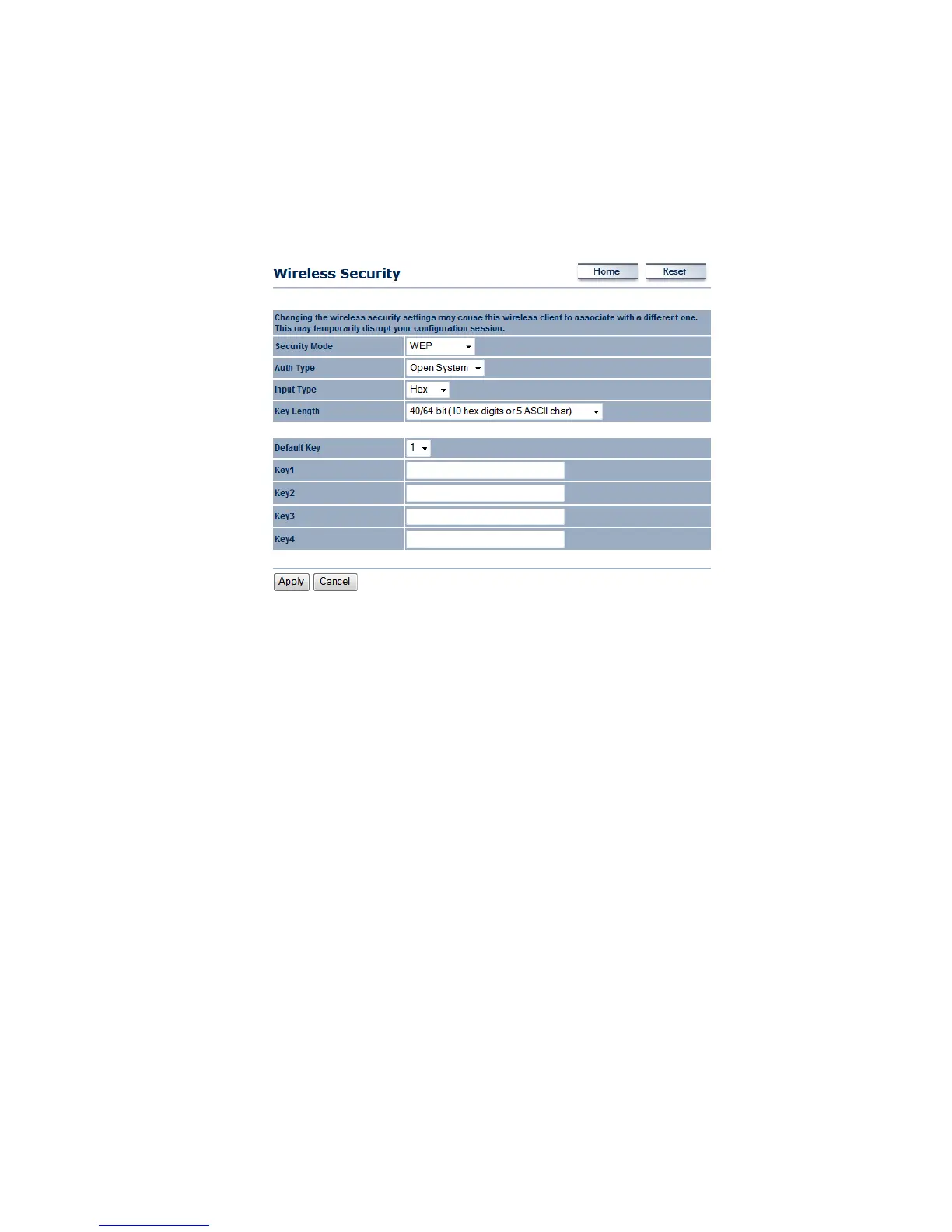
WirelessSecurity:WEP
Security Mode: Select WEP from the drop‐down list if your wireless network uses WEP
encryption. WEP is an acronym for Wired Equivalent Privacy, and is a security protocol that
providesthesamelevelofsecurityforwirelessnetworksasforawirednetwork.
AuthenticationType:Selectanauthenticationmethod.OptionsavailableareOpen Key,Shared
Key.AnopensystemallowsanyclienttoauthenticateaslongasitconformstoanyMACaddress
filter policies that may have been set. All authentication packets are transmitted without
encryption.Shared Key sends anunencrypted
challenge text string to anydeviceattempting to
communicatewiththeAccessPoint.Thedevicerequestingauthenticationencryptsthechallenge
textandsendsitbacktotheAccessPoint.Ifthechallengetextisencryptedcorrectly,theAccess
Pointallowstherequestingdevicetoauthenticate.
InputType:SelectHex
orASCIIfromthedrop‐downlist
KeyLength:Select a keyformat from thedrop‐downlist. 64bit‐Hex keys require10 characters,
where as 128‐bit keys require 26 characters. A Hex key is defined as a number between 0
through9andletterbetweenAthrough
Fandathroughf.
DefaultKey:Youmayuseuptofourdifferentkeysforfourdifferentnetworks.Selectthecurrent
keythatwillbeused.
Key1‐4:YoumayenterfourdifferentWEPkeys.
ClickontheApplybuttontosavethechanges.



 To Next Page