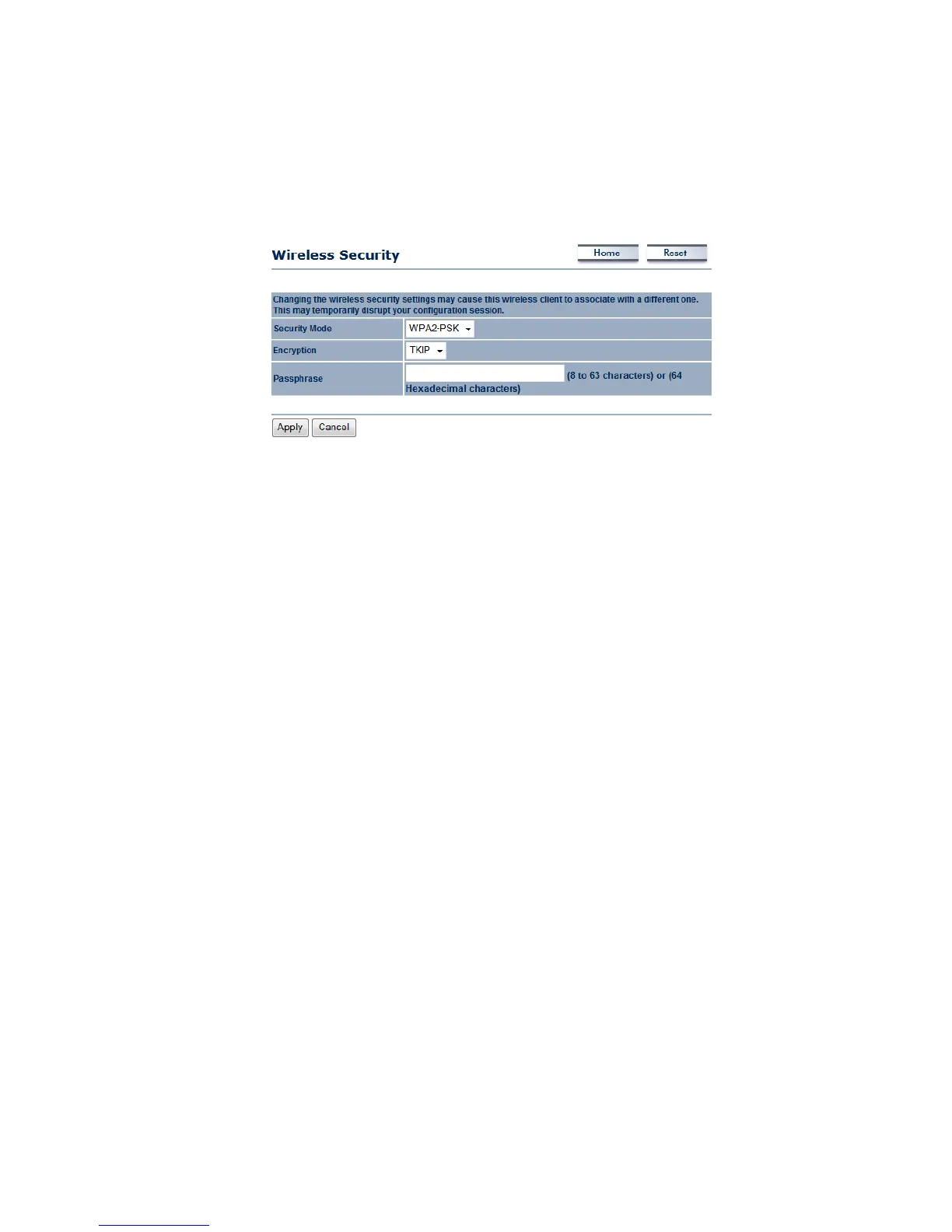
WirelessSecurity:WPA2‐PSK
Security Mode: Select WPA2‐PSK from the drop‐down list if your wireless network uses WPA2
pre‐sharedkey.
Encryption: Select TKIP or AES from the drop‐down list if your wireless network uses this
encryption.WPA(Wi‐FiProtectedAccess)wasdesignedtoimproveuponthesecurityfeaturesof
WEP(WiredEquivalentPrivacy).ThetechnologyisdesignedtoworkwithexistingWi‐Fiproducts
that have been
enabled with WEP. WPA provides improved data encryption through the
Temporal Integrity Protocol (TKIP), which scrambles the keys using a hashing algorithm andby
adding an integrity checking feature which makes sure that keys haven’t been tampered with.
AES is an even more advanced method of encryption which offers the highest
level of
WPA/WPA2security.
Passphrase:SpecifyapassphrasethatissharedamongsttheAccessPointsandclients.
ClickontheApplybuttontosavethechanges.



 To Next Page