EnGenius EOC2611P Version 1.0
52
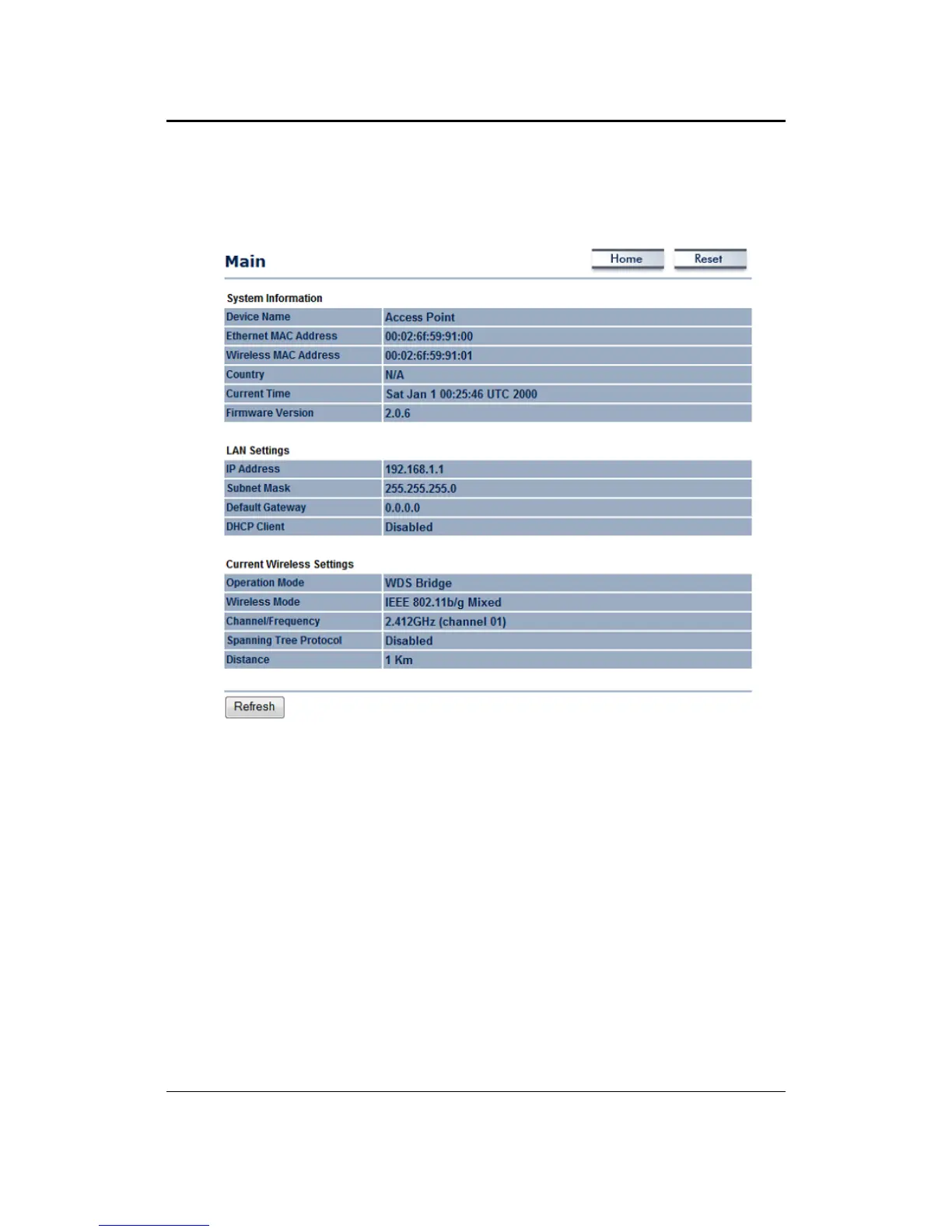
Firmware are displayed in the ‘System Information’ section. IP address, Subnet Mask, Default
Gateway and DHCP Client are displayed in the ‘LAN Settings’ section. In the ‘Current Wireless
Settings’ section, the Operation Mode, Wireless Mode, Channel/Frequency, Spanning Tree
ProtocolandDistancearedisplayed.



 To Next Page