AcuLaser C2800/C2800D/C3800/C3800D Revision C
DISASSEMBLY/REASSEMBLY Disassembly/Reassembly 266
Confidential
SENSOR PHOTO:REGI
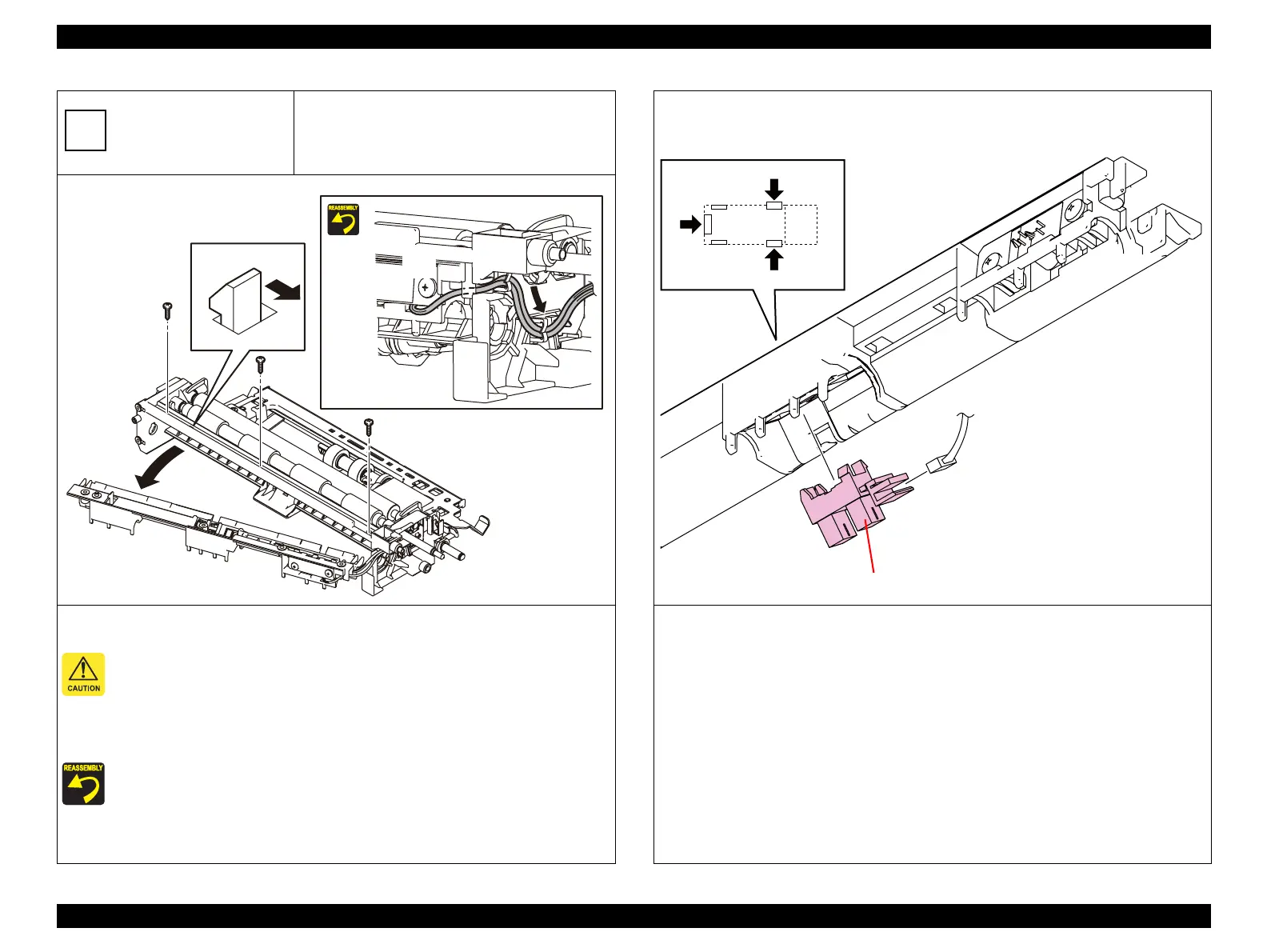
1. Remove the three screws (silver, self-tapping, 8 mm) that secure the CHUTE ASSY REGI UPPER.
As the CHUTE ASSY REGI UPPER remains connected with a harness, be careful not to
overload the terminal areas of the harness and the connector.
2. Release the tab on the CHUTE ASSY REGI UPPER, and pull the left side of the CHUTE ASSY
REGI UPPER in the direction of the arrow.
When performing reassembly, pull the harness that is coming out of the right side of the
CHUTE ASSY REGI UPPER slightly to take up the slack out of the harness.
NEXT>>
B
Kmy03213EB
2)-2
2)-1
1)
1)
1)
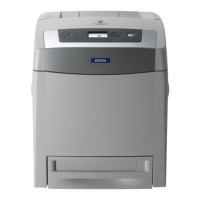
3. Release the three tabs that secure the SENSOR PHOTO:REGI to the CHUTE ASSY REGI UPPER,
and remove the SENSOR PHOTO:REGI.
4. Disconnect the connector (P/J2322) of the SENSOR PHOTO:REGI.
Kmy03216E
3)
4) (J2322)
SENSOR PHOTO:REGI










 To Next Page