79
Publishing Discs
5
Click [OK].
The set inside and outside diameters are reflected in the edit area.
Printing from commercially available software
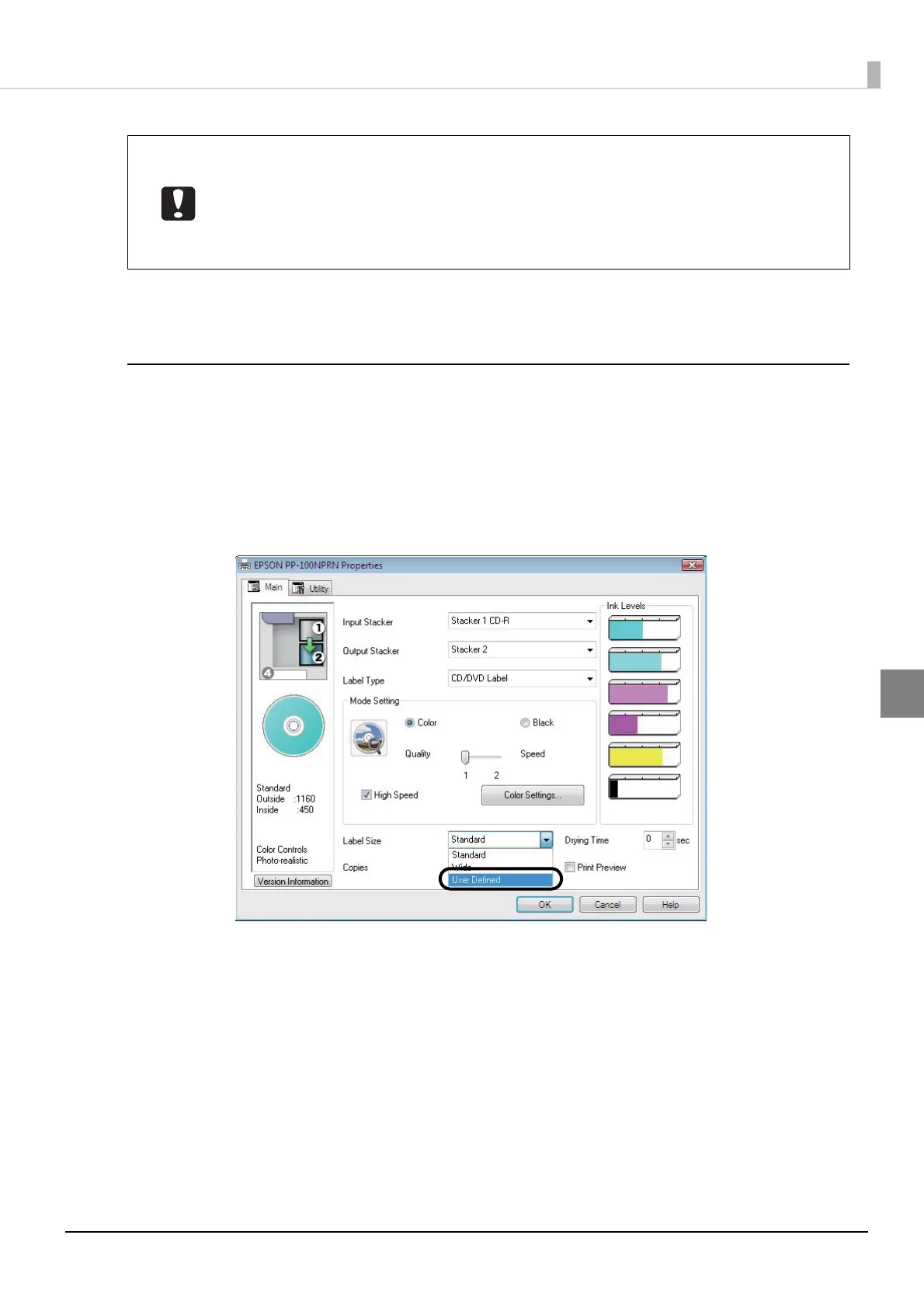
Use the following procedure to register a user defined label size (label size not provided with the printer driver).
1
Display the setting screen of the printer driver.
See “Displaying from EPSON Total Disc Setup” on page 61 or “Displaying from the [Start] menu” on page 62
in this guide for the display procedure.
2
Select [User Defined] for [Label Size].
• Before printing, check that the set print area does not exceed the print area of the
discs you are using.
• Printing on the stack ring (concentric circular projection) portion may result in uneven
coloring.
• Printing on the stack ring (concentric circular projection) portion may result in ink
getting on the discs, peeling off, or discs sticking together after printing.



 To Next Page
 Loading...








