81
Publishing Discs
4
Click [OK].
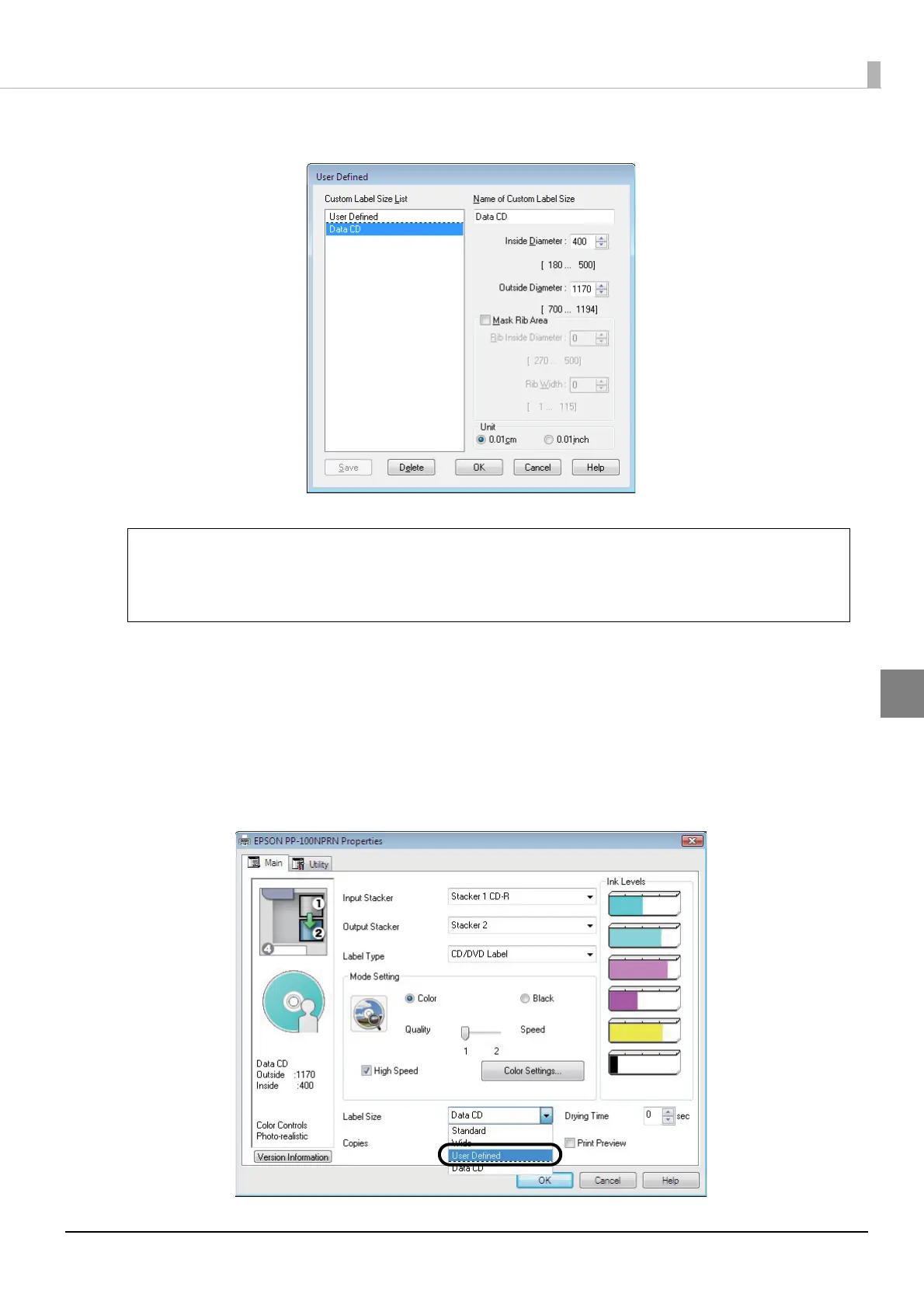
The new user defined label size is registered in [Name of Custom Label Size] of the [Main] screen.
Changing and deleting label sizes
This section describes how to change and delete registered user defined label sizes.
1
Display the setting screen of the printer driver.
See “Displaying from EPSON Total Disc Setup” on page 61 or “Displaying from the [Start] menu” on page 62
in this guide for the display procedure.
2
Select [User Defined] for [Label Size].
When printing with software other than EPSON Total Disc Maker, use the following settings
to create print data.
• Paper size: 124 x 124 mm
• Margins on all sides: 2 mm
Note



 To Next Page
 Loading...








