90
3
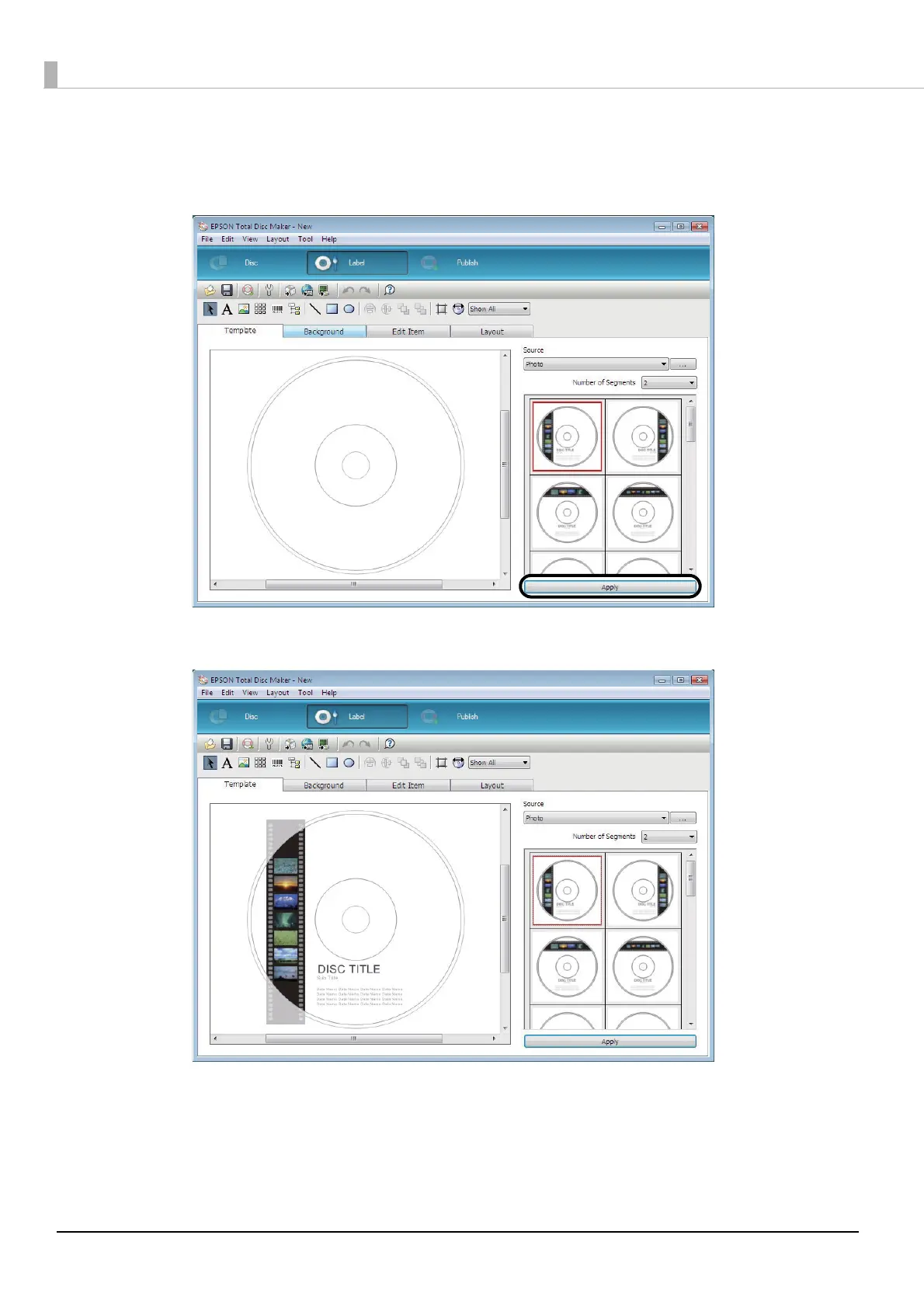
Select the template to use, and click [Apply].
In this example, we use the image in the top left of the screen.
Check that the image in the top left of the thumbnail screen is selected, and click [Apply].
A print image of the template appears.
Select a background (see page 91 in this guide), edit the items (see page 92 in this guide), and adjust the layout (see
page 99 in this guide) as necessary.



 To Next Page
 Loading...








