349
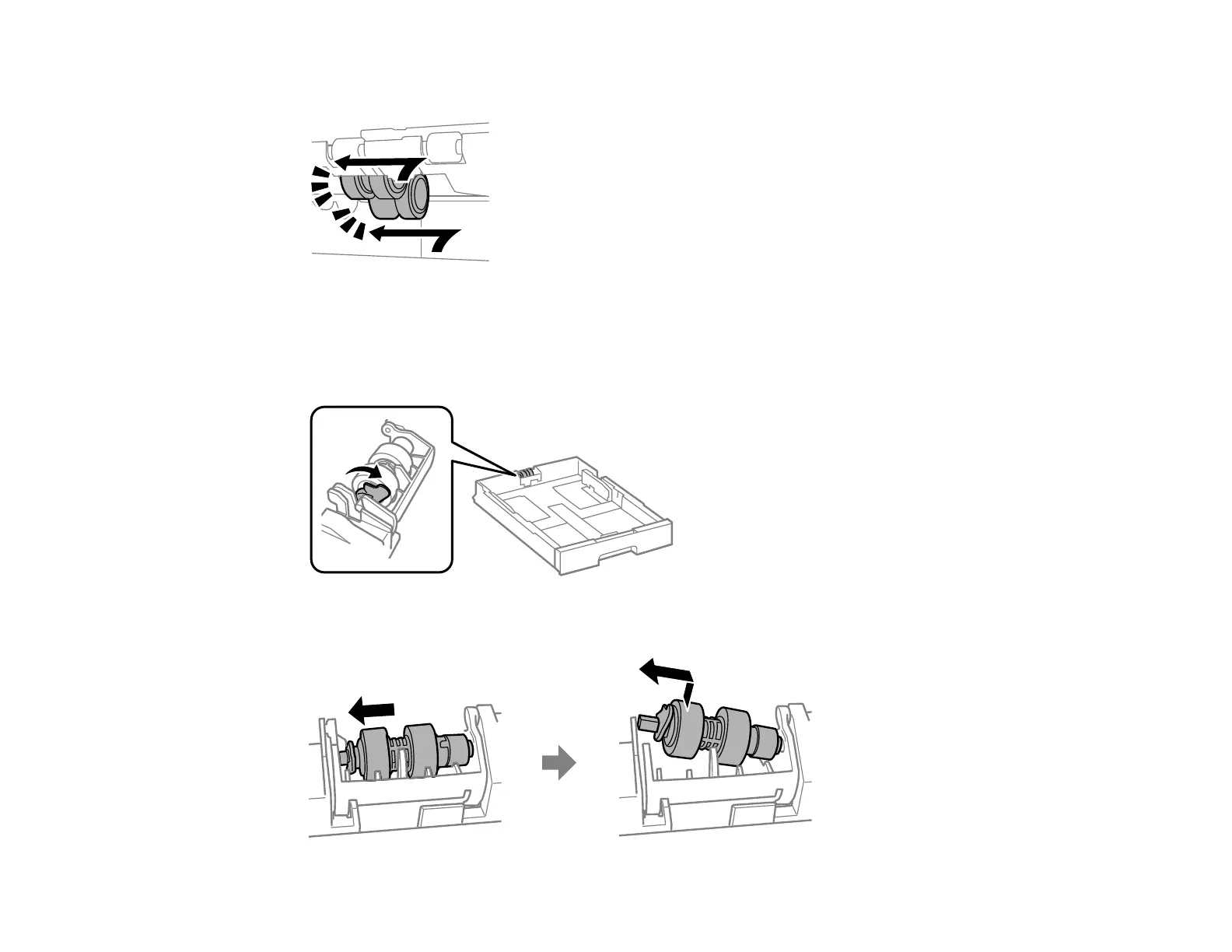
8. Insert the replacement rollers and slide them to the left until they click into place.
9. Use a screwdriver to secure the inner cover to the printer with the three screws you removed.
10. Close the rear cover (E).
11. On the paper cassette you removed, pull up on the lever as shown to release the roller.
12. Slide the roller towards the lever and lift it out of the cassette.














 To Next Page