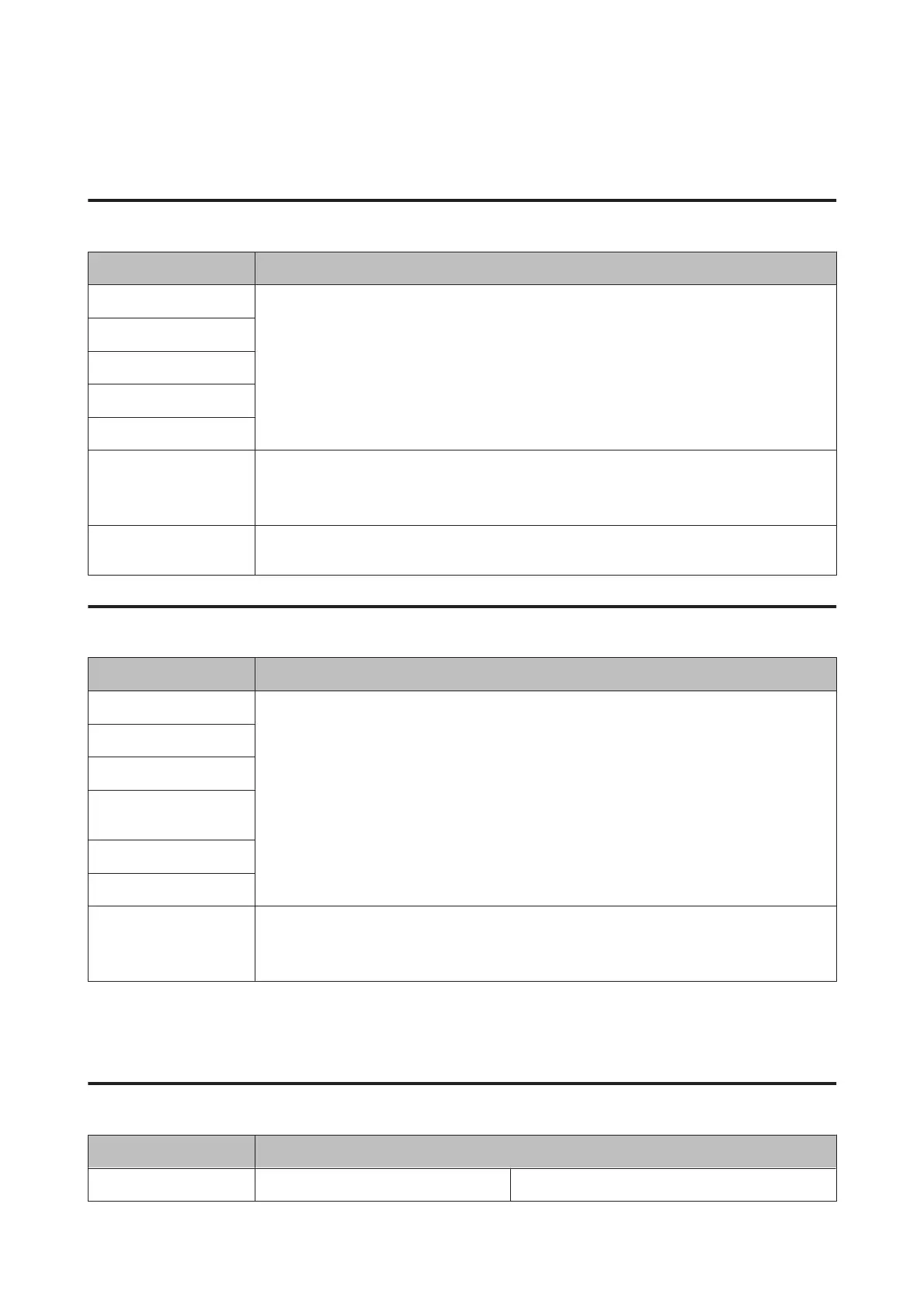
Wi-Fi Setup Mode
XP-710 Series/XP-810 Series
Menu Description
Wi-Fi/Network Status For details on the setting items, see the online Network Guide.
Wi-Fi Setup Wizard
Push Button Setup (WPS)
PIN Code Setup (WPS)
Wi-Fi Auto Connect
Disable Wi-Fi Network problems may be resolved by disabling or initializing the Wi-Fi settings, and then making
the settings again.
For details, see the online Network Guide.
Wi-Fi Direct Routerless
Setup
For details on the setting items, see the online Network Guide.
XP-610 Series
Menu Description
Wi-Fi Setup Wizard For details on the setting items, see the online Network Guide.
Push Button Setup (WPS)
PIN Code Setup (WPS)
Wi-Fi Direct Routerless
Setup
Wi-Fi Auto Connect
Wi-Fi Status
Disable Wi-Fi Network problems may be resolved by disabling or initializing the Wi-Fi settings, and then making
the settings again.
For details, see the online Network Guide.
Setup Mode
XP-710 Series/XP-810 Series
Menu Setting Item and Description
Ink Levels - Checks the status of ink cartridges.
User’s Guide
Menu List of Control Panel
124













 To Next Page