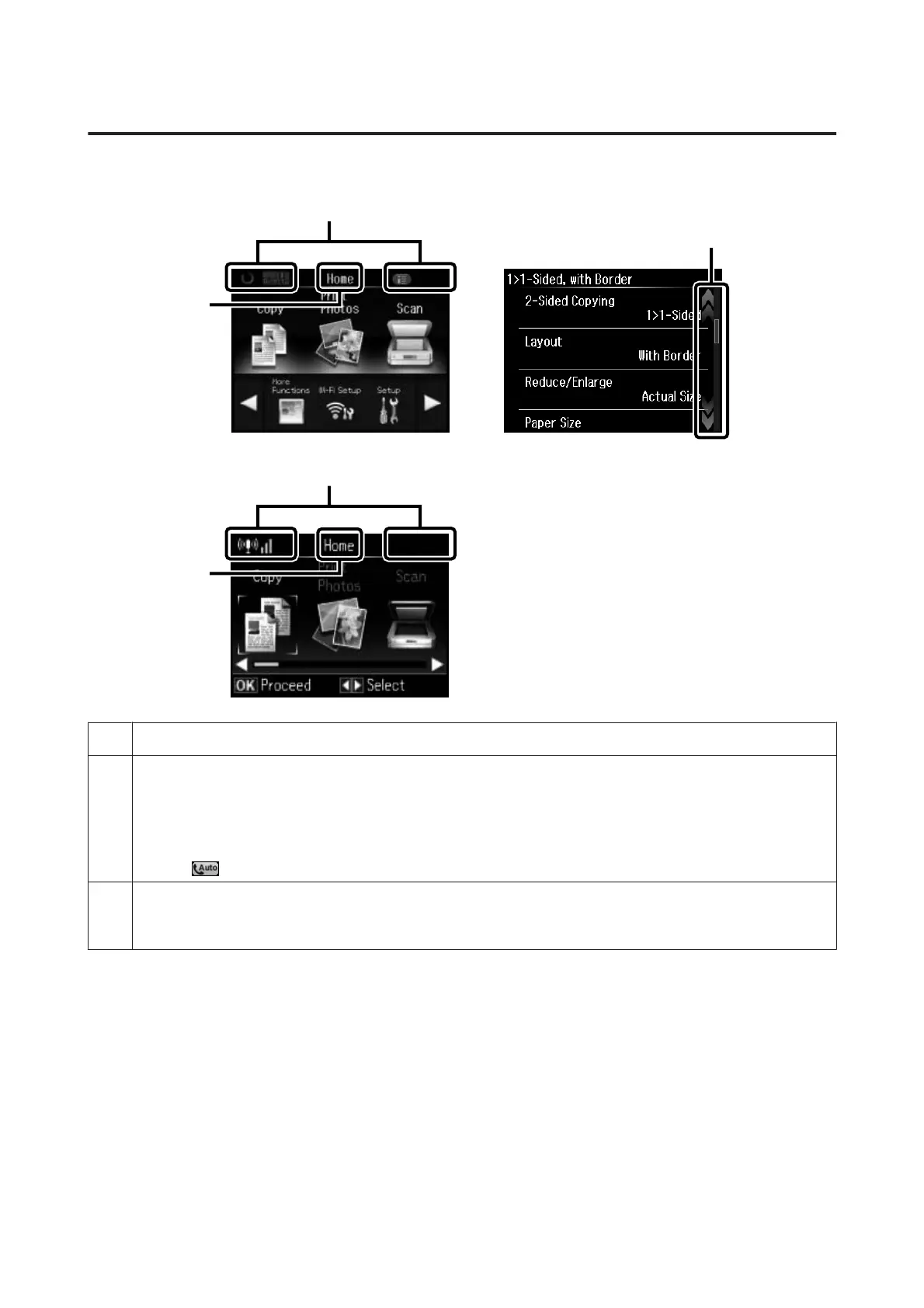
Using the LCD screen
a
b
b
c
a
a Displays the screen name.
b Displays the status of the product.
See the Help Mode for more information on the icons displayed on the LCD screen.
Help > Icon List
For XP-710 Series/XP-810 Series:
You can display related menus or information by tapping the icons.
(except
(Auto Answer icon).)
c For XP-710 Series/XP-810 Series:
You can scroll the screen by swiping the LCD screen while an arrow is displayed on the right-hand side of the screen. Try
swiping a bit harder if the touchscreen is slow to respond.
User’s Guide
Getting to Know Your Product
21













 To Next Page