D
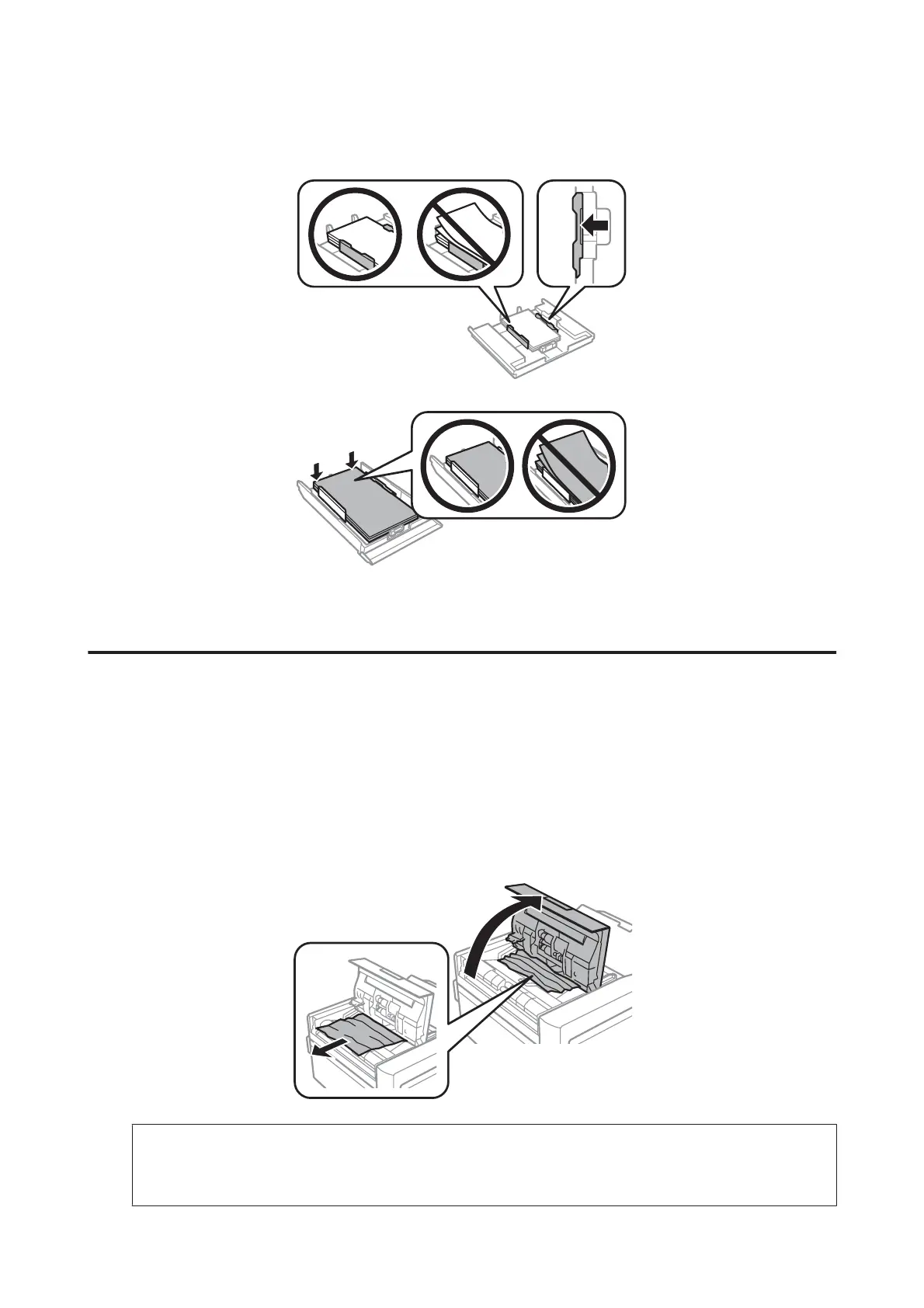
Align the edges of the paper.
E
Keep the cassette flat and slowly and carefully reinsert it all the way into the product.
Removing jammed paper from the Automatic Document Feeder
(ADF)
The availability of this feature varies by product.
A
Remove the stack of paper from the ADF input tray.
B
Open the ADF cover. Then carefully remove the jammed paper.
c
Important:
Make sure you open the ADF cover before removing jammed paper. If you do not open the cover, the product
may be damaged.
User’s Guide
Troubleshooting for Printing/Copying
175













 To Next Page