Note:
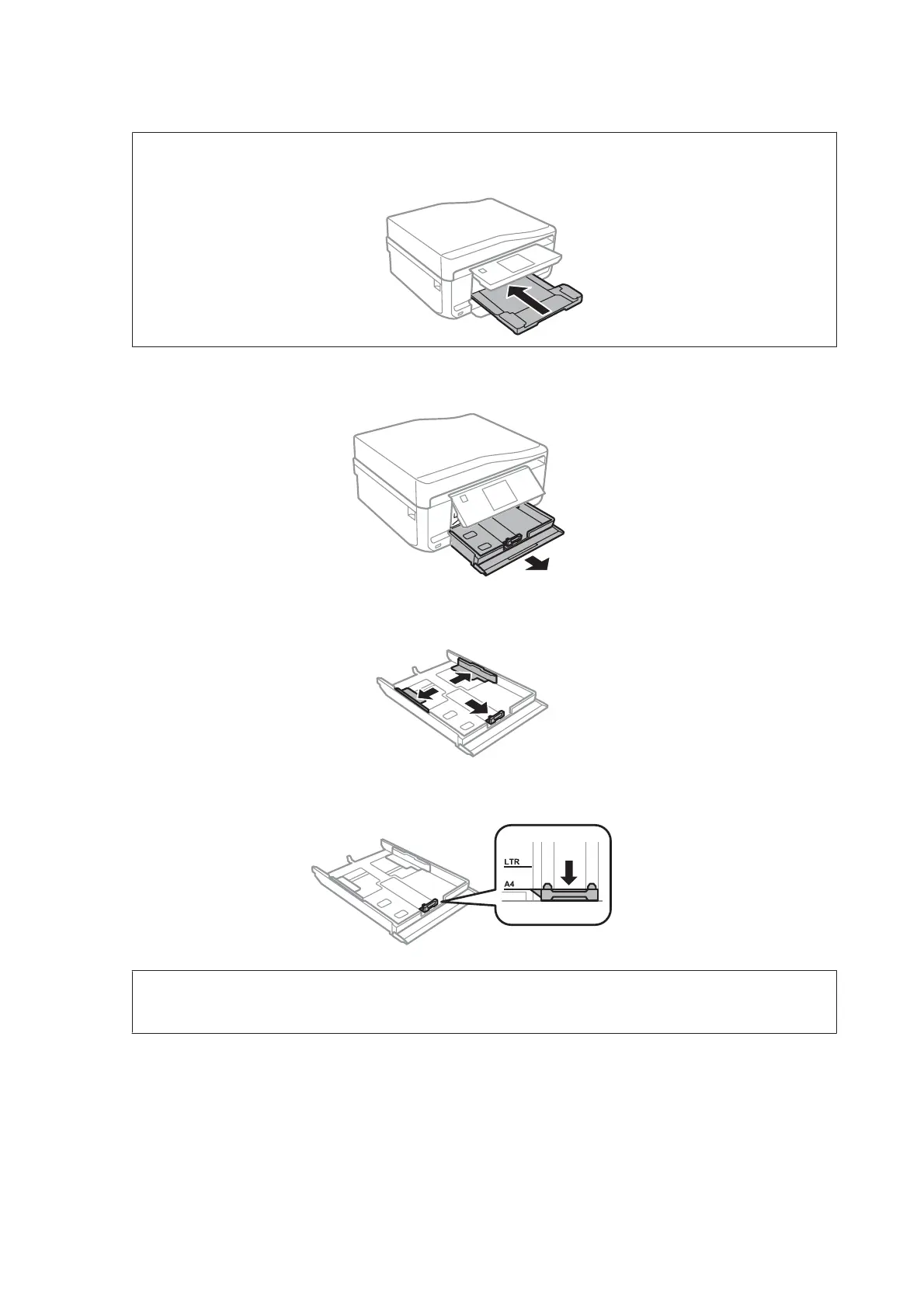
If the output tray has been ejected, close it before pulling out the paper cassette.
B
Pull out the paper cassette.
C
Slide the edge guides to the sides of the paper cassette.
D
Slide the edge guide to adjust to the paper size you will use.
Note:
If you are loading envelopes, skip this step.
User’s Guide
Paper and Media Handling
30













 To Next Page