B
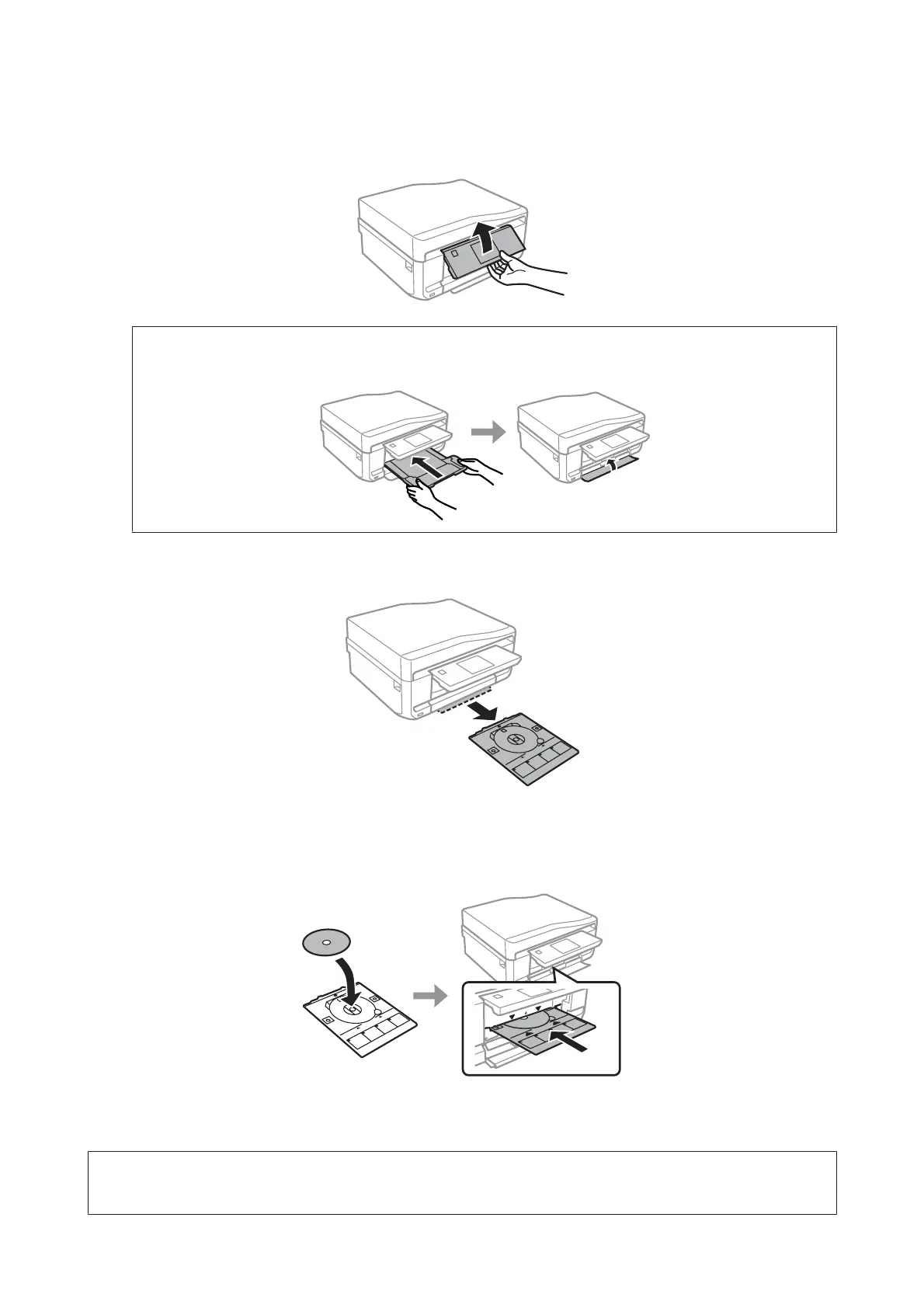
Raise the panel as far as it will go.
Note:
If the output tray has been ejected, close the tray and the front cover.
C
Remove the CD/DVD tray from the product.
D
Place a CD/DVD on the CD/DVD tray with the printable side face-up, and then insert the tray into the product.
Make sure that the u marks on the tray and the d marks on the product match, so that the line on the tray aligns
with the product.
E
Press OK on the LCD screen or control panel.
Note:
The CD/DVD tray ejects automatically after a certain period of time.
User’s Guide
Paper and Media Handling
37













 To Next Page