c
Important:
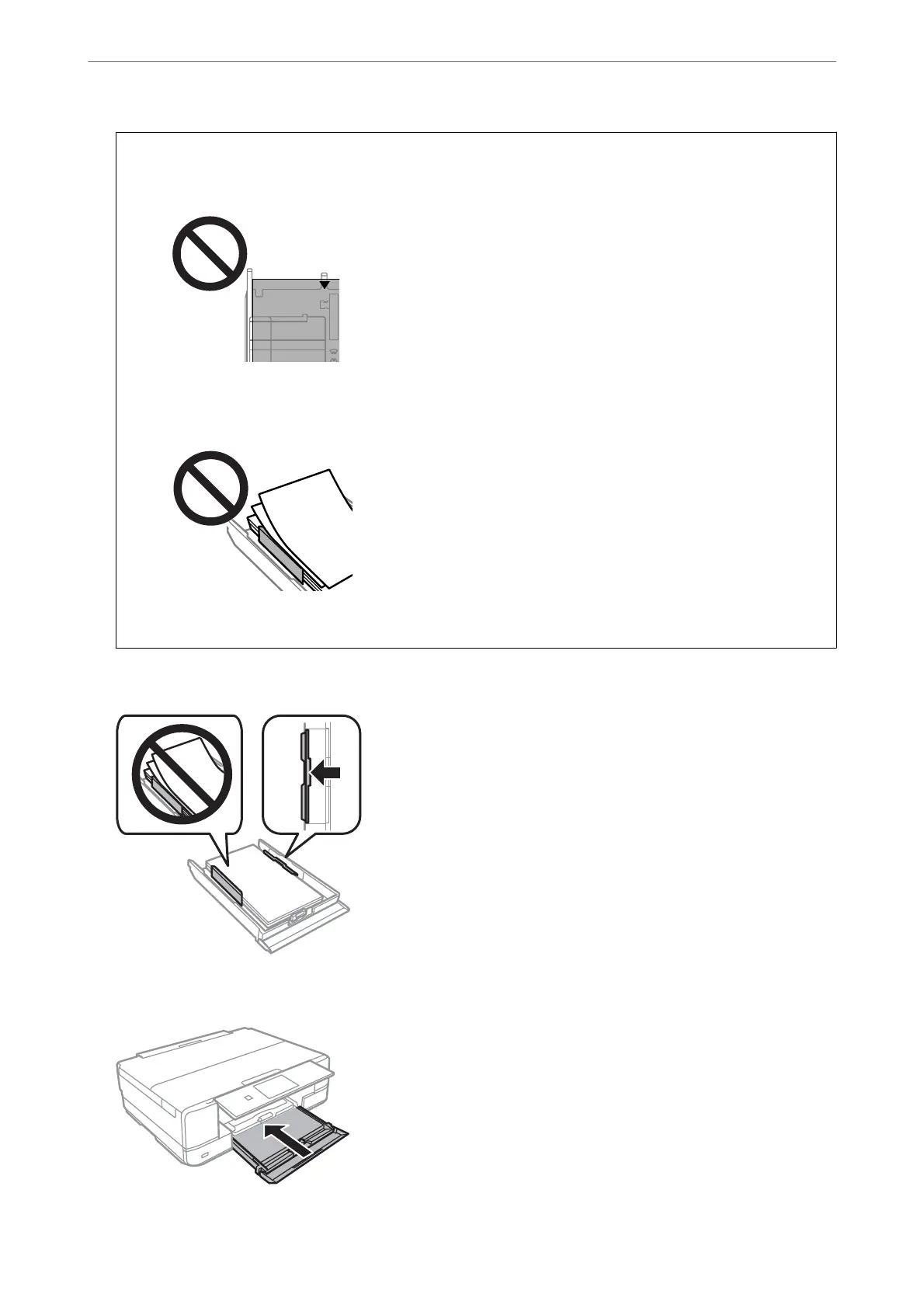
❏ Make sure the paper does not extend beyond the triangle symbol at the end of the cassette.
❏ Do not load more than the maximum number of sheets specied for the paper. For plain paper, do not load
above the line just under the triangle symbol inside the edge guide.
❏ Do not load dierent types of paper in the cassette.
8.
Slide the edge guide to the edge of the paper.
9.
Insert paper cassette 2.
Loading Papers and CD/DVDs
>
Loading Paper
>
Loading Papers
38



 To Next Page
 Loading...










