VEHICLE OPERATION
3-5
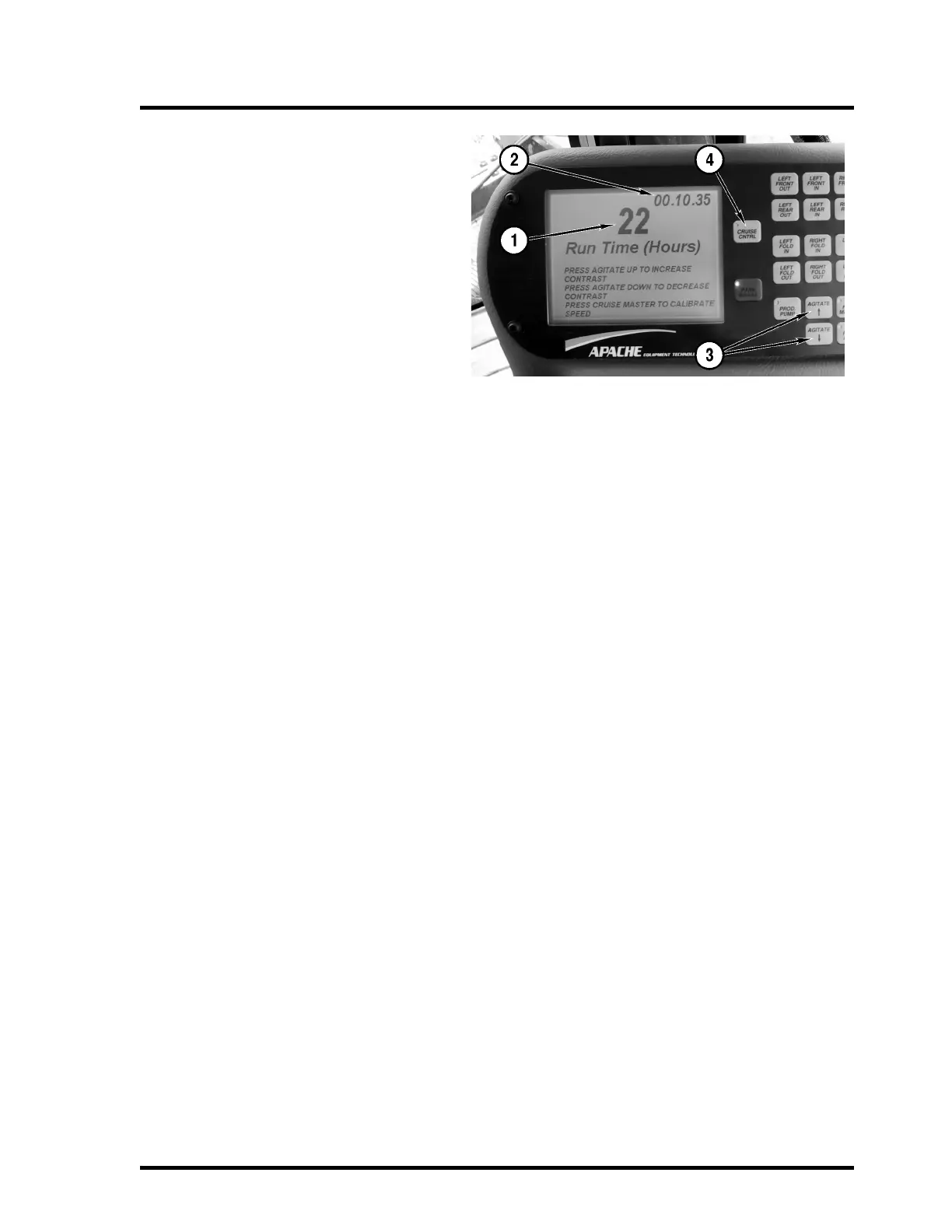
The console displays the machine hours and
software revision when the key is in the ON
position and for five seconds at startup.
1. Number of hours on machine
2. Software revision number
3. Console Display Contrast Adjust
To adjust the contrast of the console dis-
play, press the agitate increase button
and hold to increase the contrast of dis-
play, press the agitate decrease button to
decrease the contrast of display. Both
must be down before start up of Apache
Sprayer while the display is in this mode.
4. Speed Calibration
To calibrate the speed of the vehicle:
Press the cruise master button (while the
board is in this state), press the cruise
master a second time, and drive a mea-
sured mile (5,280 feet), drive through the
mark at end of measure mile, pushing the
cruise master when the front wheels are
crossing the mile mark. This will automat-
ically reset the speed reading on the
vehicle.



 To Next Page