VEHICLE OPERATION
3-14
Reverse
To move the Apache Sprayer in reverse:
Apply the vehicle brakes and release the
parking brake.
NOTE: The transmission will not shift if the
parking brake is applied.
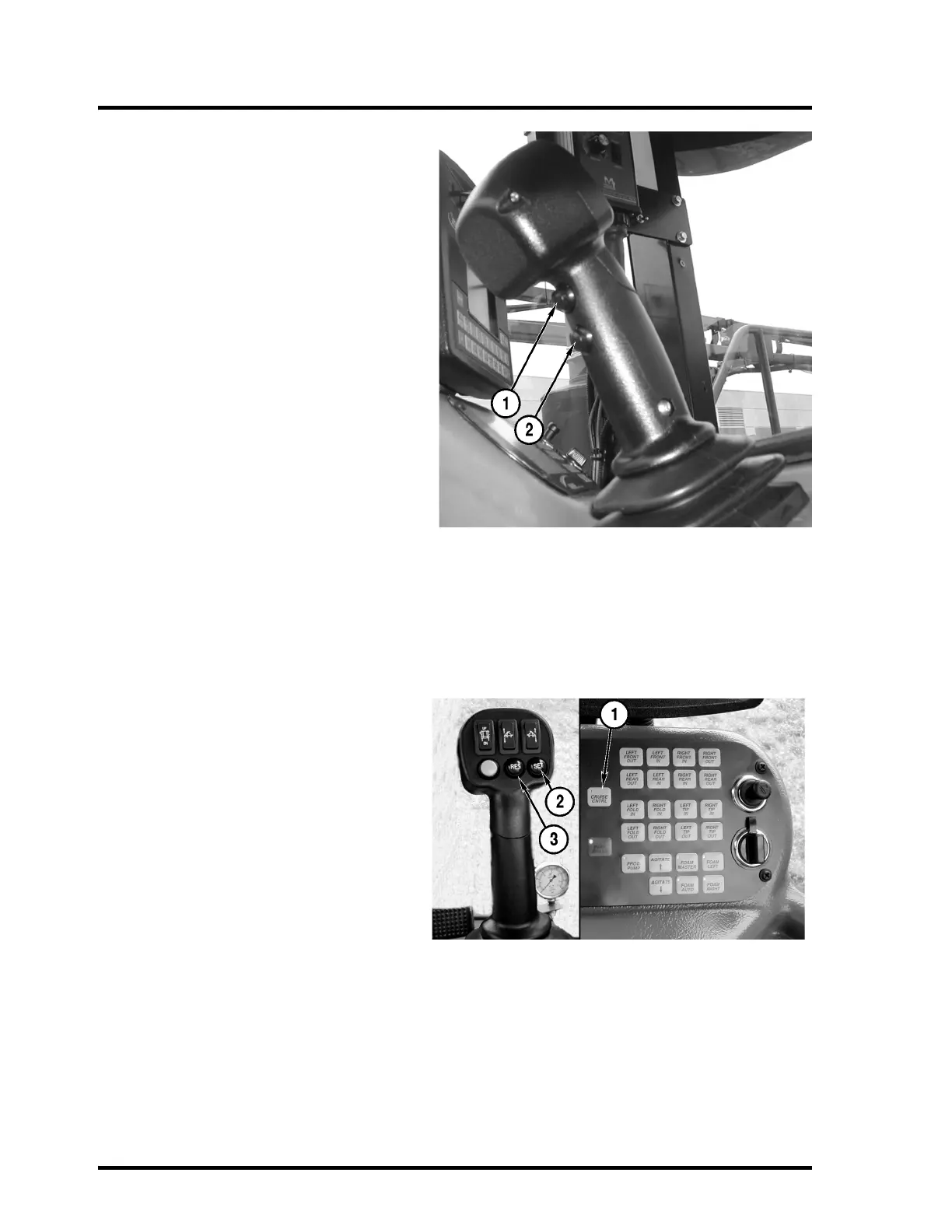
To shift into reverse from neutral, squeeze
and hold the bottom trigger button (2) on the
T-handle. Push the T-handle forward to
increase the engine rpm and ground speed.
Pull the T-handle back to decrease the
engine rpm.
The reverse button (2) must be held in at all
times to move in reverse.
NOTE: The T-handle will not shift the trans-
mission into neutral. To obtain neutral from a
reverse gear, release the bottom trigger but-
ton (2) on the T-handle.
NOTE: If the vehicle is moving in reverse and
the reverse button (2) is released, the trans-
mission will shift to neutral. Once the vehicle
is below 1400 rpm and 4 mph, squeezing and
holding the bottom trigger button (2) shifts the
transmission into the gear the transmission
was in before neutral.
Cruise Control
To use the cruise control function, turn the
master cruise button (1) located on the con-
sole ON. Once the desired speed is reached,
push and release the SET button (2) on the
T-handle.
If the engine rpm’s are decreased or
increased, cruise control will disengage. to
resume cruise speed, press the resume
(RES) button (3) on the joystick to return to
the previously set cruise control speed.
If the transmission is up- or down-shifted, the
cruise control will disengage.
The cruise control will operate between 4 and
20 mph. If the SET button (2) is pressed while
the speed is out of range, the command will
be ignored.
When the cruise is set, the RES button (3)
increases vehicle speed by one mph for each
time it is pressed; pressing the SET button (2)
when cruise control is set, decreases speed
by one mph for each time it is pressed.



 To Next Page