LUBRICATION AND MAINTENANCE
5-22
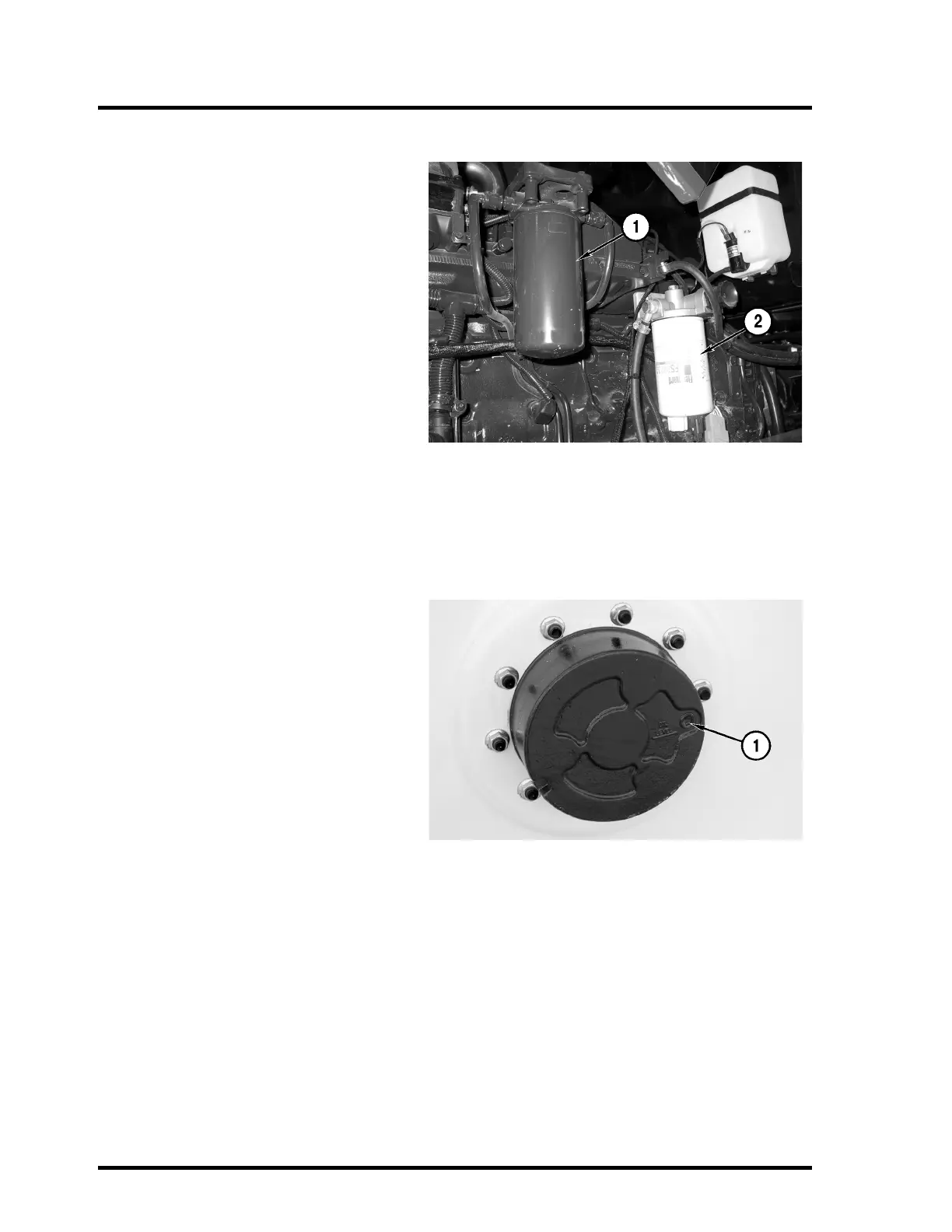
Replace Fuel Separator Filter
The fuel separator filter (2) is located in the
engine compartment on the left side of the
engine.
Turn the filter counter-clockwise to remove.
Dispose of the filter properly.
IMPORTANT: Do not overtighten the filter.
Damage to the seal can result.
Use a new filter, Part Number 201450243. Fill
the new filter with diesel fuel before installing.
Tighten the filter, by hand, 3/4 to 1-1/4 turns
after the seal contacts the filter housing.
NOTE: It is not necessary to bleed the fuel
system after replacing fuel filters.
Additional fuel system information is available
in the engine manufacturer’s manual pro-
vided with the Apache Sprayer.
Replace Planetary Fluid
(AS 1010 Only)
The planetaries are located on each rear
wheel. The plug (1) on the planetary serves
as the drain and fill location.
To drain the planetary fluid, position the
wheel so the plug on the planetary is in the 6
o’clock position. Remove the plug in the plan-
etary and drain the fluid into a suitable con-
tainer. Dispose of the fluid properly.
To fill the planetary fluid, position the wheel
so the plug on the planetary is in the 3 o’clock
position.
IMPORTANT: Use only Lucas 80/90 Gear Oil
for the planetary fluid.
Fill each planetary with Lucas 80/90 Gear Oil
to the bottom of the fill hole. The planetary
capacity is approximately 2.2 quarts [2.0
liters].
Install the plug (1) and tighten.



 To Next Page