VEHICLE OPERATION
3-10
Starting and Stopping the Engine
Starting
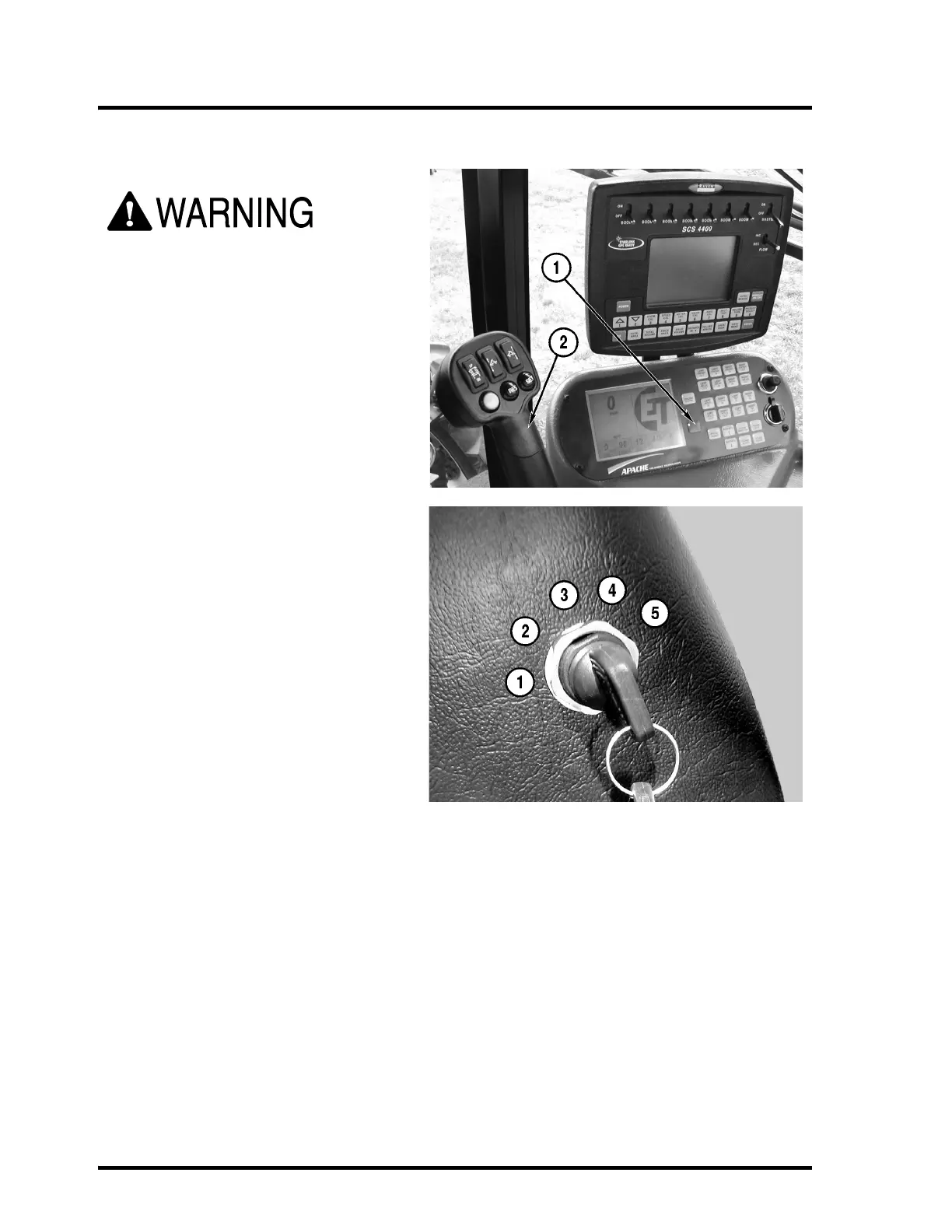
ALWAYS start the engine from the opera-
tor’s seat, the parking brake (1) applied,
and seat belt fastened.
DO NOT attempt to start the engine by
shorting across the starter terminals.
The key switch has 5 positions. Turn the key
counter-clockwise as far as it will travel for
the “ACC” position (1). The “ACC” position is
not wired in the AS1010 and AS1210 Apache
Sprayers. The first position clockwise is the
“OFF” position (2). The next position clock-
wise is the “ON” position (3). The last position
clockwise is the “START” position (5).
Turn the keyswitch to the “ON” position (3)
and wait for the Wait-To-Start lamp on the
steering column to go out.
Turn the key to the “START” position (5) and
crank the engine. When the engine starts,
release the key.
IMPORTANT: DO NOT crank the engine for
more than 30 seconds at a time. Damage to
the starter can occur. Allow two minutes for
the starter to cool before cranking again.
If the engine does not start after four attempts, see the Troubleshooting section in the engine manufac-
turer’s service manual or contact your dealer.
IMPORTANT: If the engine stalls under load, immediately place the vehicle in neutral and restart the
engine. Failure to do so can cause damage to the turbocharger.
After the engine is started, check all gauges for normal engine operation. If the gauges indicate a prob-
lem, stop the engine and determine the cause.



 To Next Page