WET SYSTEM OPERATION
4-6
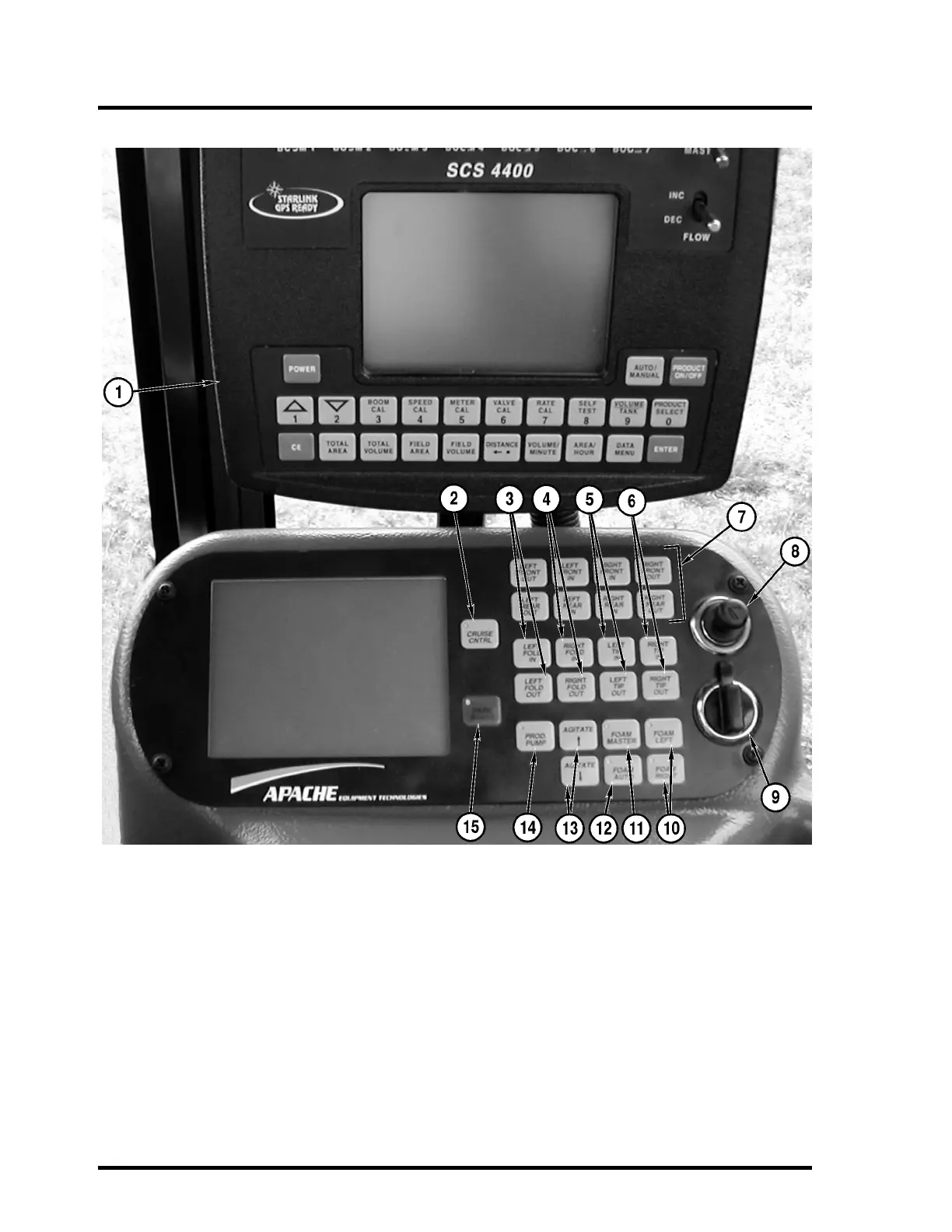
Side Console
1. Raven 4400 Controller
The Master Switch must be in the OFF posi-
tion to enable the yellow Master Boom switch
on the T-handle.
2. Cruise Control Master Switch
3. Left Boom Fold In and Out
4. Right Boom Fold In and Out
5. Left Boom Tip In and Out
6. Right Boom Tip In and Out
7. Axle Width Adjustment Switches
(Optional Adjust on the Go)
8. Cigarette Lighter
9. Auxiliary Power Point
10. Foam Switch for Left and Right Side
11. Foam Master Switch
12. Foam Auto
When switched on, foam can be switched
from left to right using the yellow Master
Switch on the T-handle.
13. Agitate Increase and Decrease
14. Product Pump Switch
15. Parking Brake Switch



 To Next Page