WET SYSTEM OPERATION
4-24
Flushing Product Tank
(with optional Roto-Flush)
NOTE: Read and follow chemical labels for
flushing, disposal, and protective clothing
requirement instructions.
IMPORTANT: DO NOT run the product
pump dry. Damage to the pump seals will
result. DO NOT intentionally dead-head
the pump with high pressures. Damage to
the pump seals will result.
Fill the rinse tank with clean, fresh, water.
See “Filling Rinse Tank” on page 4-11
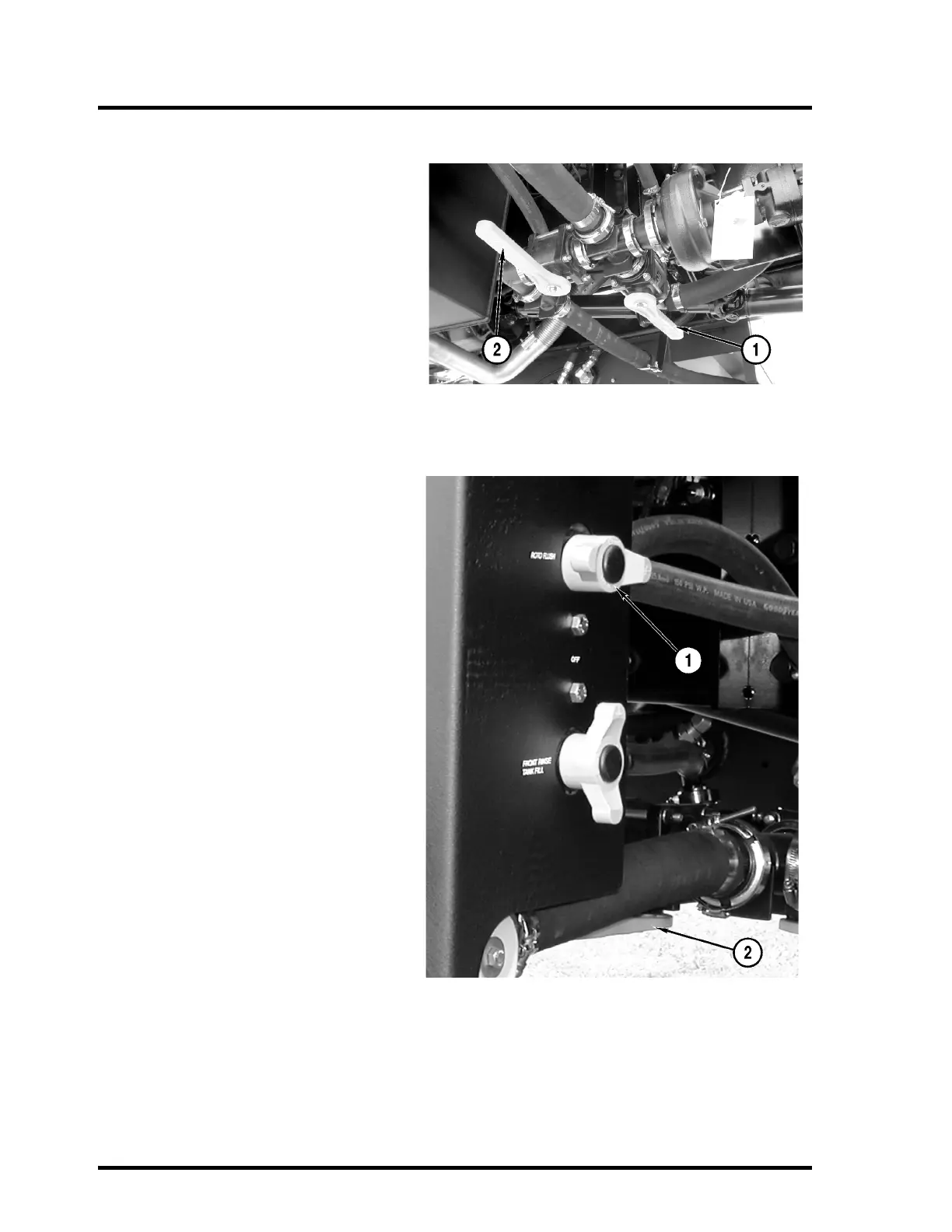
Close the product valve (1) and open the
rinse tank valve (2).
Turn the Agitate/Roto-Flush knob to “ROTO-
FLUSH” (1).
Start the engine.
Use the Agitation switch on the side console
to increase agitation to its highest level.
Set the product pump switch to the “ON” posi-
tion.
Use the T-handle to increase engine speed to
1800 rpm.
NOTE: The rinse tank will empty quickly.
Monitor the process closely to reduce the
possibility of running the product pump dry.
After the tank is rinsed, return the T-handle to
“IDLE”, set the product pump switch to “OFF”,
close the rinse tank valve (2), and turn the
Agitate/Roto-Flush knob (1) to “OFF”.



 To Next Page