LUBRICATION AND MAINTENANCE
5-17
Adjust Poly Tank Straps
(if equipped)
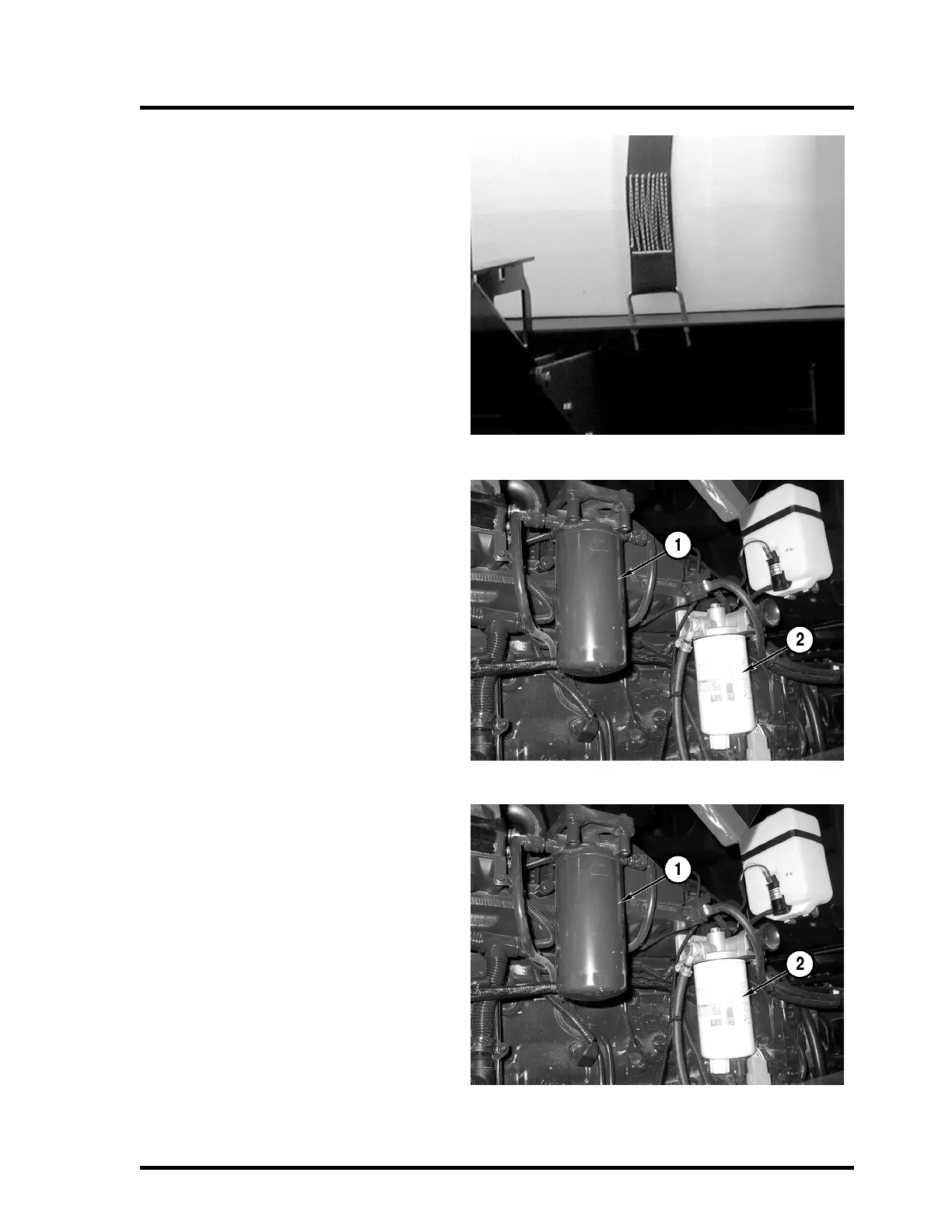
Tighten the bolts on each tank strap without
deforming the tank, bolts or tank skid. Tighten
the bolts evenly from side to side.
Fill the product tank with water and drive the
Apache Sprayer to allow the tank to settle.
Stop the vehicle and check the straps. Adjust
if necessary.
Replace Fuel Filter
The fuel filter (1) is located in the engine com-
partment on the left side of the engine.
NOTE: Fuel will spill from the filter and fuel
lines. Use a suitable container to collect the
fuel and dispose of properly.
Use a new filter, Part Number 201450242. Fill
the new filter with diesel fuel before installing.
NOTE: It is not necessary to bleed the fuel
system after replacing fuel filters.
Additional fuel system information is available
in the engine manufacturer’s manual pro-
vided with the Apache Sprayer.
Replace Fuel Separator Filter
The fuel separator filter (2) is located in the
engine compartment on the left side of the
engine.
Turn the filter counter-clockwise to remove.
Dispose of the filter properly.
IMPORTANT: Do not overtighten the filter.
Damage to the seal can result.
Use a new filter, Part Number 201450243. Fill
the new filter with diesel fuel before installing.
Tighten the filter, by hand, 3/4 to 1-1/4 turns
after the seal contacts the filter housing.
NOTE: It is not necessary to bleed the fuel
system after replacing fuel filters.
Additional fuel system information is available
in the engine manufacturer’s manual pro-
vided with the Apache Sprayer.



 To Next Page