WET SYSTEM OPERATION
4-20
Operating Foam Marker
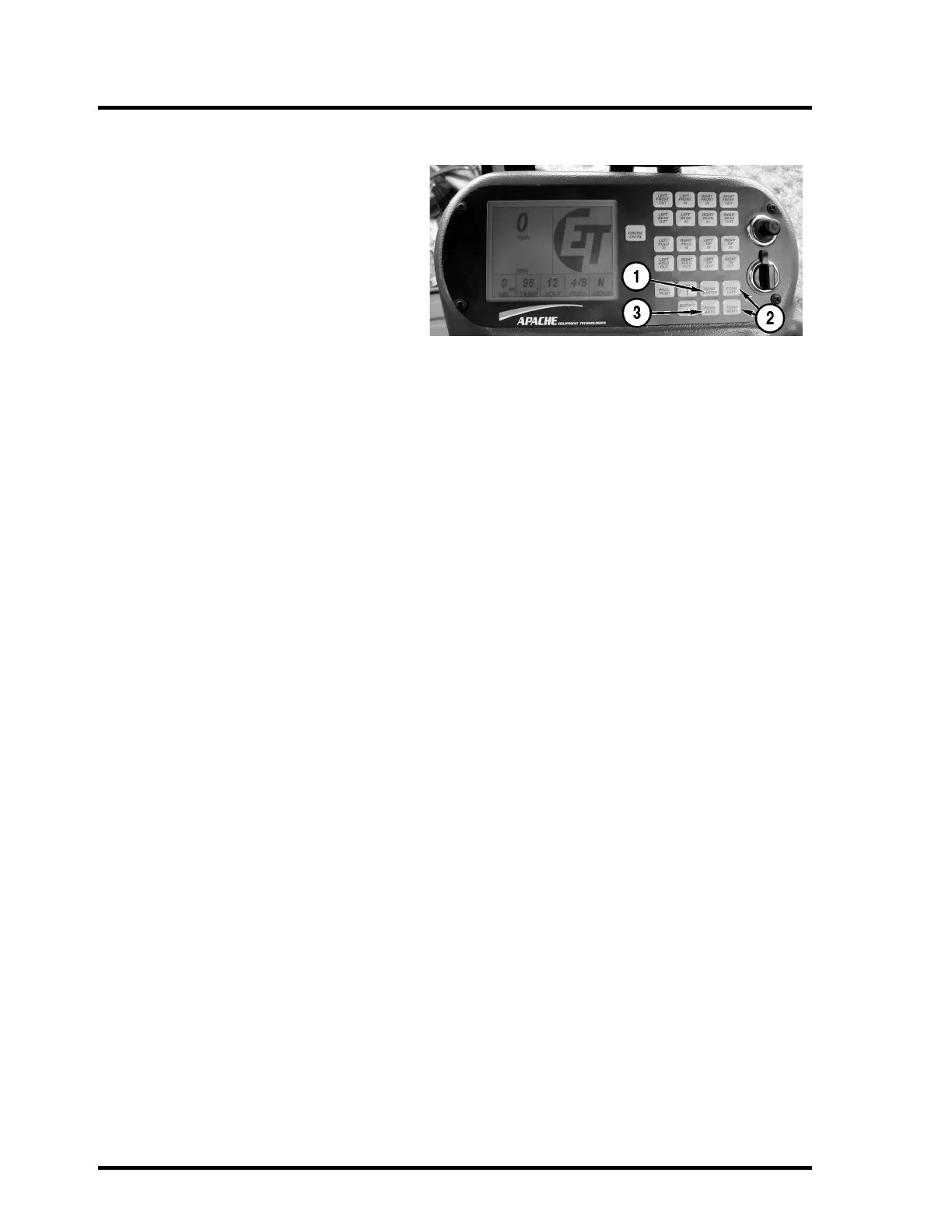
To turn on the foam marker, push the Foam
Master button (1) on the console. Push the
Foam Left button (2) to drop foam on the left.
Push the Foam Right button (2) to drop foam
on the right.
If the Apache Sprayer has the optional split
boom, open the foam valves on each of the
booms to drop foam at 60’. The valves are
located at the midpoint of each boom.
Auto Foam
To use the Auto Foam feature, turn on the
Foam Master switch (1), then turn on the Auto
Foam button (3). Foam will drop from which-
ever side was used last. When you turn the
boom section switches on or off with the yel-
low master spray switch on the T-handle, the
foam will switch from left to right.
NOTE: After filling the foam tank, the foam
marker may need to run for one to two min-
utes before the foam begins.



 To Next Page