Calibration of the Machine
3-10 © Essemtec AG Fox Maintenance
0000074/05
/ March 31, 2017
Adjust Conveyor Width
The conveyor back rail must be adjusted to the glass plate width. This has to be done manually.
System
Calibration
PCB Handling
Unlock back rail
• Open the cover.
• Move the backrail to its final position, using the glass plate as spacer. Position the glass plate
with the cut off corner front left.
Lock back rail, thereby hold the rail in its position.
Close the cover
Position the Glass Plate
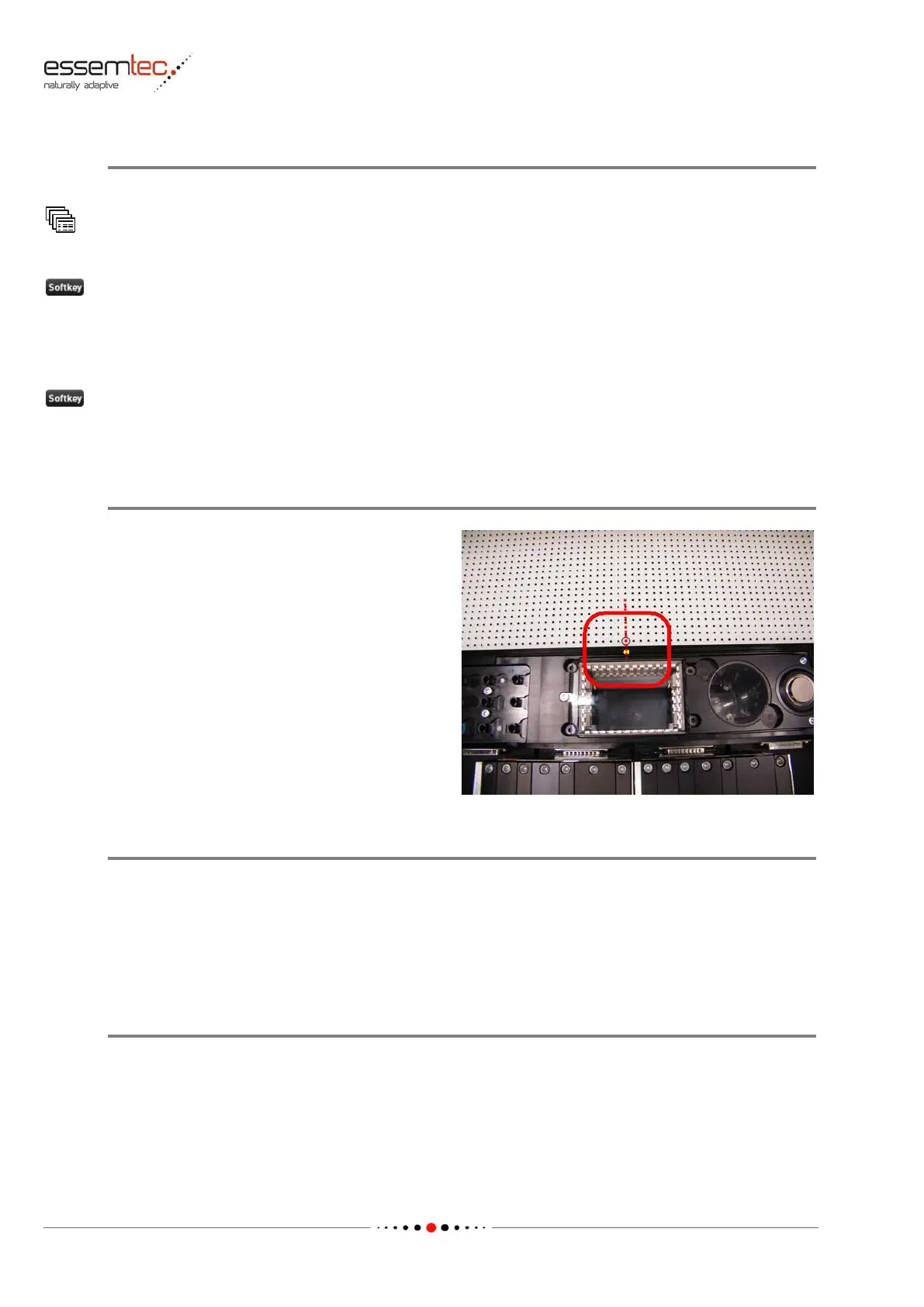
Move the glass plate manually to its correct
position: There is a hole in the front rail, this hole
has to be flush with the small circle on the glass
plate (see picture). Go to menu Produce -
Production Settings and press Clamp PCB.
Calibrate XY Gantry - Map XY
Go to menu System - Calibration - XY gantry / Calibstation and press Calibrate Y-Y1. Press Map
XY.
Follow the instructions given by the software.
After Calibration leave glass plate on the conveyor, it is needed for head rotation calibration.
Finalize Mapping
Continue with the calibration or at least calibrate the PCB Handling, following the instructions
given by the software.
At least go to menu System - Calibration - PCB Handling and press Calibrate all.



 To Next Page