Calibration of the Machine
3-14 © Essemtec AG Fox Maintenance
0000074/05
/ March 31, 2017
3.3.2 Cameras
For a convenient adjustment, usually two people are required.
In case it is not known what camera type is installed, go to System - Configuration - Base
Modules. Click the top camera on the graphical section and the appropriate model appears in blue
on the left. To adjust the focus, the head cover has to be removed. For the instructions how to
remove the cover, go to one of the head maintenance chapter in the maintenance manual of the
machine you are working with.
Adjustment possibilities of Top Camera
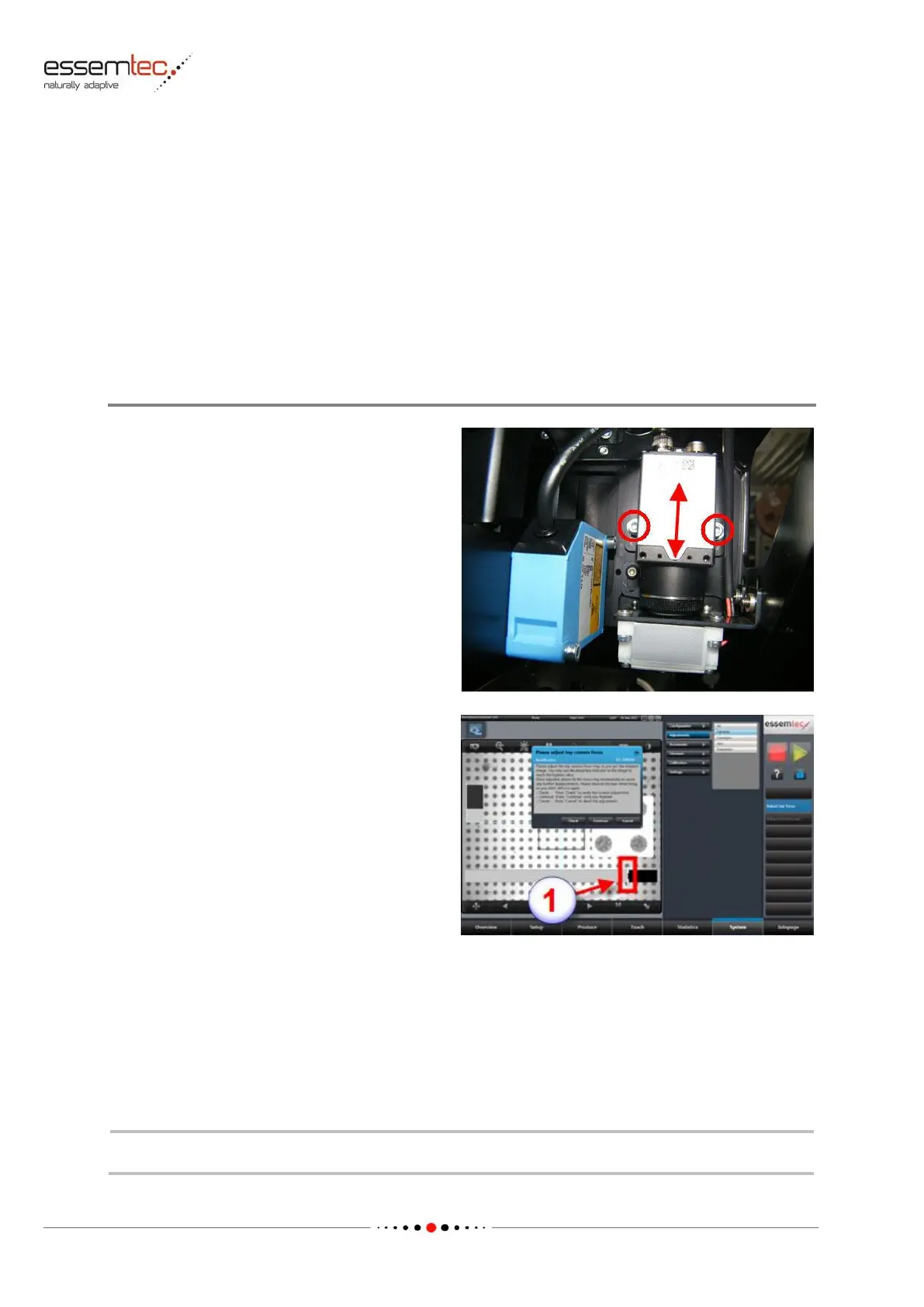
Release the camera for sliding up and down
Loosen the two fixing screws (see picture).
Start the adjustment
Go to System - Adjustments - Cameras and
press Adjust top focus.
In the graphical section, the camera window opens
and the camera moves over the calibration plate in
the calib station.
Pressing Check, the vision system checks the
focus and displays the result as a grey bar (1).
The drag indicator follows always the bar and
shows the maximum setting ever achieved since
adjustment start. To get the best focus, this
maximum setting must be found first. Press
Check multiple during sliding the camera up
and down.
The drag indicator shows now the maximum setting which corresponds to the best focus.
Slide the camera until this maximum is reached again. Tighten the fixing screws of the camera.
Observe the bars while tightening, so you don't de-focus again.



 To Next Page