68
PRIMACY 2
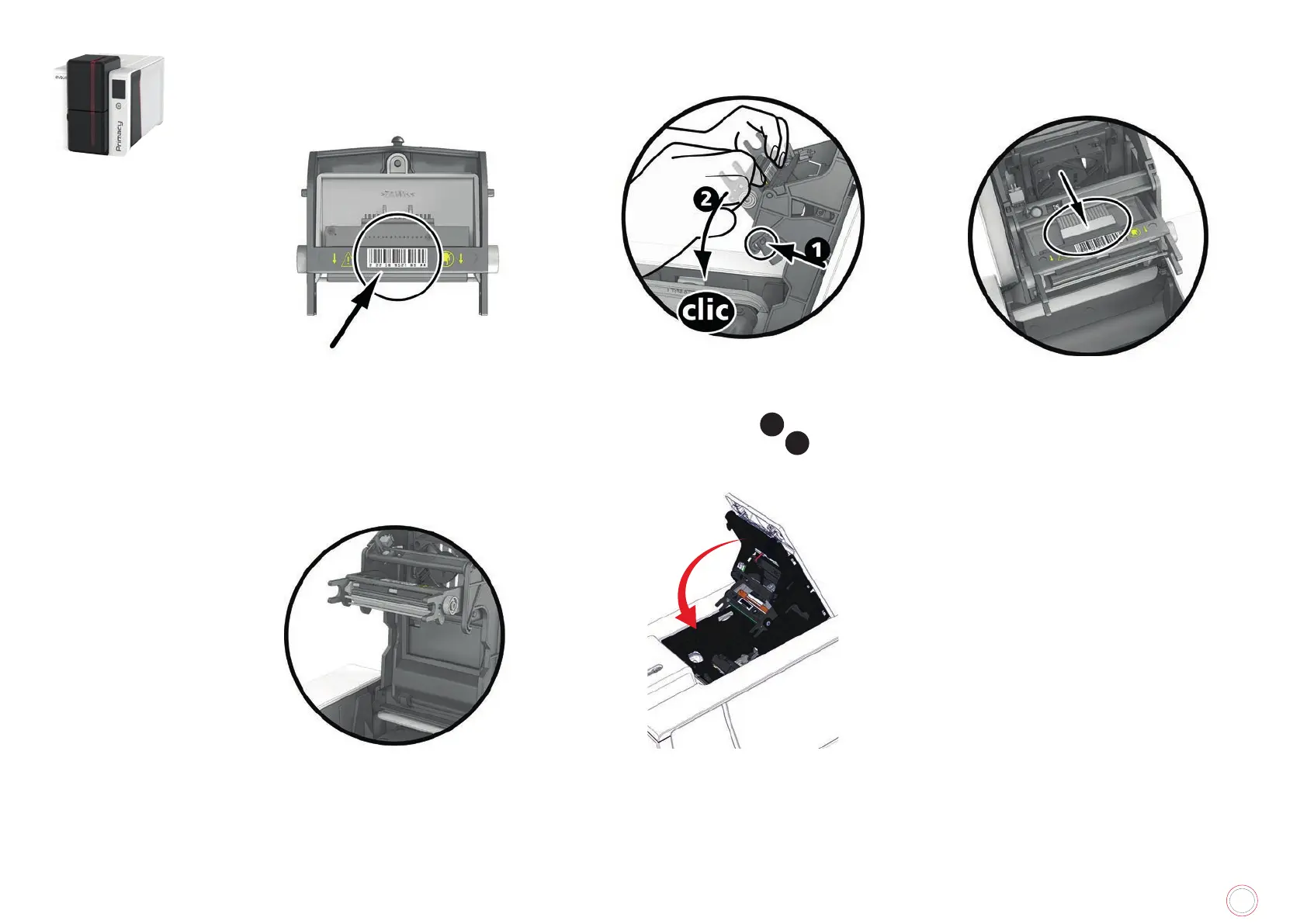
Installing the new print head
7
Note the code (PKN number) on the white
label of the print head. This code is needed
later in the procedure.
8
Take the new print head and insert it
vertically (white connector upwards), raising
it in the two guides so as to trap the lugs of
the fork in their slots
1
. Then lower it by
pressing on the two forks
2
, a click will be
heard.
9
Connect the cable into its socket, making
sure it is the right way round. Do not use
any force, as this part is relatively fragile.
Press down on each side of the connector to
ensure a good connection is made
10
The new print head is installed.
11



 To Next Page