Installation
7
Rivo™ I Controller EN
53
Evoqua Water Technologies GmbH | W3T597263 Issue 01-0624
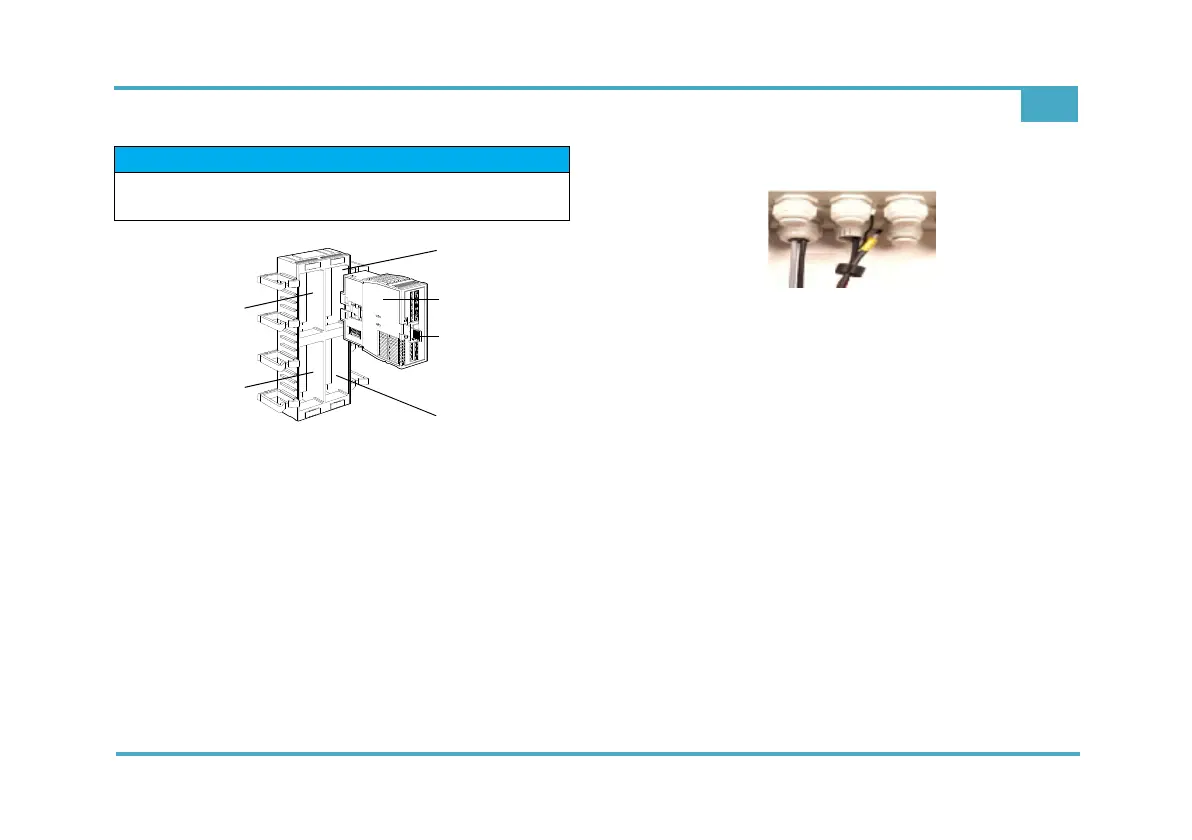
Fig. 8 Section, module slots
1 Module slot 1
2 Module slot 2
3 Module slot 3
4 Module slot 4
5 Rivo™ Flex Mod Module
6 Module locking mechanism (blue) - unlocking/locking
4 Route connection cables into the cable holder and
into the housing through the cable glands.
Fig. 9 Section, cable connection
5 Tighten cable gland. Make sure that all cable glands
are installed correctly.
6 Switch power supply back on.
7 When the device has booted, a scan must be carried
out in order to transfer the new module configuration.
To do this, open Setup - System settings - General
and press the “Scan” (hardware) button.
=> The device scans the changed module configura-
tion and configures itself accordingly.
NOTICE
Module slots 1 and 2 are not used in this Electronics
Module.



 To Next Page