Operation
10
Rivo™ I Controller EN
83
Evoqua Water Technologies GmbH | W3T597263 Issue 01-0624
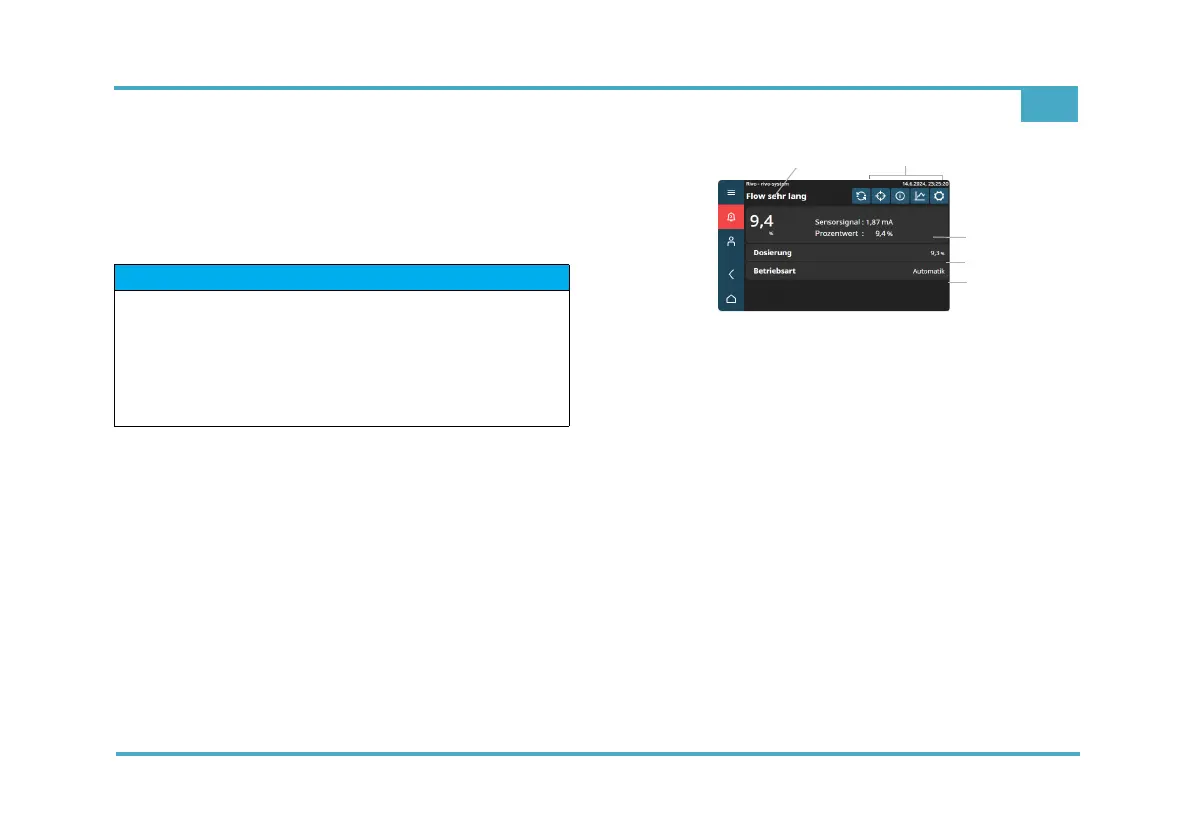
10.10 Menu field measurement channel
The menu field Measurement channel shows the current
measured value and the sensor signal. All settings relat-
ing to measurements, such as range, limit values and con-
troller settings, must be made via this menu.
Fig. 12 Example menu field Measurement channel
1 Display of measurement (name individual)
2 Function buttons (selection option via symbols)
3 Display of measured values - measured value - sensor signal
- percentage (display only)
4 Dosing (display only)
5 Operation mode (display only)
HINWEIS
The measured values displayed depend on the various
settings. Name can be entered individually.
Depending on the user administration configuration and
the currently registered users, the changes that can be
made are limited. To change, it is necessary to log in at
the appropriate user level.



 To Next Page