User Manual TRACKS & TRANSPORT February 16, 2010
Xynergi Media Production Centre Page 168
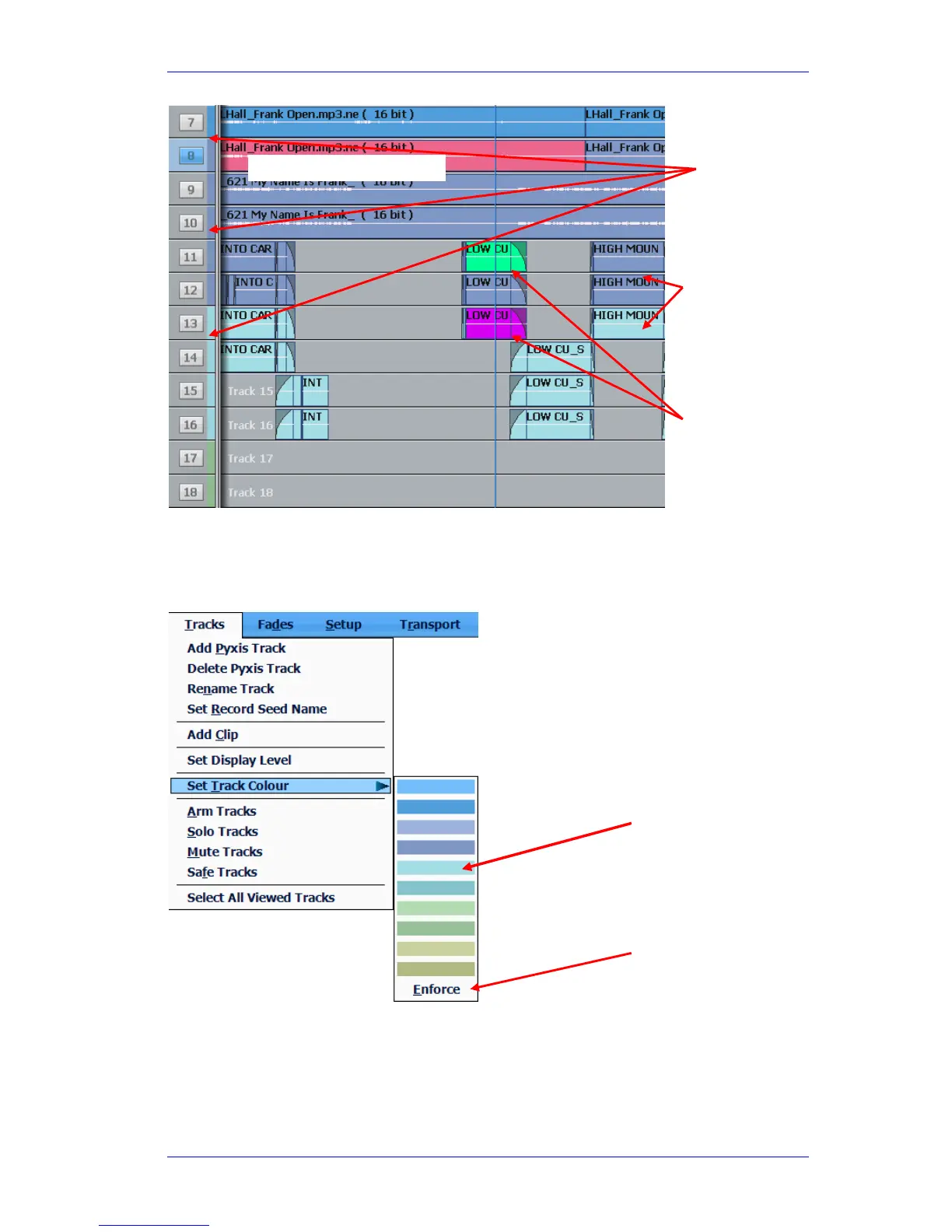
To select track colours,
Step 1 Select tracks you want to colour.
Step 2 Use the menu: Tracks Set Track Colour
When you choose a track colour, all clips on the track that currently have its old colour are given
its new colour. This applies to all clips for which you have never explicitly chosen a colour.
Tracks show colour
tabs
Click to choose a
colour for all selected
tracks.
Clips can also be given
special colours
Selected clips are always red
Click to force all clips
on a track to adopt its
colour, regardless of
what they are now.
Clips normally
show the track
colour.



 To Next Page