User Manual USING THE FAIRLIGHT FADER SIDECAR February 16, 2010
Xynergi Media Production Centre Page 226
Using the Fairlight Fader Sidecar
Introduction
The Xynergi Fader Sidecar has 12 faders for individual feeds, buses, or groups.
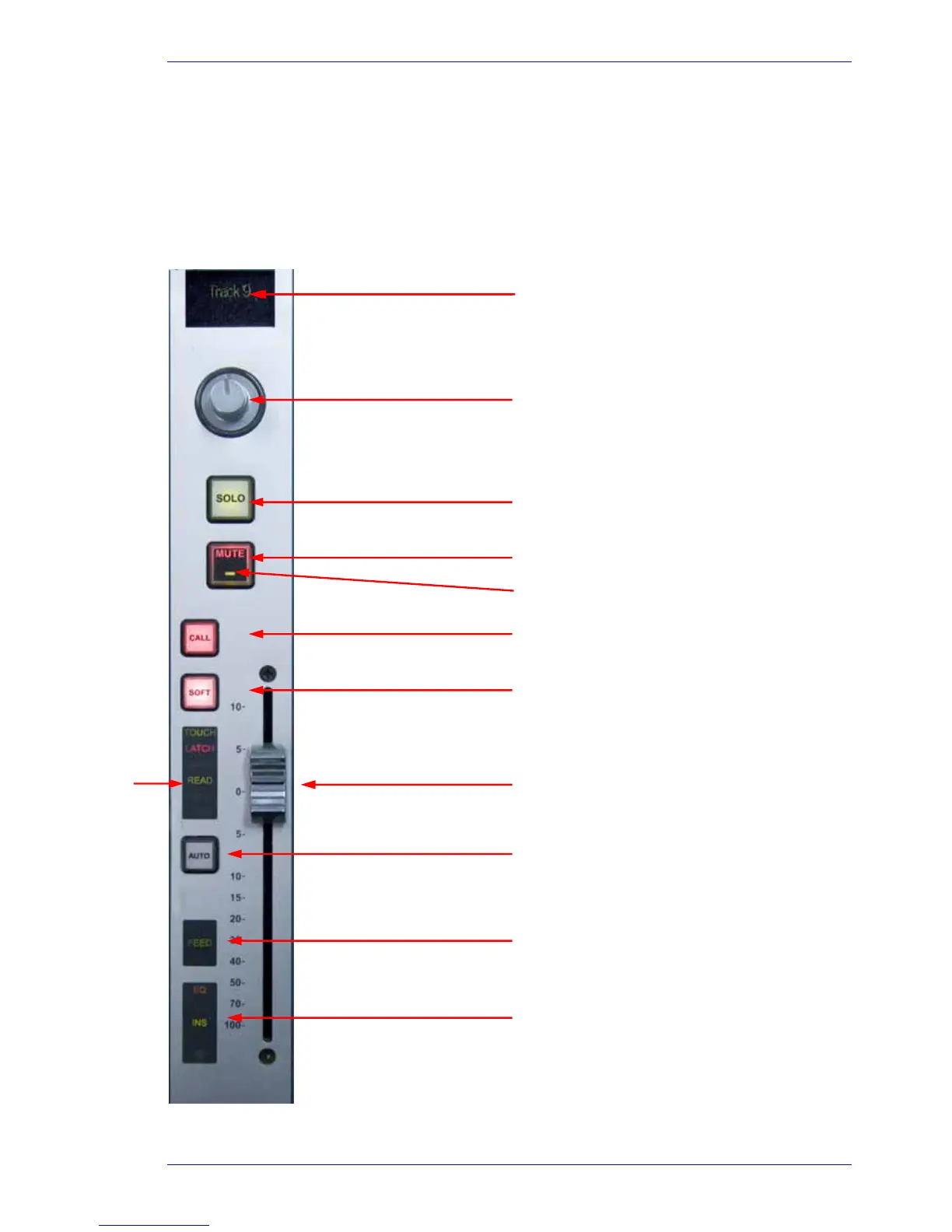
Fader Controls
Name of signal path Name of signal path
Soft Pot – normally Left-Right Pan
Control, but switchable to other
functions
Solo toggle
Mute toggle
Automation read/write indicator
CALL button – brings channel to PAD,
Fat Channel etc.
Soft button – selects channel for
automation commands
Automation
indicators
Fader – controls level (or other choices)
AUTO button – channel enters
automation write
review
Shows type of signal path (feed,
group, bus)
Tallies EQ, Dynamics, Insert IN, and
indicates if fader is a Link Group Master



 To Next Page