User Manual MACHINE CONTROL February 16, 2010
Xynergi Media Production Centre Page 304
Machine Control
Introduction
Constellation-XT can communicate with industry standard Sony 9 pin serial controlled machines
(with a timecode reader installed) providing control over external video (or audio) machines,
directly from the Constellation.
Constellation-XT can control up to three machines: M1, M2 and M3. Of these, two can be physical
VTRs, and the third can be Linear Timecode or MIDI Timecode.
Setting up Machines
To choose a machine type to be M1, M2 or M3.
Step 1 Press the BLUE key plus M1 key, the BLUE key plus M2 key or click View Smart Pane
Machine Control
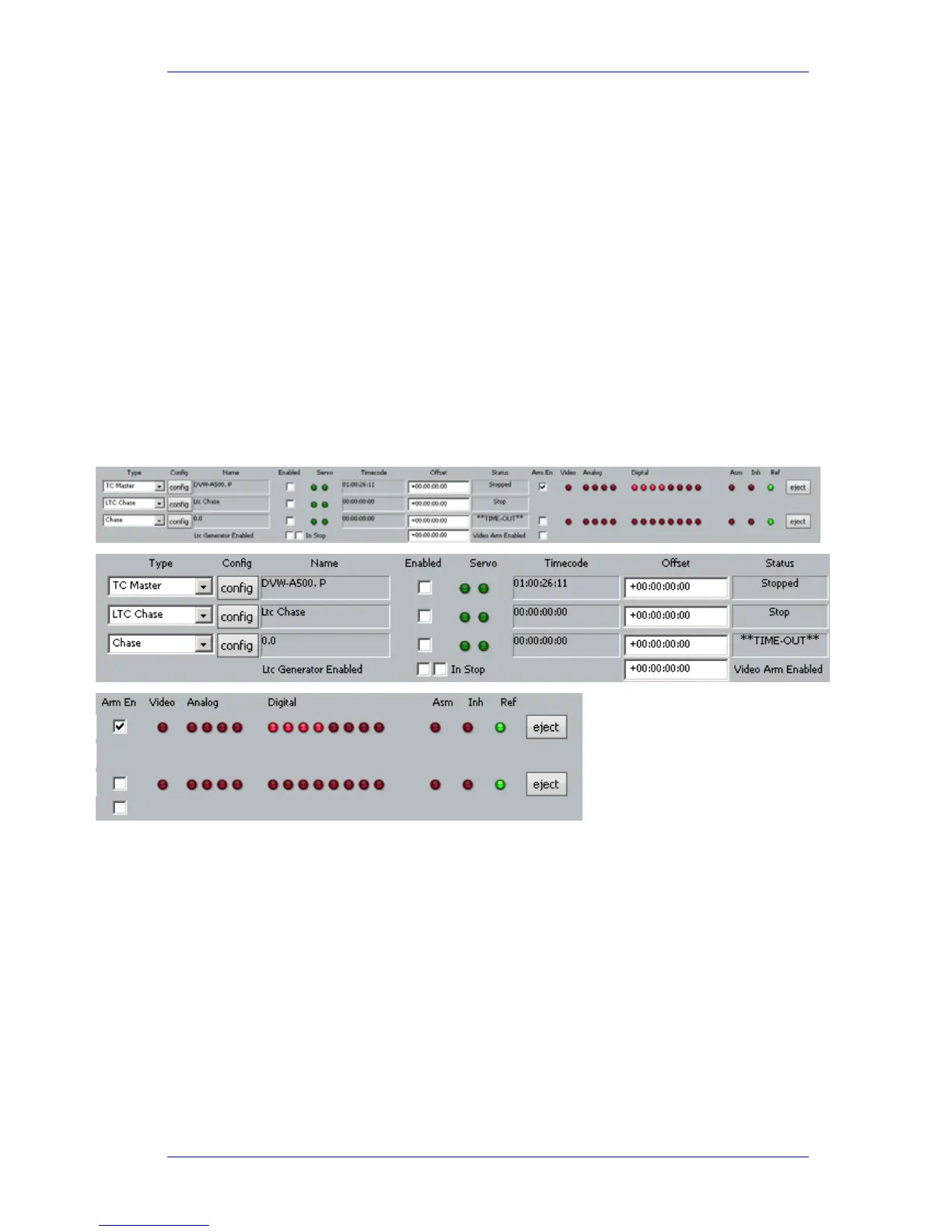
Step 2 The following Smart Pane is displayed
Use the
{type} soft key or ‘Type’ list box to select one of the following machine types:
TC Master – the selected machine is the 9 Pin timecode master.
Chase (slave) - the selected machine is in 9 Pin chase mode.
Remote (slave) – Dream II will respond to 9 Pin remote commands like a “virtual VTR”.
LTC Master – the selected machine is set to chase external Longitudinal Time Code.
MTC Master – the selected machine is set to chase external MIDI Time Code.
Pyxis – selecting Pyxis Track as one of your machines allows you to take it “offline” the
same way as physical machines. See Editing with Machine Control on page 310 to see
how this works.
No Port – No port selected



 To Next Page