User Manual EDITING February 16, 2010
Xynergi Media Production Centre Page 133
The audio in the range is copied from the source track to the destination track, replacing the
audio that was there.
Xynergi’s Quick Edit Layout
The Quick Edit Layout provides a faster way to perform basic edit functions. It combines a number of
the most-used commands into one layout, to reduce the number of keystrokes needed.
To use the Quick Edit Layout, do the following:
Step 1 Start with the Cut or Copy menu active (press the
Cut or Copy button in the Editor Megamode)
Step 2 Hold down the
SHIFT button and press the green Editor Megamode button. The Quick Edit
layout is shown.
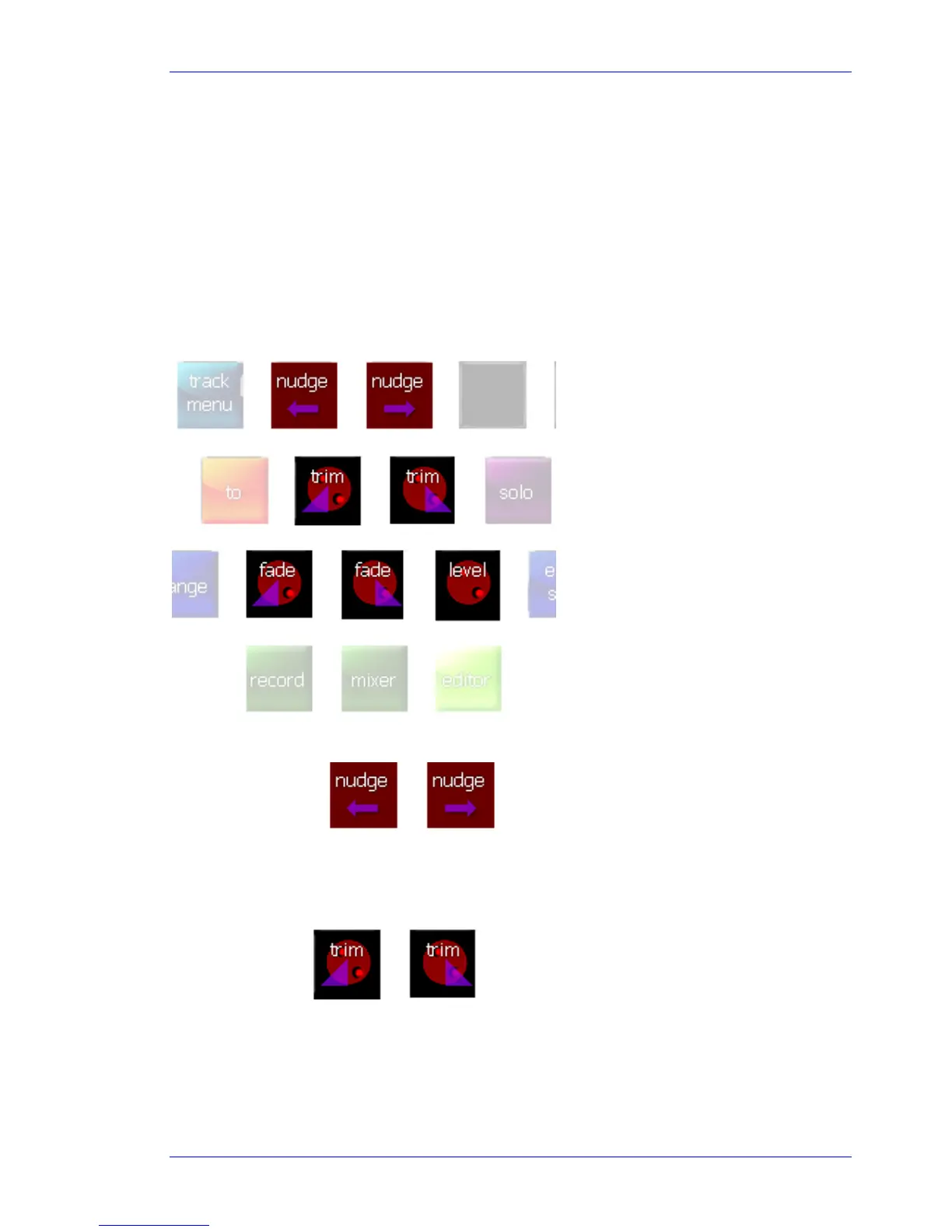
This layout contains only seven buttons (though it may be increased in the future).
Nudge Left / Right
These keys move the currently targeted clips one frame earlier or later.
Their action is exactly the same as the corresponding commands in the Nudge Menu, but it is not
necessary to go there.
Trim Left / Right
These keys combine the Jog Wheel and the Trim function. To use the Trim Left button:
Step 1 Start with the cursor touching a clip whose head you wish to trim.
Step 2 Press and hold the
Trim Left button.



 To Next Page