User Manual HOW TO … February 16, 2010
Xynergi Media Production Centre Page 72
Files
Create a New Project
Overview
The project is a file containing your instructions about what audio to play, how to mix the audio,
what plug-ins to use, etc.
In fact it contains everything about today’s job except any Automation Files you have recorded
(see How to Files Save Automation for details)
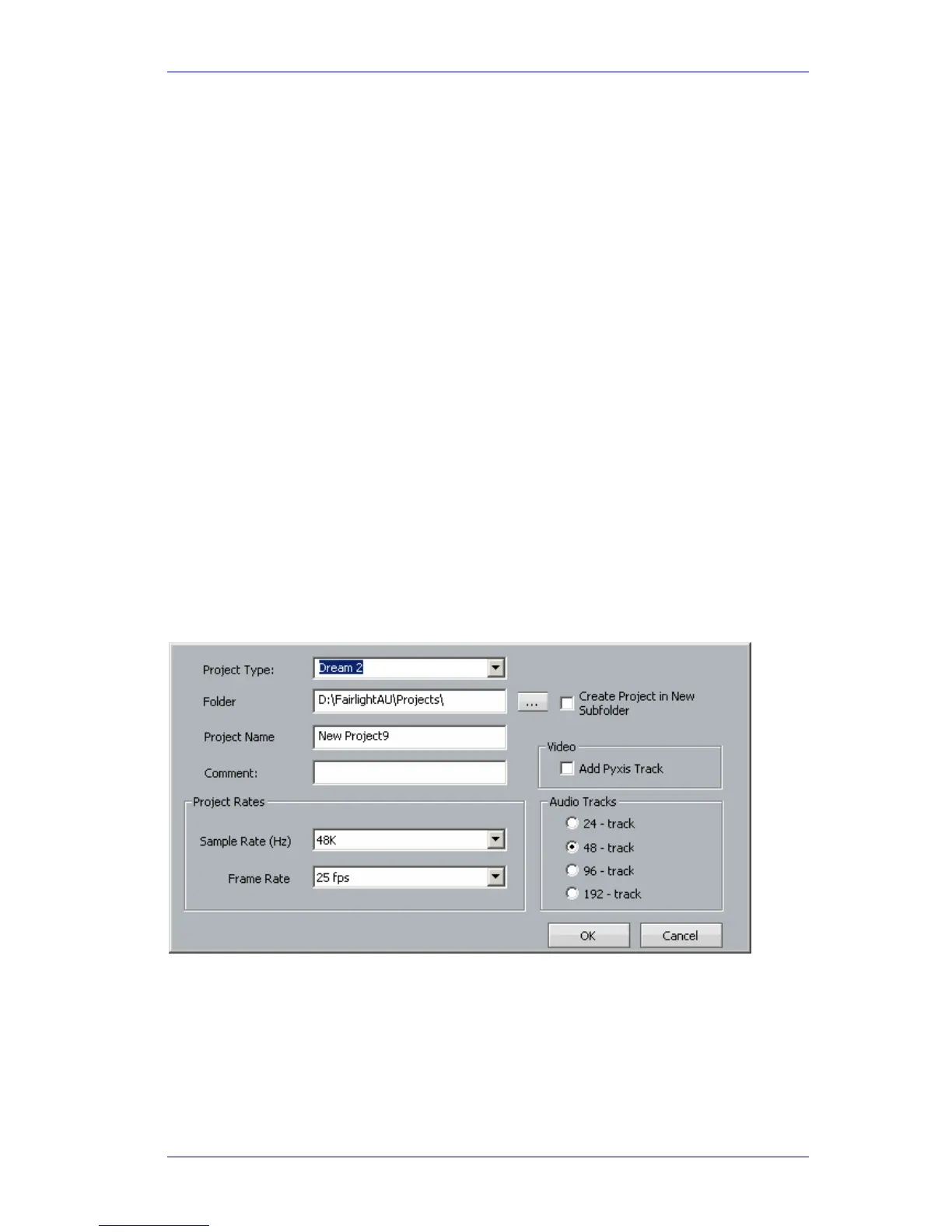
When you create a new project, you must specify details about its contents. Some of these cannot
be changed later.
See the next step for details.
Note: you can bypass this procedure using the mouse, and go directly to the
File New
command above the Edit screen.
Get Ready
Press the green proj menu button.
Press the
Proj button, if not already selected.
Operation
Press the new soft key in the Pad.
If you already have a project open, the system will prompt you to save it. Respond, and a New
Project form will appear on the Edit Screen.
Type a name for your new project, then fill out the rest.
Note: The number of tracks and the sample rate cannot be changed after you set them here.
Choose the DREAM II Project Type unless you are planning to interchange with owners of older
Fairlight QDC systems.
Click
OK to create the new project.



 To Next Page