User Manual SCREEN MIX CONTROLS February 16, 2010
Xynergi Media Production Centre Page 191
Panning
Dream II supported surround formats are: Stereo; LCRS, LCRSS; 5.1.
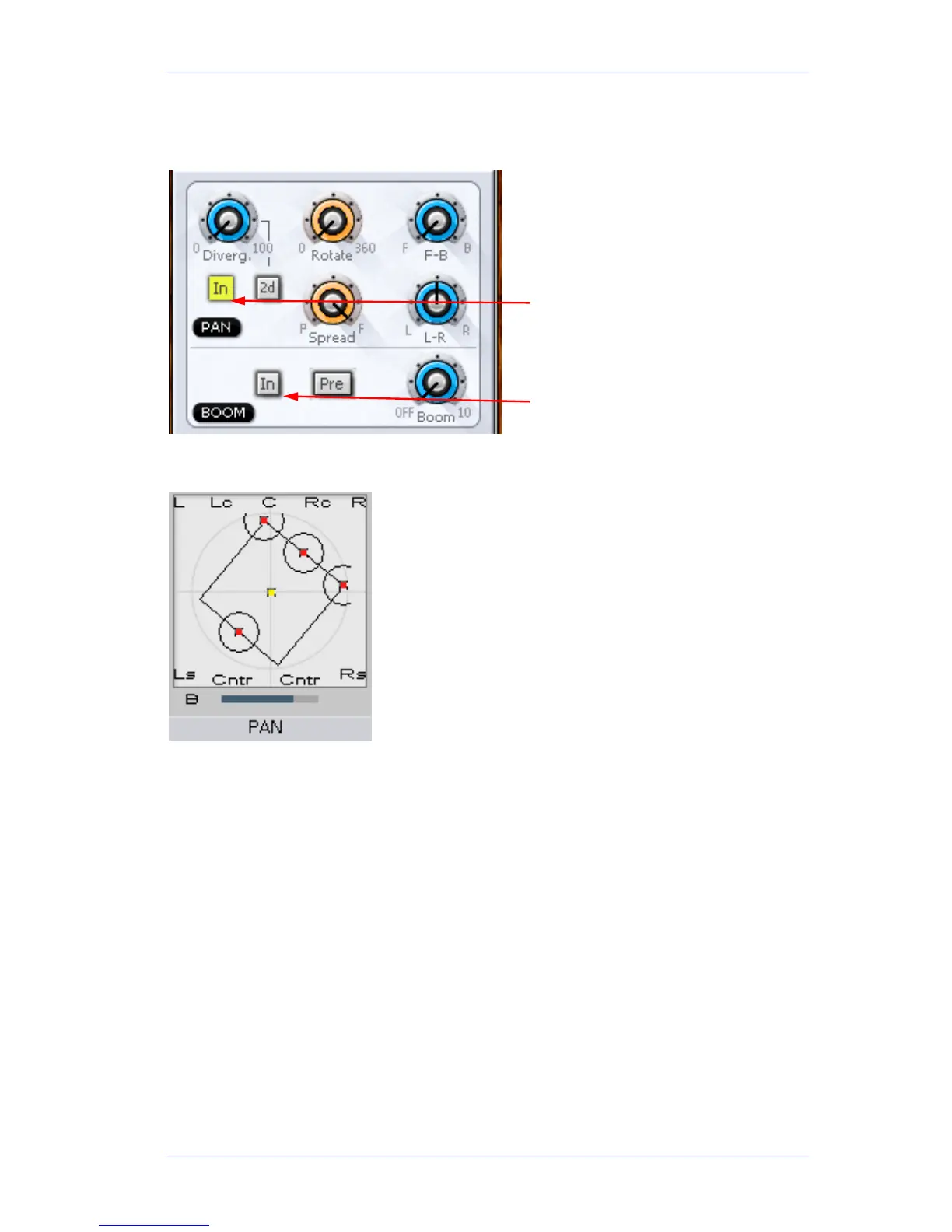
While operating the pan controls, the Fat Channel gives a visual representation of the pan position
and divergence. A complex example is shown below.
Basic Panning
Use the L-R and F-B controls for basic panning. If the Main Bus format does not have surround
channels, the F-B control will still be shown, but will do nothing.
Spread
Only available when a link group is selected. The spread control adjusts the perceived size of a
surround mix.
Diverge
Spreads the signal of an individual feed across more of the adjacent loudspeakers, making the
perceived size of the sound source larger.
Rotate
Rotate controls the left/right and front/back pan control to rotate the surround mix around the
centre of the room.
Using the panner:
Panning IN / OUT
Boom send ON /
OFF
Panning of 4-way Link Group
showing Rotation and
Divergence



 To Next Page