User Manual PYXIS TRACK February 16, 2010
Xynergi Media Production Centre Page 259
Importing a Video File
Step 1 Make sure that a Pyxis track is displayed. If not, see above.
Step 2 Click File Import Video File.
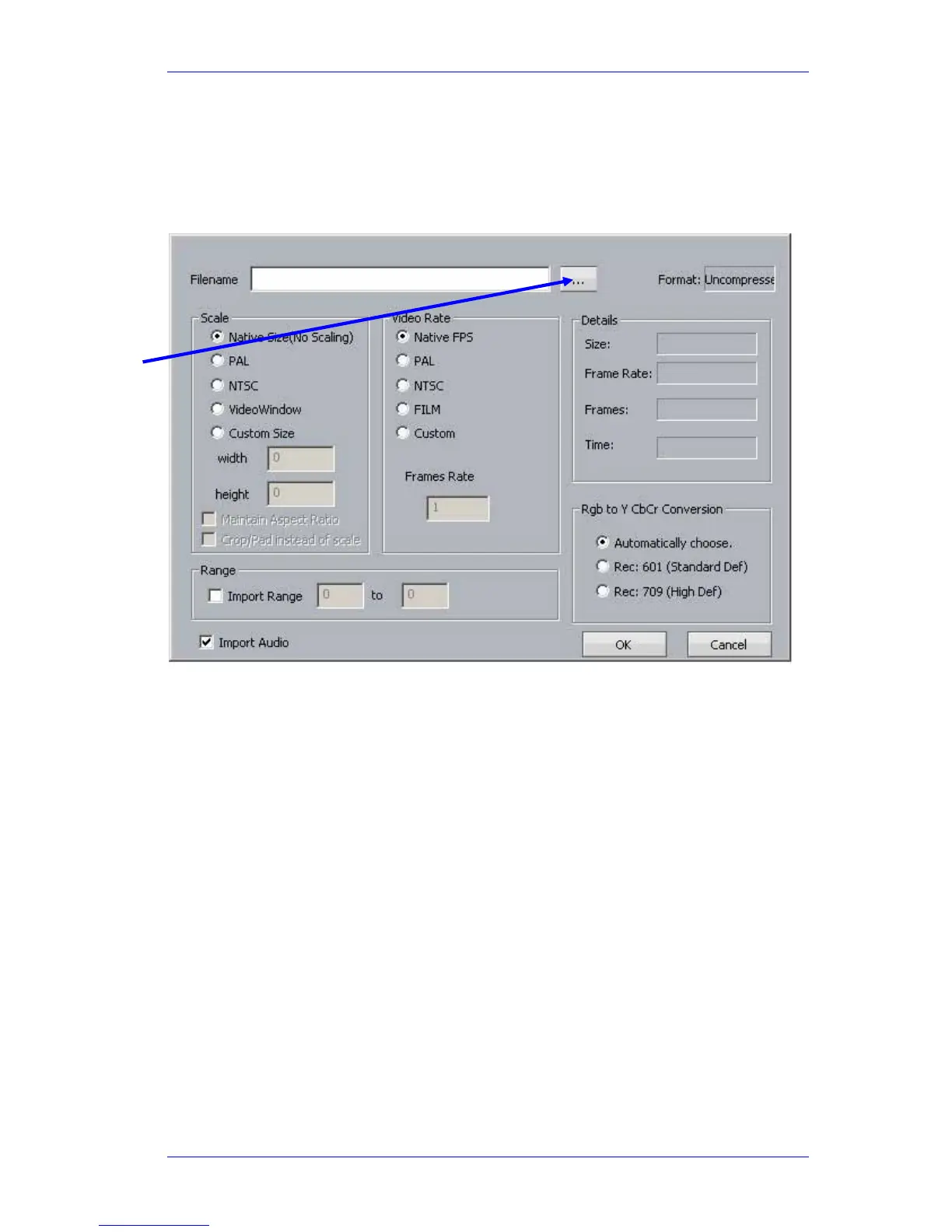
Step 3 The following dialog box is displayed
The following file types can be imported using this method:
Quicktime (.mov),
Avi (.avi),
Windows media format (.wmv)
Mpeg4 files (.mp4)
Mpeg 1 or 2 (.mpg, .m2v, .mvf),
dv25 (.dv or .dif)
Bitmap (.bmp) or Cineon (.cin) sequence of images ( in sequentially numbered files, 1
frame per file)
Final Cut Pro, XML project – note that nested sequences are not imported
also any Dream/Pyxis native files which are …
- uncompressed (.vmu)
- dv25 (.dif)
- mjpeg (.vmj)
- lossless (Huffman compression) (.vmh)
Click here to
browse for the
file you want
to import



 To Next Page