User Manual HOW TO … February 16, 2010
Xynergi Media Production Centre Page 42
Naming More Paths
The system keeps displaying paths so you can keep naming them. Choose the next signal path
you want to name (the QWERTY keyboard will immediately be displayed).
Note: you may need to press the path button TWICE.
Press
exit when finished
Megamodes
Overview
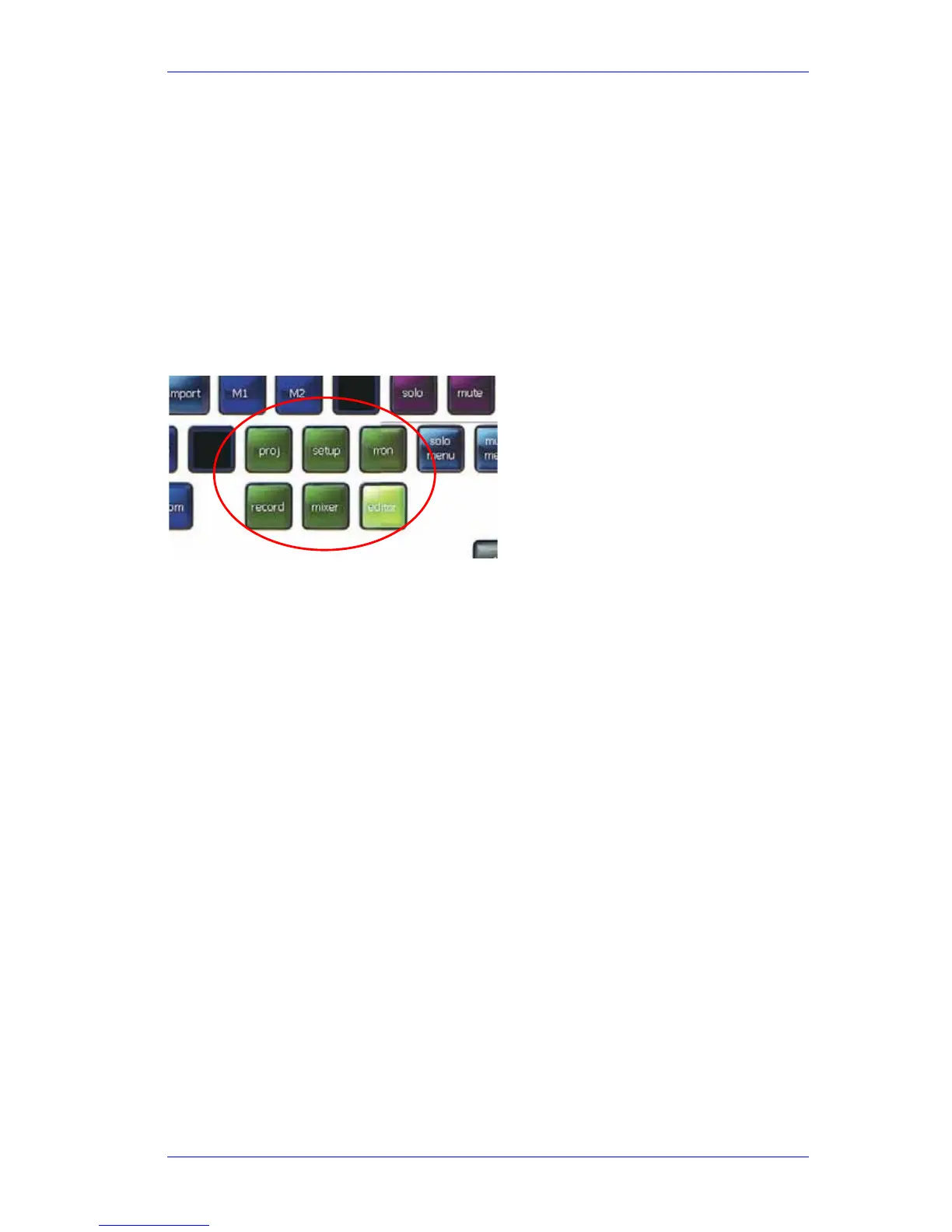
A megamode is a complete layout of the Xynergi picture keys.
There are six megamodes, triggered by the green keys at the bottom of the controller.
Here is a quick outline of the
Megamodes.
Editor
This is the main platform for audio editing.
It contains a number of modes, the most useful of which are Cut, Copy, Erase, Trim and Fade.
While any of these modes are active, three action keys at the left of the Jog Wheel give you the
main commands needed e.g.
cut tail, trim head, erase clip.
For details of the main editing commands, see How ToEditing.
For details of the other modes and button, hold down the
Xplain key and press the button for
which you would like some Xplanation.
Mixer
This is the main platform for audio mixing and automation.
Automation comes alive when the
Mix On button is pressed. This enables all the automation
modes and commands to be displayed and used.
For details of the main mixing commands, see How ToMixing.
For details of the automation system, see How ToAutomation.
For details of the other modes and button, hold down the
Xplain key and press the button for
which you would like some Xplanation.
Setup
Setup is used for all the behind the scenes work. Most functions here are set and left for the
duration of the project.



 To Next Page